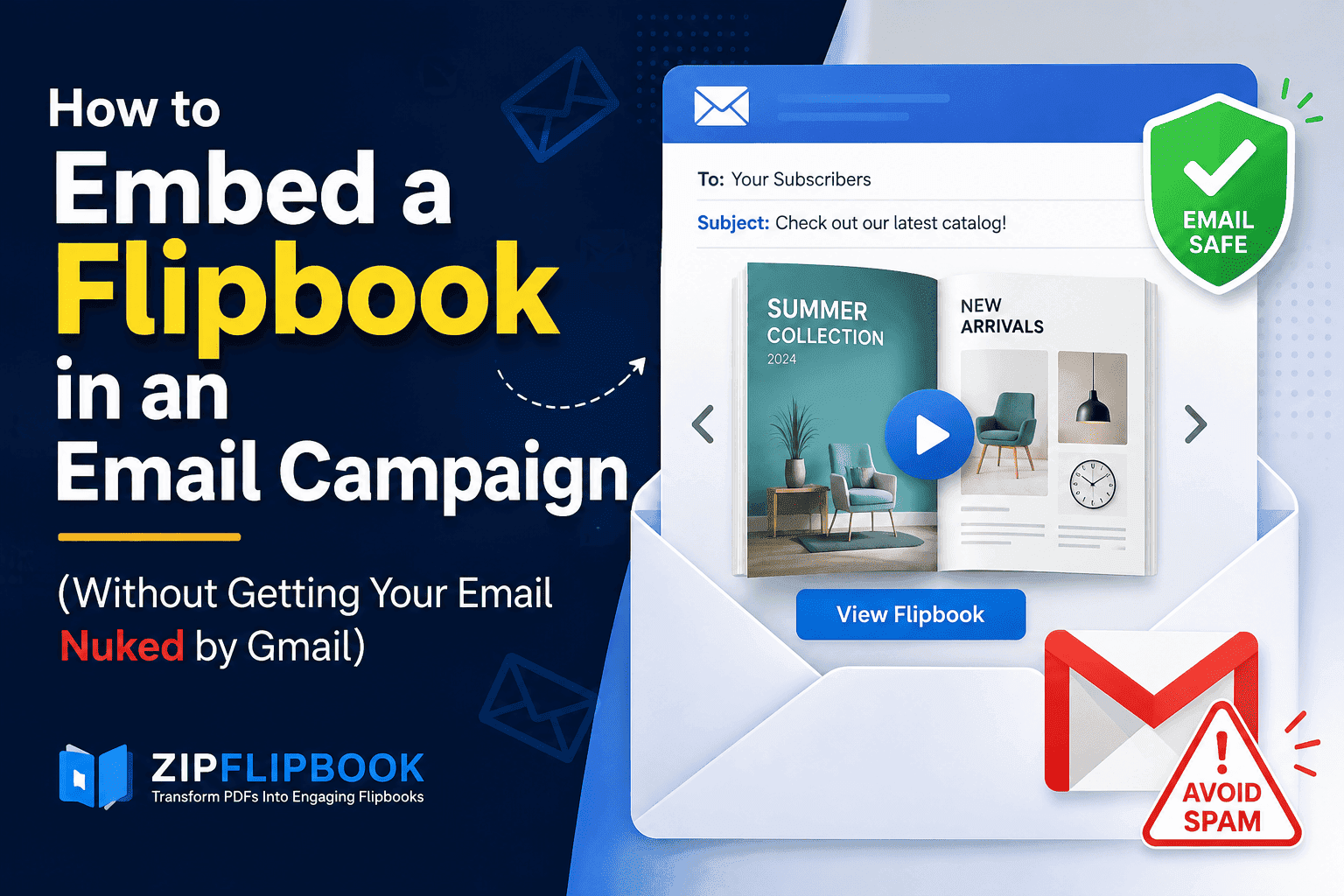
I get this question in some form almost every week, usually from someone who just spent three days building a gorgeous digital catalog and now wants to blast it out to their list looking exactly like it does in the browser. Then they hit the wall. You can't actually embed a working, page-flipping flipbook inside an email. Not really. Not the way you're picturing it.
Email clients are basically hostile little sandboxes. Gmail strips scripts. Outlook renders HTML like it's still 2003, using a leftover chunk of Microsoft Word's rendering engine for reasons nobody at Microsoft has ever adequately explained. Apple Mail is more forgiving but still won't run an iframe with interactive JavaScript sitting inside it. So the flipbook itself — the actual flip-page, turn-the-corner experience — has to live somewhere else. Your job in the email is to get people to click through to it.
That's not a consolation prize—it's actually the better strategy. Once you understand why, the whole "how do I embed this" problem turns into something much simpler to solve.
Why You Can't Just Drop an Iframe Into an Email
If you've built websites before, your instinct is probably to grab the embed code, the same iframe snippet you'd paste into a landing page, and jam it into your email HTML. I've watched people try this. It doesn't work, and depending on the email client, it can actively wreck your deliverability. Spam filters treat embedded iframes and heavy inline scripts as red flags because that's exactly the kind of payload malicious email uses to run tracking exploits or serve malware. Your campaign either gets stripped down to a blank box or gets flagged before it reaches the inbox at all.
Even in the rare case where an iframe technically renders, most recipients are reading email on their phone, where a flipbook control scheme designed for a mouse and a big screen turns into a cramped, unusable mess. Pinch-zooming a corner-flip animation on a five-inch screen inside the Gmail app is not an experience anyone enjoys.
So the workaround isn't a technical trick. It's a change in what you're asking the email to do.
The Actual Method: Static Preview, Live Link
The pattern that works, and the one I use for every flipbook campaign I send for ZipFlipbook itself, comes down to three pieces. A static image of the flipbook cover or an animated GIF of a page turning, a clear call-to-action, and a link straight to the hosted flipbook page. That's it. The email's entire job is to be the tease. The flipbook does the actual selling once someone's clicked through.
Start with the cover image. Most flipbook tools, ZipFlipbook included, generate a thumbnail automatically the moment you upload your PDF, so you're not stuck taking a screenshot and cropping it in Paint at 11pm. Drop that thumbnail into your email like you would any product photo, wrap it in a hyperlink pointing to the live flipbook URL, and you've already covered eighty percent of the job. People click images. It's one of the oldest habits in email marketing, and it hasn't gone anywhere.
If you want to push it a step further, build a short animated GIF that shows two or three pages flipping. This is the part that actually moves the needle on click-through rate in my experience, because a static thumbnail looks like every other catalog cover anyone's ever seen, but a GIF of pages turning signals "this is interactive, this isn't just another PDF attachment." You can screen-record the flip animation from your published flipbook and convert it to GIF with any free tool, or use something like ScreenToGif if you're on Windows. Keep it under three seconds and under a couple of megabytes. Nobody's waiting around for your email to finish loading a ten-second animation, and some clients will just refuse to autoplay anything heavier.
Below the image, add a text link too, not just the image link. Some corporate email clients block images by default until the recipient clicks "show images," which means your beautiful flip GIF might load as a broken box on first open. A plain text link like "Flip through the full catalog here" gives people a second way in when the visual doesn't render.
Getting the Link Right
The link itself matters more than people think. Don't just paste your flipbook's raw hosted URL and call it done. If you're running this as an actual campaign, you want to know whether it worked, and that means tracking.
Most flipbook platforms let you add UTM parameters to the share link without breaking anything, so something like adding utm_source=email and utm_campaign=spring-catalog onto the end of your flipbook URL means it'll show up cleanly in your Google Analytics or GSC data later, separated out from your organic and social traffic. I do this on every single campaign link I send, flipbook or not, because six months from now when someone asks "did the March newsletter actually drive anyone to the catalog," you want an actual number instead of a shrug.
On ZipFlipbook specifically, I built the platform so that every flipbook you publish gets a clean, shareable URL by default, and you can layer campaign parameters onto it the same way you would any other link. There's no special embed dance required, no wrestling with iframe permissions, no worrying about whether your email provider will choke on the code. You publish once and reuse that same link across email, social, and anywhere else you're pushing traffic, which honestly saves a lot of headache compared to juggling separate assets for separate channels.
Turn Your PDFs into Lead Generation Machines
Start getting highly-qualified leads from your PDFs and landing pages today. It takes exactly 2 minutes to set up.
No credit card required • Sign up in 10 seconds
What Happens on the Landing Page Matters Just as Much
Here's something people skip past. All this work to get someone from their inbox to click through, and then the flipbook itself doesn't ask for anything. No lead capture, no follow-up prompt, nothing. You just built a beautiful dead end.
If the whole point of the campaign was to move product or generate leads, the flipbook page needs its own call to action baked in, not bolted on as an afterthought after the last page. This is where a tool that supports embedded lead capture inside the flipbook itself earns its keep. ZipFlipbook lets you drop a contact form or a call-to-action button directly into specific pages of the flipbook, so someone flipping through your spring catalog can hit "request a quote" on page eleven without ever leaving the reading experience or bouncing back to a separate site. That single detail is usually the difference between a flipbook that looks nice and one that actually pays for the time you spent building it.
It's also worth checking your analytics after a campaign goes out, not just your email open rate but what happened once people landed on the flipbook. Which pages they lingered on, where they dropped off, whether they made it to the last page at all. That data tells you more about what your audience actually cares about than any survey you could send them, and it's the kind of thing that should shape your next campaign instead of just sitting in a dashboard nobody looks at again.
Timing and Frequency, Because Nobody Talks About This Part
A flipbook campaign isn't a one-and-done email. The mistake I see most often is treating it like a single blast: send it Tuesday morning, check the open rate Wednesday, move on. Flipbooks, especially catalogs and lookbooks, have a longer shelf life than a typical promotional email because the content inside is genuinely worth revisiting. Someone who opened your email but didn't click through on day one might still click through on day four if you remind them, particularly if you resend to non-openers with a tweaked subject line rather than assuming the first attempt failed for good.
I usually plan a short sequence around a flipbook launch. First email announces it with the cover image and the flip GIF. A few days later, a shorter follow-up goes to people who didn't open the first one, often just swapping the subject line since that's almost always the actual problem. Then, a week or two out, a "last chance" or "in case you missed it" nudge for anyone who opened but never clicked through. It's not aggressive—it's just recognizing that inbox attention is scarce, and one shot rarely does the job on its own.
The Attachment Temptation
One more thing worth saying plainly: don't attach the PDF instead of doing any of this. I know it's tempting, especially if the flipbook build feels like extra work on top of a PDF you already have sitting on your desktop. But a PDF attachment gets none of the benefits that made you want a flipbook in the first place. No page-flip experience, no embedded video or lead form, no analytics on who actually opened it or how far they got, and a meaningfully higher chance of tripping spam filters thanks to attachment size and type flags. If you've already gone to the trouble of converting your PDF into a flipbook, don't undercut it by falling back on the exact format you were trying to move away from.
Turn Your PDFs into Lead Generation Machines
Start getting highly-qualified leads from your PDFs and landing pages today. It takes exactly 2 minutes to set up.
No credit card required • Sign up in 10 seconds
Keep It Simple and Let the Click Do the Work
The whole approach here boils down to something less complicated than it first appears. You're not embedding a flipbook in an email, not literally, and trying to force that is a losing battle against how email clients are built. Instead you're using the email as a well-designed doorway: a strong image, a short animated preview if you can manage it, a tracked link, and a landing experience on the other side that's actually built to convert once someone arrives. That's the whole playbook, and it's the same one I run for every ZipFlipbook campaign I send myself. Build the flipbook properly with lead capture where it counts. Keep the email itself lean and image-forward. Let the click do the work the iframe never could.
FAQ
Can I embed a flipbook directly in Gmail or Outlook? No, not a functioning one. Both clients strip iframes and block the JavaScript a flipbook needs to flip pages, so anything you paste in will either render as a blank box or get stripped out entirely before it reaches the inbox. The workaround is a linked thumbnail or GIF, covered above.
What image format should I use for the email preview? A static PNG or JPG of the cover works fine for most campaigns, but a short GIF showing two or three pages turning tends to pull more clicks. Keep it small, under a couple of megabytes, so it doesn't drag down load time on mobile connections.
Will an embedded flipbook hurt my email deliverability? Trying to force one in with an iframe or heavy inline script absolutely can. Spam filters treat that kind of payload the same way they'd treat a tracking exploit, and it's one of the faster ways to land in a spam folder. A plain image link doesn't carry that risk.
Should I attach the PDF instead of linking to the flipbook? No. You'd lose the page-flip experience, any embedded lead forms or video, and all your click analytics, and attachments raise your spam-filter risk anyway. If you built a flipbook, use the flipbook.
How do I track whether people are actually clicking through from email? Add UTM parameters to your flipbook link before you send it, something like utm_source=email and utm_campaign paired with whatever you're calling the send. That way the traffic shows up cleanly in Google Analytics or Search Console instead of getting lumped in with everything else.
Can people fill out a form without leaving the flipbook? On ZipFlipbook, yes. You can drop a contact form or a call-to-action button directly into specific pages, so someone reading page eleven of your catalog can request a quote right there instead of bouncing back to your website.
How many emails should a flipbook campaign include? More than one, usually. A launch email, a resend to non-openers with a different subject line a few days later, and a final nudge a week or two out to anyone who opened but never clicked. Treating it as a single blast leaves a lot of clicks on the table.
Does the flipbook need to be mobile-friendly if most people read email on their phone? Yes, and this is worth checking before you send anything. Make sure the hosted flipbook itself renders and flips cleanly on a phone screen, since that's where most of your clicks are going to land regardless of how the email looks on desktop.