Most catalogue PDFs have a short, sad life. Someone spends two weeks on it, it gets emailed to a few dozen customers, and then it sits in a Downloads folder next to a file called catalogue_final_v7.pdf. The people you actually want to reach, the ones scrolling Instagram on a bus, never see a single page.
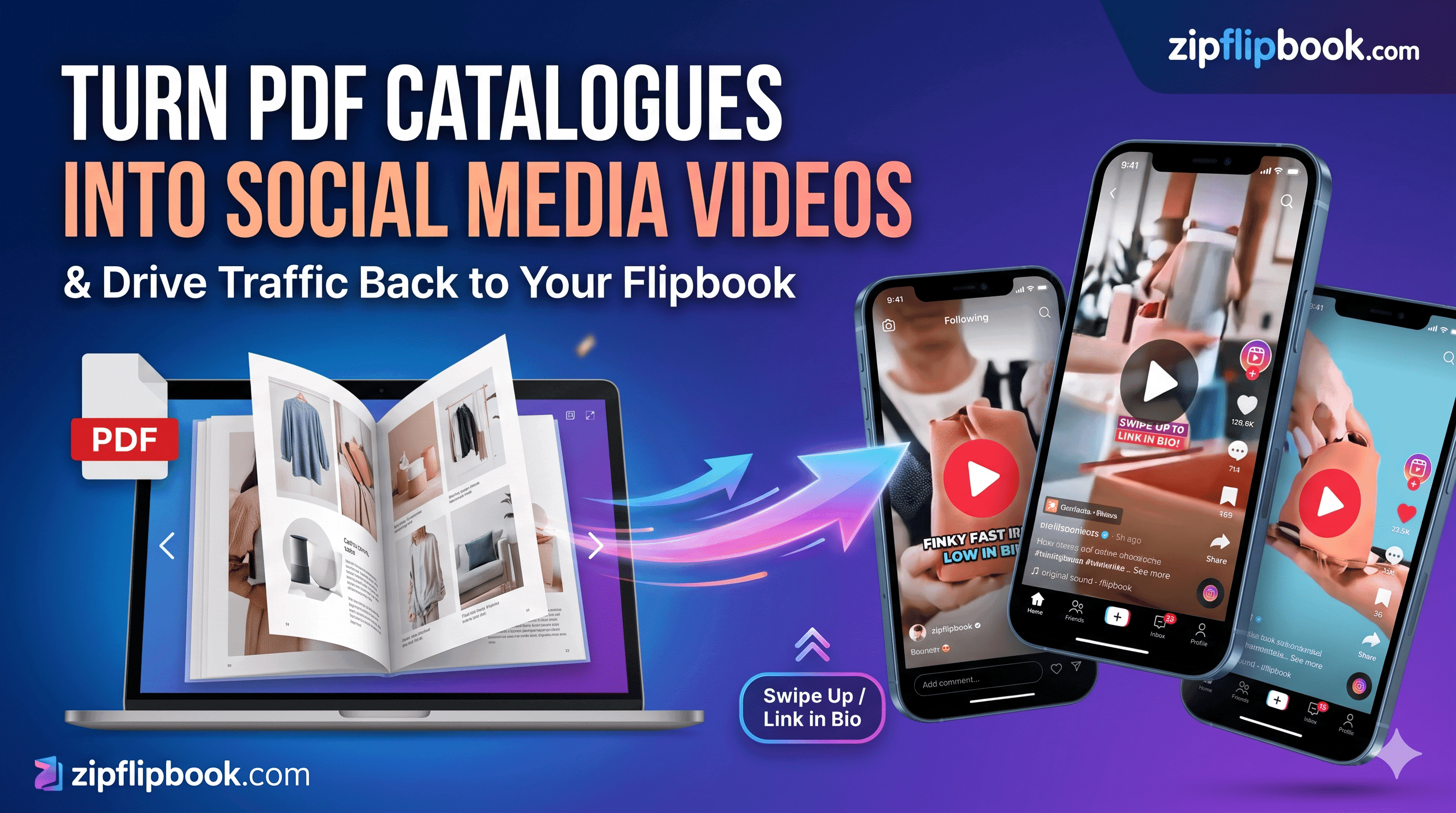
That's a waste. A catalogue already has most of what a short video needs. Product shots, prices, descriptions, a layout somebody paid to make look good. You don't have to hire a film crew to use any of it. You need the PDF, a flipbook link for people to land on, and an AI video maker to turn a handful of pages into clips that fit a phone screen.
I run ZipFlipbook, so I've seen a lot of catalogues go from PDF to flipbook. The ones people actually read usually had someone pointing at them. Video is the cheapest way I know to do the pointing.
Why the PDF alone never travels
Send a PDF link to someone on a phone and watch what happens. On plenty of devices it starts a download, or opens a clunky viewer where every page needs pinching and zooming. A 25 MB catalogue on mobile data is a lot to ask from someone who found you thirty seconds ago. Most of them close it before page two.
You learn nothing from it, either. A downloaded PDF doesn't tell you whether anyone got past the cover, which products they lingered on, or whether the whole thing was ignored. You post the link and hope.
Social feeds are the reverse. Instagram, TikTok and YouTube Shorts push video harder than almost anything else, but a fifteen-second clip has no room for forty pages of product. So split the jobs. The video grabs attention. The flipbook is where the browsing happens, with room to turn pages and numbers behind it.
Convert the PDF into a flipbook first
Do this before you generate anything. Every video needs somewhere to send people, and you want that link ready when you write the captions.
Upload the PDF to ZipFlipbook. It's free and runs in the browser, and you get back a page-turning version that opens on any phone with no download. From there you can add a lead capture form, embed video or links on pages, and see who opened it and how far they got.
Before you upload, do two things. If your PDF is north of 30 MB, compress the images first. A flipbook that takes eight seconds to load on 4G loses people the same way a PDF does. And open the finished flipbook on your own phone, not only your laptop. If you have to pinch to read a price on your own screen, so does everyone else, and it tells you which pages are too dense to use in a video.
Pick the pages that can carry a video
A forty-page catalogue should not become one forty-page video. Flick through the pages at a second each and nobody reads anything. One clip per idea works better, so a catalogue that size might give you six to ten videos.
Start with the cover, your best-selling spread, a new arrivals page, anything with a visible before and after, and any page with a number that makes people look twice, like a price drop or a delivery time. Skip the contents page, the terms and conditions, dense spec tables and anything with text that needs a magnifying glass.
Take a garden furniture catalogue. The rattan corner sofa spread makes a clear video: three product shots, one headline price, one reason to buy. The page of cushion fabric swatches doesn't, unless you turn it into a pick-your-colour clip. The care instructions page is out entirely.
Write the page number next to each pick. It goes in the caption later so people know where to turn when they land in the flipbook.
Four angles that work for catalogue clips
Before you write a script, decide what the clip is about. Pick one angle before you write. Otherwise the clip tries to say everything. Catalogue pages usually fit one of four.
The price angle leads with a number. A tradesperson's price list is a good example: "Boiler service, £85, booked in under a week" says more in two seconds than a logo animation does. The problem angle starts with something the viewer is annoyed about and shows the product as the answer, like a patio set that doesn't rust or a lookbook for people who hate shopping in town. The new arrival angle is the simplest one. It says what has just landed and shows it. The fourth is the how-it's-made angle, which suits anything with materials or craft behind it: a menu page for a restaurant that smokes its own fish, or a handmade ceramics range where the glaze is the selling point.
The same page can give you two or three clips with different hooks. That's useful, because you'll find out within a couple of weeks which angle your audience responds to, and you'll have the clips to test it.
Turn Your PDFs into Lead Generation Machines
Start getting highly-qualified leads from your PDFs and landing pages today. It takes exactly 2 minutes to set up.
No credit card required • Sign up in 10 seconds
Creating the video with an AI video maker
This is where you save the most time. Writing, captions, footage and editing used to mean a freelancer or an evening wrestling with video software. An AI video maker like Predis.ai takes a short brief and gives back a draft clip with visuals and captions that you can edit. If you've got a catalogue and no video team, this is how you post at all.
For each clip: Export the page you picked as an image, around 1080 pixels wide so product shots stay sharp. Write a script of three lines: a hook, the product with its price or reason to care, and a call to action. Open the tool, choose a vertical format, paste in the script, and upload your page image and product photos so the draft uses your products rather than generic stock footage. Add your brand colours and logo, then generate.
Then edit, because the first draft will have problems. Check every product name and price against the catalogue. AI tools mangle names and occasionally invent claims, and a wrong price in a video is a wrong price in public. Don't skip this step. Swap any stock clip that doesn't match what you sell. Fix captions where a word has been spelled oddly. Read the first two seconds again and make sure they say something specific. "Our new autumn range" is weak. "Corner sofa, £649, delivered this week" stops thumbs.
A rough script for the garden furniture clip:
Hook: This corner sofa seats six and still fits a small garden.
Middle: Weatherproof rattan, cushions that dry fast, £649 until Sunday.
Call to action: Full range in our catalogue, link in bio.
Read aloud that comes to about fifteen seconds. Most of your clips will look like that. One product, one number, then off to the flipbook.
The first clip takes the longest. By the third, your brand settings, format and script structure are sorted, and the work is mostly checking facts. Write all your scripts in one sitting, then generate and edit them in one go. It's quicker than switching between writing and editing for every clip.
Format, length and captions
Use vertical video, 9:16, 1080 by 1920 pixels. That one export covers Instagram Reels, TikTok and YouTube Shorts. For Facebook and LinkedIn feeds, a square 1:1 version often fits better because it takes up more room in a desktop feed, so export both if the tool allows it.
Keep clips between fifteen and thirty seconds. A catalogue clip with nothing left to say at second twenty should end at second twenty.
Turn captions on. A large share of people watch with the sound off, and burned-in captions are what stop your hook being scrolled past. Keep text away from the very top and bottom of the frame, where the app's own buttons and username sit on top of whatever you put there. If you can't read the text on a phone held at arm's length, make it bigger.
If the page you started from has movement in it, use it. A slow zoom on a product photo or a pan across a spread gives a static catalogue image enough motion to look like video. Some of the best-performing clips I've seen from catalogue pages are barely edited: a page, a zoom, a price, a caption.
Where the link goes
If the video doesn't point anywhere, it's just content. Decide where the link lives before you post.
On Instagram the bio link is the only clickable spot for most accounts, so put your flipbook URL there and end the clip with "link in bio". Stories can carry a link sticker. TikTok works the same way through the bio. YouTube Shorts lets you add the link to the description and a pinned comment, so use both. Facebook and LinkedIn posts take a link directly in the post text.
To see which platform is sending people, add UTM tags to the flipbook link for each one. Something like ?utm_source=instagram&utm_medium=social&utm_campaign=autumn-catalogue, with the source swapped for tiktok, youtube and so on. Any analytics tool that reads UTMs will then split your traffic by platform. Two minutes of work, and you stop guessing which platform sends traffic.
Put the page in the caption as well: "Corner sofa is on page 12." Someone who has landed in a forty-page flipbook from a fifteen-second video should know where to flip.
Reading the numbers
After a couple of weeks you'll have two sets of data. The platforms tell you which clips got watched. The flipbook analytics tell you what people did after they arrived. They often disagree. A clip with modest views but a high rate of flipbook opens is doing a better job than a viral one that sent nobody anywhere.
Look at which flipbook pages hold attention. If people stop on page 12 and skip page 20, make more clips from pages like 12. If you've added a lead capture form, check which videos brought in the email addresses. Those are the ones to repeat.
Don't judge after three posts. Aim for two or three clips a week for a month, then look. A single post can flop for reasons that have nothing to do with the content, such as the time you posted or whatever the algorithm was doing that day.
A realistic first week
On Monday, upload the PDF to the flipbook tool, test it on your phone and fix anything that loads slowly. On Tuesday, choose six pages and write a three-line script for each. On Wednesday, generate the drafts and edit the first three, checking every price and name against the catalogue. Post the first clip on Thursday with your flipbook link in the bio and the page number in the caption. Post the second on Saturday morning, when people are scrolling with a coffee. Leave the third for the following Tuesday and spend Sunday looking at what the first two did.
Keep the first week small. Three clips and one flipbook is enough to learn whether your audience bites, and if they do you've already got seven more pages queued up.
Where the effort gets wasted
The most common one is using the whole PDF as the video, scrolling through pages. Nobody can read a catalogue page in under a second, so the viewer gets a blur and leaves.
Linking to the PDF itself from the bio is nearly as bad. It takes someone who liked your video and hands them a slow download.
A price mismatch costs you the sale and some trust. If the video says £649 until Sunday and the flipbook still says £699, the customer closes the tab. Update the catalogue and re-upload before a promotion goes live.
Skipping captions loses you a chunk of the audience before second two. Posting one clip and quitting tells you nothing. One clip is a coin toss.
Turn Your PDFs into Lead Generation Machines
Start getting highly-qualified leads from your PDFs and landing pages today. It takes exactly 2 minutes to set up.
No credit card required • Sign up in 10 seconds
FAQ
Can I make a video straight from a PDF?
Some tools take PDF text. I'd still use a page image and a three-line script, because then you control the wording.
How long should a catalogue video be?
Fifteen to thirty seconds. Cut anything after the call to action.
Do I need to be on camera?
No. Product images, captions and music or a voiceover are enough for catalogue clips.
Which social platform should I start with?
Wherever your customers already are. For most small businesses selling products that means Instagram Reels first, then the same file on TikTok and YouTube Shorts.
Does it cost anything?
ZipFlipbook is free. Most AI video tools have a free tier or trial, so check the current plan on their site before you commit to anything.