I used to run a stack of leaflets to the print shop on Cotton Street every six weeks. Cardboard box, 500 copies, that chemical ink smell that gets into your car and stays there for a week. Half of them ended up in a cupboard. A quarter got binned by whoever I was trying to hand them to. The rest, if I'm honest, I never even tracked. That's the leaflet business for most small operators — spend the money, hope for the best, never actually know what happened to it.
A digital leaflet fixes one thing, and it's the thing that used to keep me awake: you finally know.
So What Actually Is a Digital Leaflet
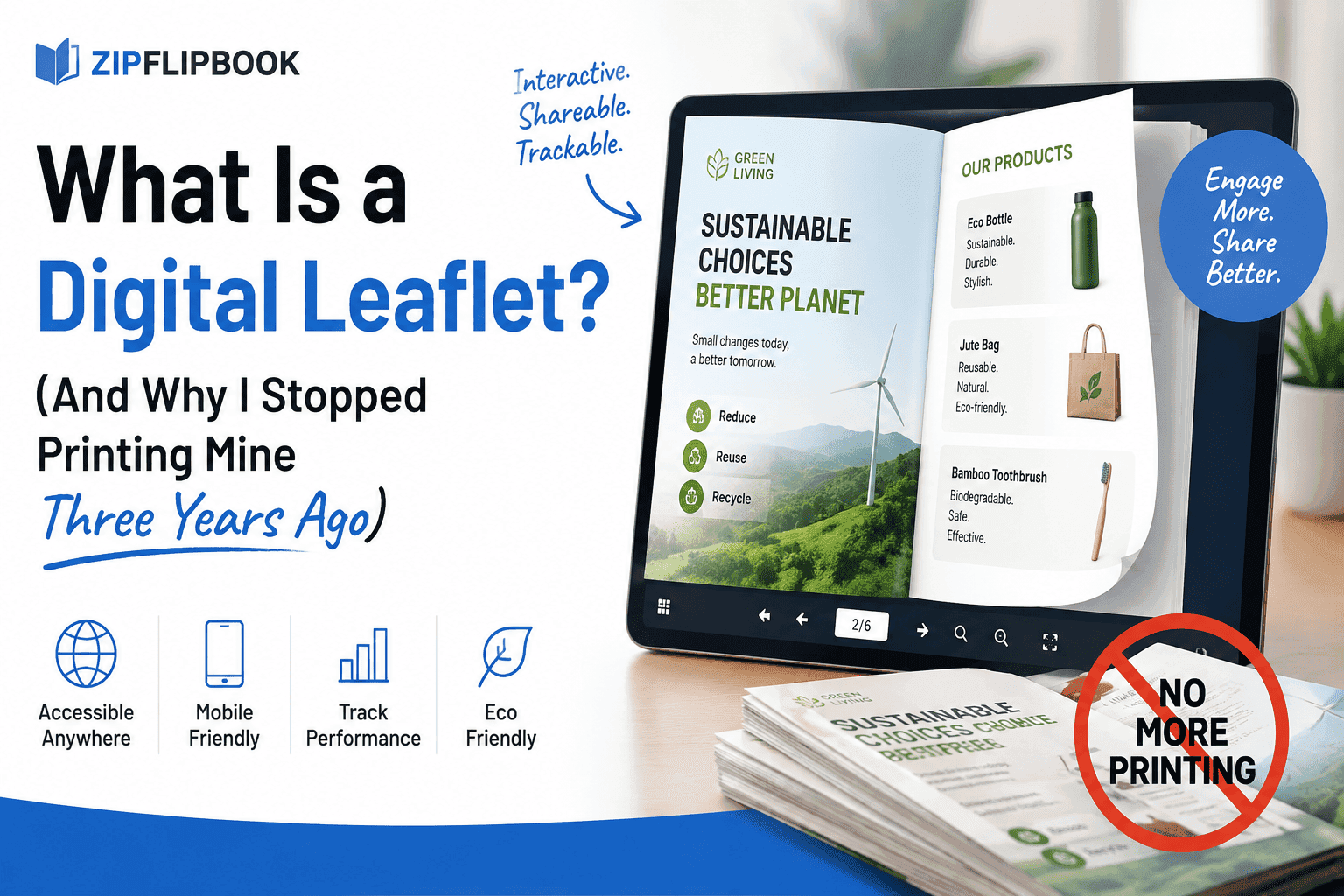
Here's what a digital leaflet actually is, marketing bullshit aside: it's a leaflet that lives on a screen instead of in someone's coat pocket. Same job — one page, sometimes a fold, a pitch, an offer, contact details — but delivered as a link, an embed, or a file instead of a stack of paper.
That's the boring definition. Here's the useful one: a digital leaflet is a leaflet that can tell you things a paper one never could. Who opened it. How long they stayed on the pricing panel. Whether they clicked through to book, call, or bin it. Paper can't do any of that. Paper is a one-way street. You throw it out into the world and you never hear back unless someone rings you, and by then you've forgotten you even printed 500 of the things.
People use "digital leaflet," "digital flyer," "e-leaflet," and "digital brochure" pretty much interchangeably, and honestly the distinctions barely matter in practice. What matters is the format underneath. In practice, you see three versions floating around:
A static image or PDF sent as an attachment. This is the laziest version and, not coincidentally, the most common. Someone designs a leaflet in Canva, exports it as a PDF, emails it. It looks fine on a laptop. On a phone it's a postage stamp you have to pinch-zoom to read, and nobody bothers.
A flipbook-style digital leaflet. This is a PDF that's been turned into something that behaves like an actual leaflet — pages that turn, a spread that mimics the physical fold, readable on a phone without the zoom-and-squint routine. This is the category I've spent the last few years building a tool for, so take that bias as read.
A web page dressed up as a leaflet. Full HTML, responsive, sometimes with forms baked in. More flexible, more expensive to produce, usually overkill for a one-page offer.
Most small businesses don't need option three. They think they do because someone told them "just build a landing page," but a landing page and a leaflet are answering different questions. A leaflet is a pitch. A landing page is a sales funnel. Don't confuse the two.
Why Bother — What's Actually Wrong With Paper
Nothing, if your only goal is aesthetics. There's something a printed leaflet does that no screen replicates — the weight of it, the good paper stock, the way it sits on a counter next to the till. I'm not going to pretend digital wins on every front.
But here's what paper costs you that nobody puts on the invoice:
You pay per copy, every time, forever. Print 1,000 leaflets, run out in three weeks, pay for another 1,000. A digital leaflet gets built once and reused indefinitely — send it to five people or five thousand, the cost doesn't move.
You can't fix a typo. I printed 2,000 leaflets in 2019 with the wrong phone number on them — one digit out, transposed, the kind of mistake you don't catch until someone calls the wrong number and it rings a plumber in Macclesfield. Those 2,000 leaflets went straight in the recycling. A digital leaflet with a wrong number gets fixed in ninety seconds and republished instantly.
You get zero data back. And that's the part that finally killed paper for me. A paper leaflet is a leap of faith. You genuinely do not know if it worked, and most small business owners I talk to through Slingshot have some version of the same story — a leaflet run that "felt like it did something" but they couldn't point to a single lead that came from it.
And distribution is slow and manual. Someone has to physically walk the leaflets to the letterboxes, the counters, the trade show table. A digital leaflet goes out the second you hit send, and it goes out to everyone on your list at once.
What a Digital Leaflet Can Track That Paper Never Could
This is where digital actually earns its keep, and it's the part most people underestimate until they see it working.
A decent digital leaflet tool will show you views — not "we handed out 500," but "137 people actually opened this." It'll show you time spent per page, which tells you whether people are reading your pricing panel or bailing after page one. It'll show device breakdown, which matters more than most people think — if 80% of your opens are on mobile and your leaflet still requires pinch-zooming to read the small print, you've found your problem in about four seconds.
The better tools go further and let you capture a lead directly inside the leaflet — an email field before they can flip past page two, or a "get a quote" button that fires straight into your inbox. That's the difference between a leaflet that informs and a leaflet that converts. Paper can only ever inform.
Who Actually Uses These Things
Three types of people keep coming back to digital leaflets, and they're probably who you'd expect:
Tradespeople and local services. A roofer or an electrician doesn't need a website overhaul, they need something to send when someone asks "have you got a price list?" A digital leaflet answers that in one link, looks professional on the phone the customer's holding, and doesn't cost anything per send.
Estate agents. Property brochures were basically born to be digital leaflets — photos, floor plan, price, all flippable on a phone in a waiting room or on a train. I've written about this specifically before because it's such a clean fit; a printed property brochure goes stale the second the price changes, a digital one gets updated in the time it takes to edit a PDF.
Small event and hospitality businesses. Menus, class schedules, wedding vendor packs — anything that used to be a laminated sheet or a folded card now works better as a link you can text someone.
It's not really about the industry, if I'm honest. It's the moment — someone asks a question and you need to hand them information right now, on their phone, without a print run standing between you and the answer.
Turn Your PDFs into Lead Generation Machines
Start getting highly-qualified leads from your PDFs and landing pages today. It takes exactly 2 minutes to set up.
No credit card required • Sign up in 10 seconds
How Digital Leaflets Fit Into an Actual Marketing Plan
A digital leaflet won't save a bad business, and it won't fix a weak offer. What it does is sit at the handoff points — the moment someone's interested enough to ask for more but not ready to book a call. That's where paper falls apart. That's where digital earns its keep.
Email signature. Instead of a static logo nobody clicks, a link to a leaflet that opens instantly.
QR code on a physical sign, van livery, or actual paper leaflet — yes, you can still print something, just make the print piece the doorway to the digital one rather than the whole pitch. This is honestly the combination that works best for most trades businesses: cheap print run with a QR code, full pitch lives digitally where you can update and track it.
Embedded on your website as the actual "download our brochure" experience, instead of linking out to a raw PDF that opens in a new tab and looks like it was designed in 2004.
WhatsApp and text follow-ups after a quote request — send the leaflet, not just a price in a text message, because the leaflet carries the trust signals (past work, reviews, guarantees) that a bare number in a text bubble never will.
Making One Without It Looking Like a Digital Leaflet
The biggest tell that something's a cheap digital leaflet is usually the page-turn animation trying too hard, or a template that's clearly been used by four hundred other businesses that quarter. A few things actually move the needle on quality:
Design for the phone first, not the print layout shrunk down. Most opens will be on mobile — check your assumptions there before you check anything else.
Keep the fold logic if you're converting an existing print design, but don't force pages that don't need to exist. Three tight pages beat six padded ones.
Put the call-to-action on every page, not just the last one. People don't always read to the end.
Use real numbers and real photos over stock imagery. A trade leaflet with your actual finished jobs on it will always outperform a generic template graphic.
Turn Your PDFs into Lead Generation Machines
Start getting highly-qualified leads from your PDFs and landing pages today. It takes exactly 2 minutes to set up.
No credit card required • Sign up in 10 seconds
Where ZipFlipbook Comes Into This
I built ZipFlipbook because I got sick of the two bad options — clunky PDF attachments on one side, six-figure flipbook software on the other, and absolutely nothing sensible in between. It's browser-based, it's free to start, and it does the specific job this whole article is about: turns a normal PDF into a proper flippable digital leaflet, readable on a phone, with the view and engagement data built in so you're not flying blind the way I was with that box of leaflets in 2019. You can embed it on your site, share it as a link, and actually see who's opening the thing instead of guessing. I'm biased, obviously — I built it because I needed it myself, and I'd rather say that outright than pretend otherwise.
If you're still running paper leaflets purely out of habit, the switch is smaller than it feels. Upload the PDF, get a link, send it instead of an attachment. See what happens when you can finally watch the data come back.