For four years, I built brochures the old way. PDF attachments. Scanned print catalogues passed off as "digital." Flipbooks weren't even on my radar. In all that time, the single biggest complaint I heard from clients wasn't about layout or colour palettes. It was that their brochure felt dead. Flat. A wall of product shots and paragraph copy that nobody actually read past the first page.
Video fixes that, but only if you do it properly. I've watched people bolt a YouTube link onto page three of a PDF and call it done, and I've watched the opposite crime too — six autoplaying clips fighting each other for attention on a single spread, sound blaring the second the page opens. Both versions fail. One ignores video's actual advantage, the other abuses it until the reader closes the tab out of self-defence.
So let's talk about what actually works, because there's a right way to embed video in a digital brochure, and it has almost nothing to do with which platform you use to host the file.
Why a static brochure loses to a video-enabled one
Here's the uncomfortable truth about print-style PDF brochures: people skim them the way they skim junk mail. Eyes drop to the price, maybe the headline, then gone. A product photo is a promise. A ten-second clip of that product actually working? That's proof. That distinction is the entire reason video converts better — it's not a design trend, it's just harder to fake enthusiasm on camera than in a stock photo.
I noticed this firsthand with a kitchen renovation client who insisted her cabinet brochure didn't need video — "the finishes speak for themselves," she said. We ran two versions side by side for a month. The version with a 15-second soft-close drawer demo on page two had visitors spending nearly three times longer on that page and a noticeably higher rate of people clicking through to the contact form. Cabinets are boring. A drawer that doesn't slam is, apparently, not boring, if you can watch it happen.
That's the case for video. It isn't about entertainment. It's about removing guesswork — showing the reader what they'd otherwise have to imagine, like the sound of your restaurant on a Friday night, instead of leaving it to a photo of empty tables.
Where video actually belongs in a brochure
Not every page needs one. This is the part people get wrong most often — they treat video as decoration rather than function, and end up sprinkling clips across every spread like confetti. A brochure with video on every page reads as chaotic. Worse, the file bloats and slows to a crawl. By the time someone reaches page two, they've already closed it.
Video belongs on pages where motion actually explains something a photo can't. A product demo. A testimonial where the person's tone of voice does more convincing than any quote pulled and italicised on the page. A behind-the-scenes clip of your workshop or kitchen or studio, because people buy from humans and a shot of hands actually making the thing does something a polished hero image never will. A walkthrough of a property, a venue, a showroom — anywhere spatial context matters more than a still frame can convey.
Everywhere else, stick with photography. Save video for the two or three moments in your brochure where it earns its keep.
Turn Your PDFs into Lead Generation Machines
Start getting highly-qualified leads from your PDFs and landing pages today. It takes exactly 2 minutes to set up.
No credit card required • Sign up in 10 seconds
The technical part nobody warns you about
This is where most digital brochures fall apart. Not from bad design — from file size and hosting. A PDF with an embedded video file balloons instantly. I've seen "digital brochures" that were 80MB because someone dropped a raw MP4 straight into InDesign and exported to PDF, and then wondered why nobody on mobile data would open it.
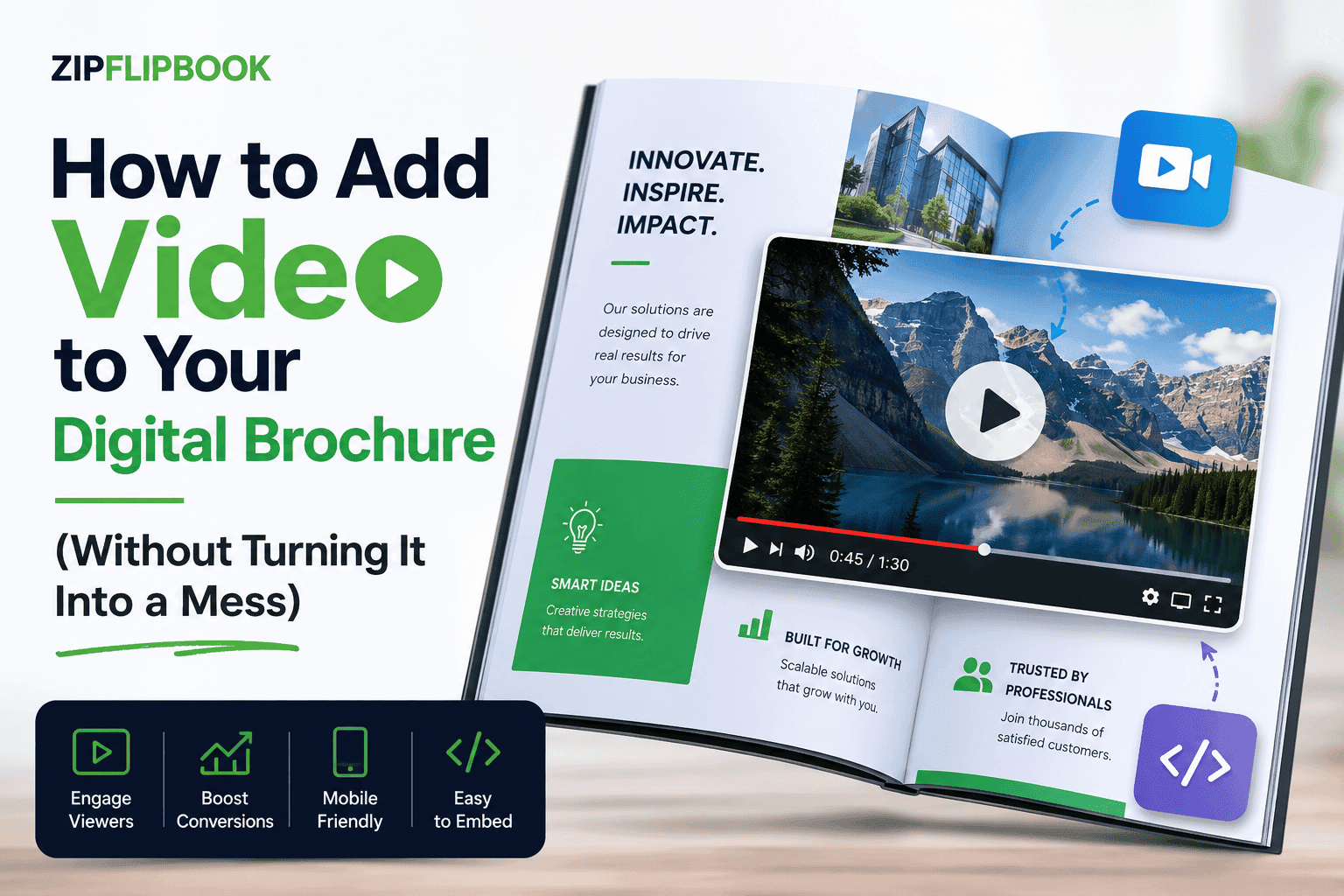
The fix isn't to compress the video into oblivion until it looks like a 2004 webcam. The fix is to stop embedding the raw file at all and instead link or stream it. Host the video separately — YouTube (unlisted if you don't want it public), Vimeo, or your own CDN — and drop a thumbnail with a play trigger into the brochure page. The reader taps it, the video streams from wherever it's actually hosted, and your brochure file itself stays lean enough to load on a coffee-shop wifi connection without anyone giving up halfway through.
That's the problem ZipFlipbook was built to solve, because I got tired of watching people fight InDesign and Acrobat trying to make embedded video behave. With ZipFlipbook you upload your existing PDF, and inside the flipbook editor you can drop in a video directly onto any page — either uploading a clip or pulling from a YouTube or Vimeo link — without needing to touch the original PDF file or re-export anything. The flipbook streams the video rather than baking it into a bloated download, so your brochure stays fast even with video on multiple pages. It's free. No signup wall. Nothing to install — it runs in the browser.
Autoplay is a trap. Don't fall into it.
Autoplay is the most common mistake I see. And it's the easiest to avoid. Autoplaying video with sound, the moment someone opens your brochure, is one of the fastest ways to make them close the tab. Nobody wants their laptop speakers ambushing them in a quiet office, and nobody on their phone in a waiting room wants sound blasting out unannounced. Most browsers now mute autoplay by default anyway, specifically because so many sites abused it, so you're often fighting the platform as well as the reader's patience.
Give the reader control. A static thumbnail with a visible play button costs you nothing in terms of impact — if the content is good, they'll click it — and it respects the fact that they might be reading your brochure somewhere that isn't private. That single decision — thumbnail over autoplay — will do more for your brochure's professionalism than most design choices.
Keep the clips short
Attention spans in a brochure context are shorter than on a dedicated video platform. Someone watching a YouTube review has already decided to invest time. Someone flicking through a brochure on their phone hasn't. Aim for fifteen to forty-five seconds per clip. If you genuinely need longer — a full property walkthrough, say — link out to a dedicated landing page rather than forcing the whole thing to play inline. The brochure's job is to hook interest, not to be the final destination for every piece of content you own.
I made this mistake myself early on with a two-minute product explainer video I was convinced was essential viewing. It wasn't. Cut down to forty seconds of the actual demonstration, engagement on that page more than doubled. Turns out people didn't want the pitch, they wanted the proof, and the pitch was just delaying it.
Building it without a video editing background
You don't need to be a videographer for this to work. A phone recording of your product in use, filmed in decent light, usually beats an overproduced ad. It reads as more honest — and viewers can smell overproduced content from a mile off. Film it, trim the dead air off the start and end with any free phone editing app, and that's your clip. The polish matters far less than the proof.
Once you've got the clip, the workflow inside ZipFlipbook is straightforward: upload your brochure PDF, pick the page where the video belongs, drop in the file or paste the link, resize the play window to sit naturally within your existing layout, and publish. You get a shareable link and an embed code, so the finished flipbook can live on your website, go out in an email campaign, or sit behind a QR code on printed materials for people who'd rather scan than type a URL. Lead capture and page-level analytics come with it too, so you can actually see whether that video page is pulling its weight instead of guessing.
Captions matter more than people think
One thing I skipped for way too long: captions. Not because I didn't care about accessibility, if I'm honest it just didn't occur to me until a client's daughter, who's deaf, mentioned she'd scrolled straight past our restaurant client's kitchen video because there was nothing to read. That stung. And it should've — a huge chunk of video gets watched with sound off anyway, whether that's someone browsing on a train, in an open-plan office, or in bed next to a sleeping partner at eleven at night. If your video relies entirely on audio to make its point, you've already lost a meaningful slice of your audience before they've even judged the product.
Burned-in captions solve this cleanly for short brochure clips. You don't need a professional captioning service for a thirty-second demo — most phone editing apps and even YouTube's own auto-caption tool will get you close enough, and a quick manual pass to fix the inevitable misheard word takes five minutes. For testimonial clips especially, captions do double duty: they make the quote skimmable for someone flicking through quickly, and they make the emotional weight of a genuine customer's words land even for someone who'd never have pressed play in a quiet room otherwise.
It takes five minutes and makes your brochure work for people who'd otherwise scroll past. I'd treat it as close to non-negotiable at this point, on the same level as making sure your product photos aren't blurry.
Turn Your PDFs into Lead Generation Machines
Start getting highly-qualified leads from your PDFs and landing pages today. It takes exactly 2 minutes to set up.
No credit card required • Sign up in 10 seconds
The point of all this
Your video isn't a film. It's a bridge — between what your product looks like in print and what it actually does in the real world. Use it sparingly, host it properly so your file doesn't choke on load, let the reader choose when to press play, and keep the clips short enough that watching one doesn't feel like a commitment.
Get those four things right and video stops being a gimmick tacked onto your brochure and starts being the reason someone actually remembers it after they've closed the tab. If you want to try it on your own brochure without wrestling with export settings and file size limits, ZipFlipbook is free to start and doesn't require an account to test — just upload a PDF and see what it looks like with a bit of motion added.
Turn Your PDFs into Lead Generation Machines
Start getting highly-qualified leads from your PDFs and landing pages today. It takes exactly 2 minutes to set up.
No credit card required • Sign up in 10 seconds
Frequently asked questions
Will adding video make my brochure file too big to email or load? Not if you host the video separately instead of embedding the raw file. A traditional PDF with baked-in video can hit 50–80MB in minutes. Streaming the clip from YouTube, Vimeo, or a CDN — which is how ZipFlipbook handles it — keeps the brochure itself light no matter how many video pages you add.
Do I need a videographer or professional equipment? No. A phone recording in decent light usually outperforms a polished ad, because it reads as more honest. Trim the dead air with a free editing app and you've got a usable clip.
Should the video play automatically when someone opens the page? No. Autoplay, especially with sound, tends to drive people away rather than draw them in. Use a thumbnail with a visible play button and let the reader choose when to watch.
How long should each video clip be? Fifteen to forty-five seconds is the sweet spot for a brochure. Anything longer belongs on a dedicated landing page you link out to, not crammed inline.
Can I add video without redesigning my whole brochure? Yes. In ZipFlipbook you upload your existing PDF as-is, then drop a video onto whichever page needs it inside the flipbook editor. There's no need to rebuild the layout or re-export from InDesign.
Do I need to add captions to my videos? It's strongly recommended. A large share of video gets watched with the sound off, and burned-in captions take only a few minutes with a phone app or auto-caption tool. For testimonials especially, captions make the content skimmable and land even without audio.