I built ZipFlipbook because I got tired of PDFs turning into digital tumbleweeds the second they hit someone's inbox. But that doesn't mean I think interactive brochures are some magic fix for every marketing problem. I've made brochures that flopped, I've made ones that converted stupidly well, and I've got opinions about why. So let's actually talk through this honestly instead of pretending interactive brochures are the answer to everything.
What I Actually Mean by "Interactive Brochure"
Before the pros and cons, quick definition, because people use this term loosely. An interactive brochure isn't just a PDF with a fancy page-turn animation slapped on it. It's a brochure that actually responds when someone engages with it. Clickable links. Embedded video. Zoomable product shots. Maybe a contact form right there on the page. Back-end analytics that tell you what people actually looked at. A static PDF sits there. An interactive one does something when someone touches it.
Okay. Onto the actual argument.
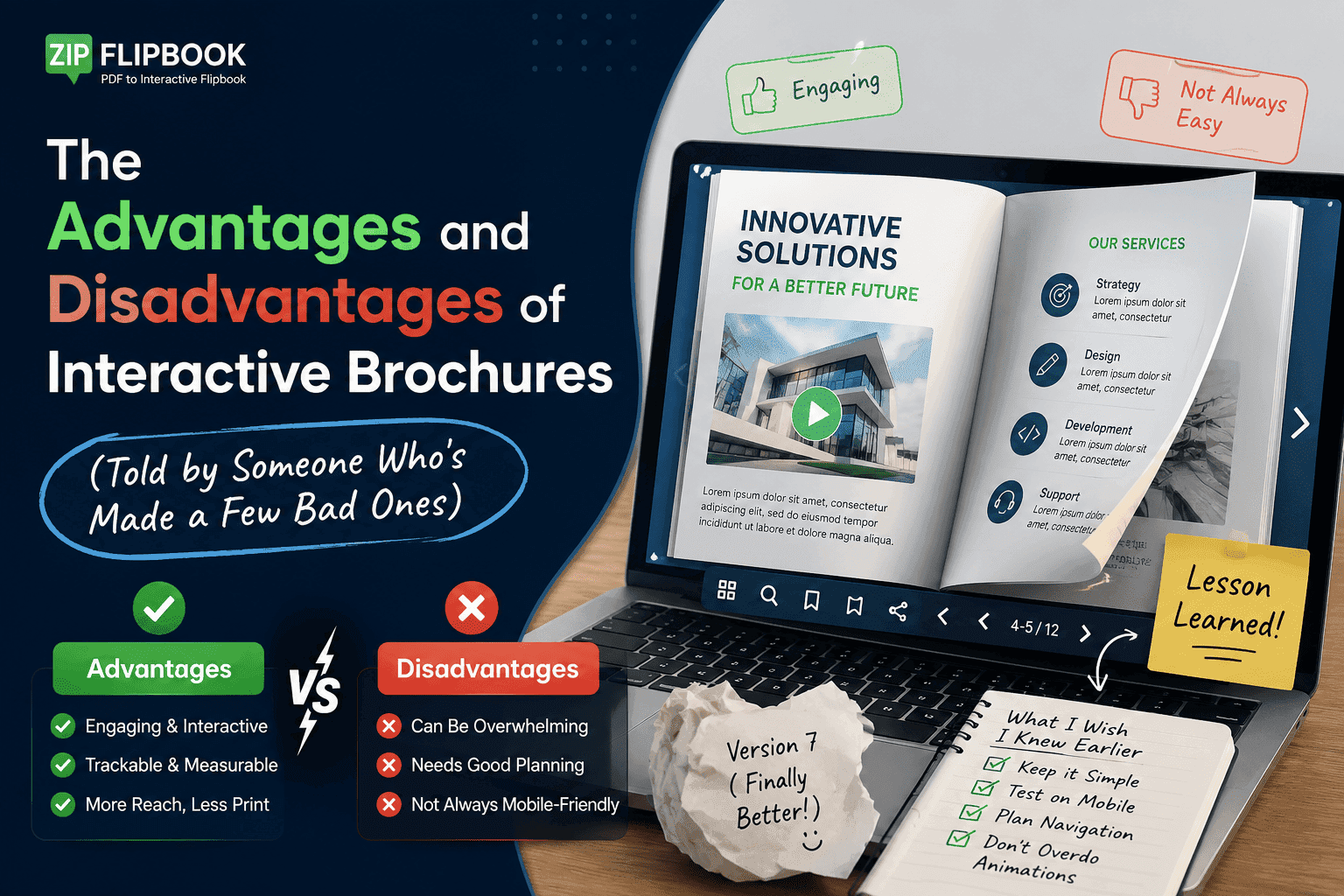
The Advantages (The Real Ones, Not the Marketing-Speak Ones)
You stop guessing whether anyone read it. That single feature changed how I run my own business. With a plain PDF, you email it out and then you just... wait. Maybe they opened it. Maybe it's sitting in a spam folder. With an interactive brochure built through something like ZipFlipbook, you get page-by-page analytics — how far someone scrolled, which page they lingered on, whether they clicked your "book a call" button. I had a client selling kitchen renovations who assumed people were skipping straight to the pricing page. The data showed the opposite — most people spent four times longer on the "before and after" gallery than anywhere else. That single insight changed how they restructured the whole pitch.
It kills the download-and-forget problem. Someone opens a link, and the brochure is just... there, in the browser. No "click to download," no "which folder did I save that in," no fighting a PDF reader that wants to install updates before it'll open a five-page catalog. Static PDFs make people work to see your content, and the more work you make someone do, the less likely they'll do it.
Video and audio actually work. You can't embed a working product demo video inside a standard PDF without it looking like a broken thumbnail with a play button that does nothing half the time. In an interactive brochure, the video just plays, inline, where the reader already is. I've had wedding photographers embed a 30-second highlight reel directly into their brochure instead of linking out to YouTube, and it keeps people on the page instead of sending them off to get distracted by unrelated videos in the sidebar.
Lead capture happens where the interest is highest. Instead of hoping someone remembers to email you after reading a catalog, you can drop a form right into the brochure — after the pricing page, say, when curiosity is at its peak. That's a much warmer ask than a generic "contact us" page buried in your site nav.
It's shareable without losing its shape. Send someone a link instead of a 40MB PDF attachment that bounces off their company's email server. The brochure looks the same whether someone opens it on a laptop at their desk or on a phone in a parking lot. I'd guess close to half the brochure views I see through ZipFlipbook happen on mobile — that's not a niche edge case.
The Disadvantages (Yes, There Are Some, and I'm Not Going to Pretend Otherwise)
It takes more effort upfront than a PDF. If you're used to designing a brochure in InDesign, exporting to PDF, and calling it done, adding interactivity means thinking about click paths, embedded media placement, and what the analytics are actually going to tell you. That's not hard, but it is an extra step — and sometimes that extra step is exactly what a busy team doesn't have time for.
Not every audience wants to click around. Some industries — legal, certain B2B contexts, older demographics — still expect a document they can print, mark up, or forward as a straightforward attachment. An interactive brochure that assumes everyone's comfortable clicking through embedded galleries can actually feel like a gimmick if your audience just wanted the spec sheet.
Bad interactivity is worse than no interactivity. I've seen brochures where someone jammed in five embedded videos, three pop-up forms, and an autoplay background track, and the whole thing feels like a 2009 Flash website had a baby with a pop-up ad. If you clutter it, you'll lose people faster than a plain PDF would have. Adding more stuff isn't the goal — keeping what works is.
You're relying on someone's internet connection. A PDF works offline once it's downloaded. An interactive brochure hosted online needs a connection to load properly, which is a real consideration if you're handing something to a client at a job site with terrible signal — which, if you're a tradesperson reading this, you already know happens constantly.
Platform lock-in? It's a real concern. If you build your interactive brochure inside a platform, you want to know your content isn't trapped there. This is honestly why I built ZipFlipbook the way I did — everything you make stays accessible and exportable, because I've used tools before that held my own content hostage behind a paywall, and I wasn't going to do that to anyone else.
Turn Your PDFs into Lead Generation Machines
Start getting highly-qualified leads from your PDFs and landing pages today. It takes exactly 2 minutes to set up.
No credit card required • Sign up in 10 seconds
So When Does It Actually Make Sense?
So when does it actually make sense? Here's where I land. If you're a real estate agent sending a property brochure, a restaurant sending a seasonal menu, a wedding vendor sending a portfolio, or a supermarket sending a weekly flyer — interactive wins, clearly, because engagement and conversion tracking matter more than print-and-file simplicity. If you're producing something meant to be printed and physically handed to someone, or something that legally needs to exist as an unchangeable static document, stick with a plain PDF. Don't force interactivity where it doesn't belong.
Most businesses land somewhere in between — they want the professional flipbook feel, the analytics, the embedded media, but they don't want to hire a developer or learn a new tool with a six-week onboarding process.
Why I Built ZipFlipbook Around This Exact Problem
This is genuinely the gap I built ZipFlipbook to fill. You upload a PDF, it becomes a page-turning interactive flipbook in your browser — no software installs, no design degree required. You get the lead capture forms, the page-by-page analytics, the embedded video support, and a shareable link, all for free, without the "free plan" being a watered-down trap that pushes you into a $79/month tier the moment you want basic features. I got tired of watching small businesses get quoted absurd prices for what should be a straightforward tool, so I made the core version genuinely usable without a credit card.
If you've got a catalog, a menu, a portfolio, or a sales brochure sitting around as a flat PDF right now, it's worth five minutes to see what it looks like as something people can actually click through instead of download and ignore. Try it at zipflipbook.com and see the difference for yourself — no signup wall standing between you and the actual product.
Interactive brochures aren't a universal upgrade. But if your goal is to actually know whether your marketing material is doing its job? Most of the time, it's not a close call.