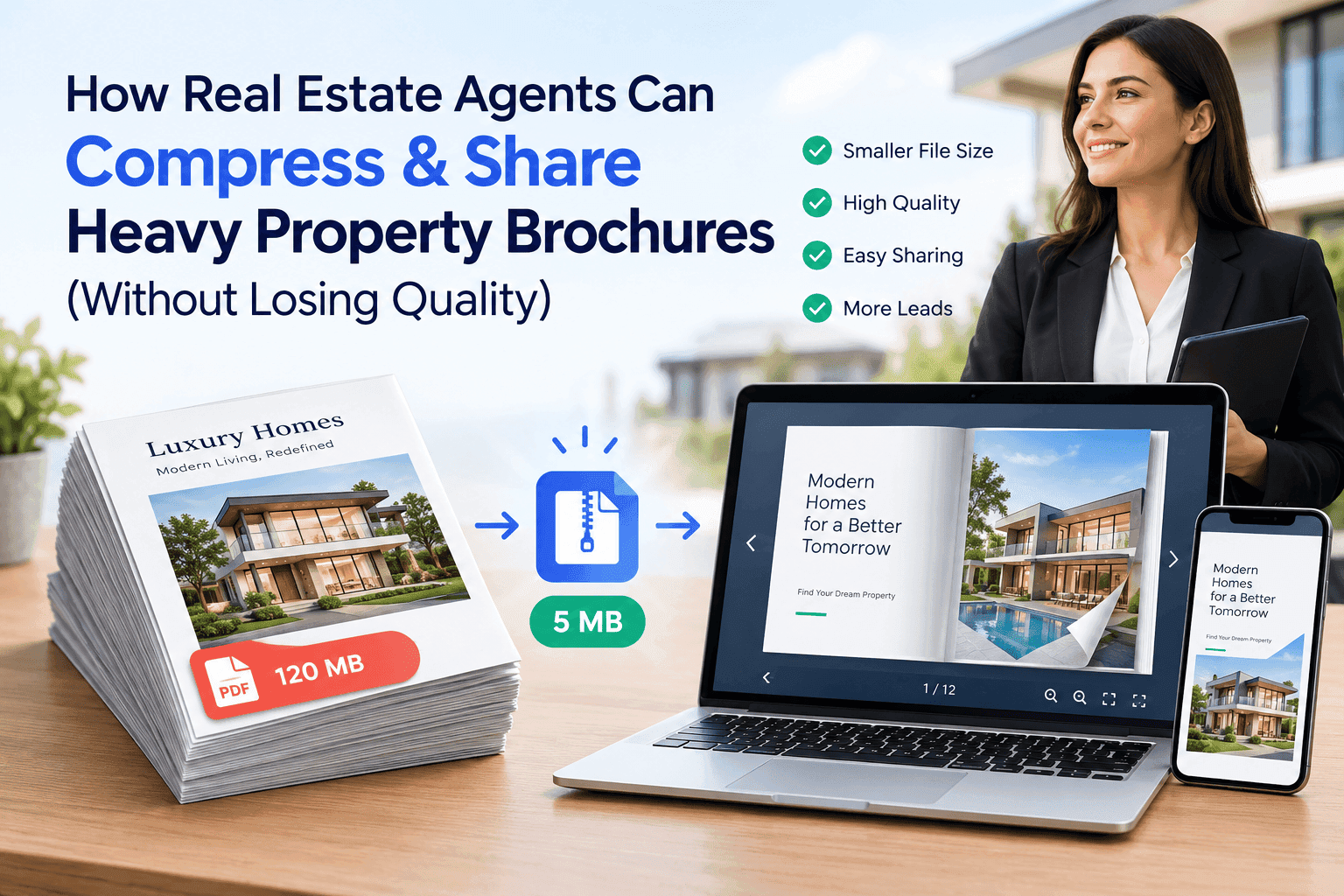
A three-bed semi with a conservatory goes on the market. The photographer sends back 38 images, each around 6MB. Somebody drops them into a brochure template, adds a floor plan, an EPC page and a map, exports on "high quality print", and ends up with a 64MB PDF. Then the email to a buyer who has been waiting since Tuesday bounces.
You already know the drill. The brochure is ready, the buyer is waiting, and the email won't send. So how can real estate agents compress brochure PDFs to share with buyers without making the photos look like thumbnails? Property brochures for estate agents are about the heaviest everyday document in any office. They're built from big photographs, which is exactly what bloats a PDF, and they have to look good on a phone at 9pm.
You can compress it. Compression only gets you so far, though. After that, stop emailing the file and send a link.
Why a brochure PDF gets so heavy
A modern phone or camera shoots 12 megapixels or more. One JPEG at that size is 4 to 8MB. Property photographers often export at full resolution because the agent might want a window card out of the same shoot.
Layout software makes it worse. InDesign, Canva and Word place the full-size photo into a small rectangle on the page and keep every pixel of the original unless told otherwise. A photo that appears 9cm wide on the page can still carry 4000 pixels of width underneath. Nobody viewing it on a screen will ever see those pixels. They just sit in the file.
Twenty pages, 35 photos, a floor plan and an aerial shot, and you're at 50 or 100MB without trying. Brochures also get reused. The agent changes the price, re-exports the same PDF, sends it again. Next listing, same problem.
Where the size limits bite
Gmail caps attachments at 25MB. That number misleads, because email encoding inflates attachments by about a third, so a PDF over roughly 18MB can fail even though it's "under 25". Outlook.com sits at 20MB. Plenty of corporate mail servers, including the ones at solicitors' firms and relocation companies, are set to 10MB, and nobody tells you until the bounce arrives.
If it does arrive, big attachments are more likely to get flagged by spam filters, especially from a domain that doesn't normally send them. The buyer taps the attachment on a train with one bar of signal, watches a 40MB download crawl, and gives up. WhatsApp accepts documents up to 100MB on paper, but a buyer on a weak connection still has to pull down the whole file before page one opens.
So there are two problems: getting the file there, and making it open fast.
Turn Your PDFs into Lead Generation Machines
Start getting highly-qualified leads from your PDFs and landing pages today. It takes exactly 2 minutes to set up.
No credit card required • Sign up in 10 seconds
Compressing the PDF: what the tools actually do
Most PDF compressors do the same handful of things. They downsample images (fewer pixels), recompress them at lower JPEG quality, strip metadata and some embedded fonts, and flatten a bit of structure. The difference is how carefully they do it.
Adobe Acrobat's Optimize PDF gives you the most control. You can set colour images to downsample to 150 ppi, pick the JPEG quality, and see what's eating the space before you commit. If you have a licence, start there.
On a Mac, Preview has an export filter called Reduce File Size. It's fast, everyone uses it, and it wrecks images. Photos go soft and washed out, text gets fuzzy, and there's no slider. Fine for an internal draft. Never use it on something a vendor will see.
Free online compressors are what most people actually reach for. Some are decent. But you're uploading a document to a stranger's server, and a brochure carries the seller's address, sometimes the vendor's name on a particulars page, and interior shots of a home somebody still lives in. Read what the tool says about deleting files before you use it, or skip it.
If you're comfortable on a command line, Ghostscript has presets. The /ebook setting downsamples to 150 dpi and usually looks fine on screen. /screen drops to 72 dpi, which gets you tiny files and muddy photographs. Use /ebook.
What compression does to your photos
Quality loss isn't just a slider. In a property brochure, the photos are the sales pitch.
At 150 ppi, a full-page photo looks fine on a laptop and good on a phone. At 100 ppi you start to see softness in brickwork, carpet and worktops, and wood grain turns to smear. At 72 ppi everything looks like a thumbnail. A buyer scrolling through a dozen listings one evening won't think "over-compressed". They'll think "cheap" or "dated" and move on.
Floor plans suffer too. They're line art with thin strokes and small room labels, and aggressive JPEG compression leaves halos around the lines. A 9ft measurement turns unreadable. If the plan is a vector graphic, most compressors leave it alone, so export plans as vectors where you can. If the plan arrives from the supplier as a JPEG, give it a higher quality setting than the photographs. It's small anyway, and the buyer will zoom in.
Text shouldn't change at all in a normal pass, since it's stored as vector data. If your text looks fuzzy afterwards, the tool has rasterised the page. Try a different tool.
Build it lean and you may not need to compress
Compressing later is patching a problem. Build the brochure lean in the first place and you may not need to compress at all.
- Resize photos to about 2000 pixels on the long edge before they go into the layout. That's plenty for a full-page image on any screen and roughly a tenth of the original file size.
- Export for screen, not print. InDesign has a Smallest File Size preset and a High Quality Print preset, and the wrong one gets picked constantly. Canva has a compress option in the PDF download panel. One click.
- Keep floor plans as vectors on their own page.
- Check the size before anything leaves your outbox. A 20-page brochure over 15MB means a full-resolution photo is still hiding in there somewhere. Go and find it.
- Save two versions: print-quality images for the printer, a screen version for everything else. Mixing them up is how 60MB files get emailed.
Do that and most brochures land at 5 to 12MB and still look sharp on a retina display. For many agents, that's enough.
When a compressed PDF still won't cut it
Sometimes it won't. A new-build development with 60 plots, several floor plan variants and site maps can't be squeezed into an email-friendly size without hurting the pictures. A luxury listing where image quality is the whole pitch has the same issue. And even a well-compressed 8MB attachment tells you nothing once it's sent. Was it opened? Did the buyer look at page 3 or jump straight to the price? You have no idea.
At that point I'd stop shrinking the document and send a link to it.
If you've read our post on how to optimize large PDFs for fast online flipbooks, you'll know the same file that fails in an inbox can load in a couple of seconds as a hosted flipbook. Pages load as the reader flips to them, so nobody waits for 60MB to download before seeing the cover.
Turn Your PDFs into Lead Generation Machines
Start getting highly-qualified leads from your PDFs and landing pages today. It takes exactly 2 minutes to set up.
No credit card required • Sign up in 10 seconds
Sharing the brochure as a flipbook link
With ZipFlipbook you upload the PDF and get a link back. The flipbook runs in the browser, so there's no app to install and no PDF viewer to fight with. Paste the link into an email, a WhatsApp message, an SMS or a listing description, and it opens on the buyer's phone like a web page.
The attachment limit disappears. A 60MB brochure and a 6MB brochure are both one short link, so you don't have to pick between a sharp kitchen photo and a delivered email.
Mobile delivery gets simpler. The buyer taps, the cover appears, they swipe. No download bar, no "can't open this file type" from a phone with no PDF app set up.
You can also see what happens after you send it. Agents tend to care about this most. Analytics show whether the link was opened, how many times, and which pages held attention. A buyer who opened the brochure three times on Sunday night and lingered on the floor plan deserves a different phone call from "just checking you got my email". We went through this in more detail in how to track PDF opens for free, and it applies directly to following up after viewings.
Lead capture is useful in some cases, not all. For an off-market property or a high-value listing, you can ask for a name and email before the brochure opens. Use it sparingly. A gate on every ordinary listing makes you look like you're hiding the price. On a new development with a long enquiry list, it turns a brochure view into a contact record without anyone retyping details out of an inbox.
The same link works in more places than email. Put it behind a QR code on a window card or a For Sale board, drop it in a Facebook post, or embed it on your own site. When the price changes, you update the file once and everyone using the link sees the new version, instead of a trail of old PDFs in downloads folders still showing last month's guide price.
And the original PDF stays untouched. No lossy compression pass, so the photos are the ones the photographer delivered.
Running it day to day
Don't throw the PDF away. Vendors sometimes want a copy for their records, a solicitor will occasionally ask for one, and some portals still take a file upload. Keep a lean version under 10MB, built using the steps above, for those cases.
For buyers, the link is the default. On listing day you upload the brochure, copy the link, and paste it into the first reply to every enquiry. If you want to think about what goes inside the brochure itself, our guide to digital property brochures for real estate agents covers layout and content, which is a separate job from file size.
One habit matters more than any setting. Send the link in a message of its own, with a line or two above it, rather than burying it in a paragraph of sales copy. On a phone, a bare link with a short intro gets tapped. A link tucked into the third paragraph gets missed.
If you're starting a brochure tomorrow
Resize the photos before they go in. Export for screen. Check the size before it leaves your outbox. Keep one lean PDF in a folder for the person who insists on an attachment, and send everyone else a link.
If you've been fighting 40MB attachments every time a listing goes live, you've been attacking the problem from the wrong end. Smaller files help. A flipbook link makes the size question mostly irrelevant. You can try it free at zipflipbook.com with a brochure you already have sitting on your desktop, and a few minutes will tell you whether buyers open it faster than they open your attachments.
FAQ
How can real estate agents compress brochure PDFs to share with buyers? Resize photos to about 2000 pixels before placing them and export for screen, not print. For a PDF that already exists, use Acrobat's Optimize PDF at 150 ppi or Ghostscript's /ebook preset. Skip Preview's Reduce File Size.
What's a good file size for a property brochure PDF? Keep it under 10MB if you can. Gmail will usually take about 15MB after encoding. Bigger than that? Send a link.
Will compressing a PDF make my property photos blurry? At 150 ppi, no. At 100 you'll see soft textures, and at 72 it looks like a thumbnail. Give floor plans a higher quality setting than the photos.
Why won't my brochure PDF send by email? Gmail's 25MB limit applies after encoding adds about a third, so the real ceiling is nearer 18MB. Many corporate servers stop at 10MB and don't warn you.
Are free online PDF compressors safe for property brochures? Depends on the tool. You're handing seller names, addresses and interior photos to a third party. Read their deletion policy or compress locally.
What makes good property brochures for estate agents? Short ones. A handful of strong photos, a readable floor plan, and the key facts on the first two pages. Sent as a link, they open faster on a phone than any attachment.
Can I see whether a buyer actually opened my brochure? Not with an email attachment. A hosted flipbook link shows opens and page views, so you know who's interested before you call.