Most small businesses have a brochure PDF on a drive somewhere. It took weeks to design, someone paid for it, and now it sits in an email attachment that many recipients never open. Turning that PDF brochure into a landing page is the right fix, but it's also where people get stuck: they treat it as a file conversion when it's closer to a rewrite. I run an SEO agency for tradespeople and small firms, and the brochure-as-attachment habit comes up constantly.
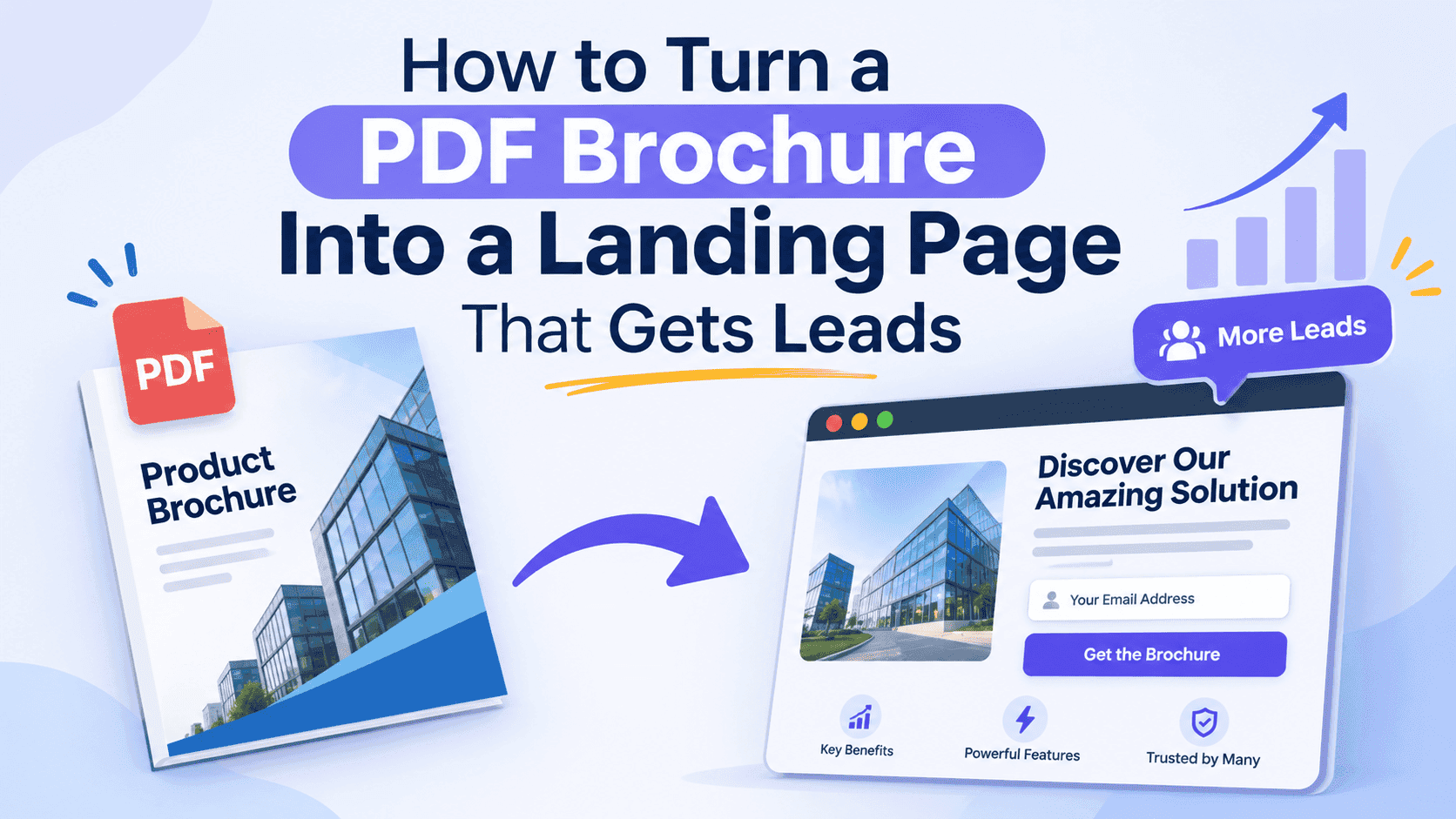
Why a PDF brochure makes a poor landing page
A PDF is a print layout that happens to open in a browser. Everything about it assumes someone is holding a piece of paper, or at least sitting at a desk with a big monitor and time to zoom in. Put that file behind a link, call it a landing page, and you inherit a pile of problems you can't fix from inside the file.
Google struggles with it first. It can read text inside a PDF, but it treats the file as a document rather than a page. You don't get a proper title tag, an H1, navigation, schema, or any signal about which question the thing answers. Brochures built around image-led layouts, headlines baked into pictures and decorative headings like "Our Story" give a crawler even less. Many brochure PDFs rank for nothing, not even the company's own name.
Then there's the phone. Pinch, zoom, scroll sideways, pinch again. A typical trade or retail brochure weighs somewhere between 8 and 25 MB, which is a slow download on one bar of 4G, and the text inside is set for A4, so it lands at roughly the size of a postage stamp. People leave. You never find out, because a PDF doesn't report who opened it or where they gave up.
That tracking gap is the most expensive problem. A landing page exists to get one action out of a visitor: a phone call, a form, a quote request. A PDF has no form, no button that stays on screen and no way to grab an email address before the reader closes the tab. If all you do is keep sending the file, you can at least track PDF opens for free and see whether anyone gets past page one. Most don't.
Turn Your PDFs into Lead Generation Machines
Start getting highly-qualified leads from your PDFs and landing pages today. It takes exactly 2 minutes to set up.
No credit card required • Sign up in 10 seconds
Decide what the page is for before you open the PDF
Count how many jobs the brochure is trying to do. Most try to be a company introduction, a price guide, a portfolio, a contact sheet and a sales pitch at the same time. That works on paper because the reader sets the pace and can flip back and forth. A landing page gets a few seconds of attention, so it gets one job.
Pick one visitor and one action. For a heating engineer that might be someone searching "boiler replacement cost" who wants a quote. For a wholesaler it's a buyer after the trade price list. For an events venue it's a planner who needs the delegate pack and a date. Put it in one sentence: this page helps [person] do [thing]. If the action needs an "and", you probably have two pages.
That usually means the brochure gets split. A landscaper's services brochure might cover lawn care, patios, fencing and garden lighting, which are four separate search intents. A page for each will beat a single page that mentions all four, because Google ranks the narrow page for the narrow query. You can reuse the same design, photos and most of the copy across them; that reuse is the main shortcut here.
Think about how people will arrive, too. Search visitors want proof within a second that they landed in the right place. A QR code on a van sends someone who is standing on a pavement with one thumb free. An email click comes from someone who already knows your name and just wants the details. Each of those changes what belongs on the first screen.
Choose the number you'll judge the page by. Page views are flattering and useless. Count enquiries, calls, form submissions or downloads, and compare them against what the PDF produced before.
Rebuild, embed or both: three routes from PDF brochure to landing page
There are three ways to do the conversion. Which one fits depends on how much the original layout matters and how many hours you have.
Rebuilding as a native page means rewriting the brochure as HTML sections on your own site. It takes one to three days per page, has the highest search value because you get real text, headings and schema, and suits services, local businesses and anything you want ranking.
Embedding a flipbook means uploading the PDF and pasting an embed code or link onto a page. It takes under an hour, has low search value on its own and medium once there's text around it, and suits catalogues, lookbooks and magazines where the layout is the product.
The hybrid is a native page carrying the key selling points, with the full brochure embedded as a flipbook underneath. It takes half a day to two days, keeps the high search value and adds a richer experience, and suits most small businesses.
Rebuilding gives you the best search result because everything on the page is text Google can read, and you control every heading. It also takes the longest, and the page can drift away from the printed design if you aren't careful. For a 60-page product catalogue it would be madness. For a six-page services brochure it's the right call.
Embedding is the quick option. You upload the PDF to a tool like ZipFlipbook, which turns it into a page-turning flipbook in the browser, and you drop the result onto a page. Most platforms accept an iframe or a short snippet, and embedding a PDF in your website takes a few minutes whether you're on WordPress, Wix or something custom. The catch is that search engines generally credit iframe content to its source, not to the page hosting it, so whatever you want ranking has to be written on the page around the flipbook. The free ZipFlipbook plan also carries a watermark and ads; the Pro plan at $19 a month removes both.
The hybrid is what I'd pick for almost any firm with a services brochure. Write a real page with the headline, the three or four things a buyer cares about, a few photos, reviews and a form. Then put the full brochure further down as an embedded flipbook for the people who want to browse. Google gets text to index, and anyone who wants to flick through the brochure still can.
Pulling the content out of the PDF
Don't copy the brochure across page by page. Pull the text out first, either by selecting it all in a PDF reader or running pdftotext if you're comfortable in a terminal, and paste it into a blank document. Then read it as a stranger would: someone who has never heard of you and is deciding whether to call.
A lot of it will go. Company history ("Established in 1998 by two brothers") rarely helps a buyer who is comparing three quotes. The contents page is pointless on a one-page layout. Contact details repeated on every spread only need to appear once, plus a click-to-call button. Vague lines such as "quality service you can trust" can go too, because nobody believes them and Google can't do anything with them.
What stays is anything specific: starting prices or a price range, service areas, materials, brands you fit, accreditations like Gas Safe or NICEIC, completion times, project numbers, dated before-and-after work. Specific details convert, and they match the long, particular queries people type.
Brochure headlines need rewriting almost every time. Print copy is allowed to be clever, so you get "Crafted for Comfort" over a photo of a boiler. A search engine reads that and learns nothing. "Boiler installation and replacement" says what the page is about to Google and to the person who clicked.
Images need the same suspicion. The ones inside a PDF are usually compressed for print at 300 dpi, which makes them heavy, and extracting them leaves you with odd crops. Go back to the original files if you can, export web versions at no wider than about 1600 pixels as WebP or JPG, and write alt text that describes what's in the photo. If the PDF is all you have, pdfimages or Acrobat's export tool will get the pictures out, and you can resize afterwards.
Reorder everything around the visitor's questions rather than the printed spreads: what is this, is it for me, what does it cost, why should I trust you, what happens next. That order gives you the page structure.
Writing the landing page: first screen, structure and one call to action
The first screen on a phone has to carry four things: a headline that matches what the visitor searched, a sentence of support, one proof point such as a star rating, an accreditation or a job count, and a button. A hero photo is fine if it loads fast. A slider is not. Nobody waits for slide three.
Write the headline in plain words that say what you do and who for. "Boiler replacements fitted within 48 hours" works. "Welcome to Smith & Sons" wastes the best real estate on the page. If the page is aimed at a search term, put that term in the headline once and in a natural way, then stop fiddling with it.
Below the first screen, follow the order you worked out earlier. A short section on what's included, a price guide or a "from" price, proof in the form of reviews with first names and towns and a few photos of finished work, a three-step explanation of how the job runs, answers to the objections people raise on the phone, and a closing call to action. Aim for 500 to 900 words on a typical service page. Shorter pages struggle to rank, and longer ones tend to bury the button.
Pick one primary action and use identical wording for it at the top, the middle and the bottom. "Get a free quote" three times beats "Get a quote", "Contact us" and "Enquire now" scattered about. On mobile, make the phone number a tap-to-call link. Keep the form to a name, a phone number or email address, and a free-text box. Every extra field costs you submissions.
The PDF itself becomes a secondary option, something like "Download the full brochure". Some firms put an email gate in front of it. That suits a substantial document such as a catalogue or spec pack, and it hurts when the page is short and the brochure just repeats it. If you're weighing that up, there's a breakdown of how email capture on a PDF or flipbook plays out when you turn a PDF quote or brochure into a lead generation machine.
SEO for a PDF brochure to landing page project
The search work is mostly small decisions, and each of them is something a PDF can't do.
Start with the title tag. Keep it to roughly 50 to 60 characters, put the main phrase near the front and the brand at the end. "Boiler Replacement and Installation | Smith Heating" is fine. The meta description gets about 150 characters and should read like an reason to click, with the action in it. One H1 on the page, matching the headline, then H2s written as phrases people would search for rather than brochure-speak. "What a boiler replacement costs" beats "Investing in your home".
The URL should be short and readable, something like /boiler-replacement, not /brochure-2026-final-v3. Keep every important word as live HTML text. If a headline or price table only exists inside an image or inside an embedded flipbook, as far as search engines are concerned it isn't on the page.
Images get descriptive file names, alt text, WebP or well-compressed JPG, and fixed width and height attributes so the layout doesn't jump while they load. For a local business, add LocalBusiness or Service structured data. An FAQ block helps visitors, but Google now rarely shows FAQ rich results for commercial sites, so write it for people and don't expect extra stars or dropdowns in the listing.
Link the new page from somewhere. A landing page that nothing links to is effectively orphaned, and crawlers treat it that way. Add it to your main menu or service list, link it from related pages, and link out from it to the next logical page.
Then deal with the old PDF. If it's already indexed and picking up visits, leave it live, but set a canonical link in the HTTP header of the PDF pointing at the landing page so Google consolidates the signals onto the page you want ranking. Google supports that header for non-HTML files. If it takes a developer an hour, it's an hour well spent. The last step is boring: submit the new URL in Search Console and request indexing.
Turn Your PDFs into Lead Generation Machines
Start getting highly-qualified leads from your PDFs and landing pages today. It takes exactly 2 minutes to set up.
No credit card required • Sign up in 10 seconds
Speed, mobile and tracking before you publish
Run the draft through PageSpeed Insights on the mobile setting and aim for the main content showing in about 2.5 seconds. The usual offenders are a 4 MB hero photo, an autoplaying video, three web fonts nobody asked for, and a flipbook loading at the top of the page. Compress the photo, drop the autoplay, trim the fonts to one family, and give the flipbook iframe loading="lazy" so it only loads when someone scrolls down to it.
Check the page on an actual phone, not by shrinking a desktop browser window. Buttons need to be big enough for a thumb, which means at least 44 to 48 pixels tall. Give the form fields the right input types so the phone number box brings up a number pad and the email box shows the @ key. A sticky call button along the bottom edge of the screen does more for a tradesperson's page than design polish does.
Tracking goes in before launch, not after. Record form submissions, taps on the phone number and clicks on the brochure as separate events in GA4 or whatever you use. Put UTM tags on every link you control, and give each QR code its own, so a van door and a flyer don't blur into one "direct" line in your reports. For the embedded flipbook, ZipFlipbook's analytics show which pages get read, and the Business plan at $49 a month adds drop-off detail if you need to see where people quit. Lead capture can sit on a chosen page, so you collect an email from the people who got far enough to be interested.
Give it a month, then compare enquiries against what the PDF produced before. Traffic from email, QR codes and ads will show a result quickly. Search traffic takes longer, often a few months for a new URL, so don't judge the SEO side by week three.
FAQ: PDF brochure to landing page
Can I turn a PDF brochure into a landing page for free?
Yes. Rewriting it as a page on your own site costs nothing but time. If you'd rather embed the brochure, ZipFlipbook's free plan will turn the PDF into a flipbook, with a watermark and ads on it.
How long does it take to convert a PDF brochure to a landing page?
A six-page brochure rebuilt as a page takes about a day, photos included. An embed on its own takes under an hour, but it won't do much for search.
Should I just embed the PDF on a page and call it done?
Only for catalogues, lookbooks and magazines where the layout is the product. For a services brochure, write the page first and put the flipbook underneath it.
Does Google read the text inside a PDF?
Yes, it indexes it. But it treats the file as a bare document with no headings, links or structured data, so it rarely outranks an ordinary web page on the same topic.
How many landing pages should one brochure become?
One per service or audience. A brochure that covers four services becomes four pages, each aimed at its own search.
Do I still need the PDF once the landing page is live?
Keep it for people who want to print it or forward it to a colleague. Point everyone else at the page.
Turn Your PDFs into Lead Generation Machines
Start getting highly-qualified leads from your PDFs and landing pages today. It takes exactly 2 minutes to set up.
No credit card required • Sign up in 10 seconds
Start with the brochure that earns the most
Pick the brochure for your most profitable service and convert that one first. Build the page around a single visitor and a single action, keep the PDF as a download underneath, and set up tracking before you publish so you can judge the first month's numbers. Moving a PDF brochure to a landing page takes a day or two for one service, and the second and third pages go quicker because the photos, proof and layout already exist. If what you have is a large catalogue, skip the rewrite, embed it, and spend your effort on the text around it.