I sat in on a sales call a few months back — not mine, a friend's, he runs a small distribution business and wanted a second opinion on why his close rate had gone flat. Ten minutes in, I watched his rep email a 40MB product PDF to a prospect mid-call, then spend the next three minutes apologizing because it wouldn't open on the guy's phone. The prospect said "just send it later" and, predictably, later never came.
That's not a sales problem—it's a tooling problem. And it's quietly costing deals because nobody questions the PDF. It's just there, treated like plumbing, when it's actually a leaky format that was never built for selling.
The PDF was never a sales tool
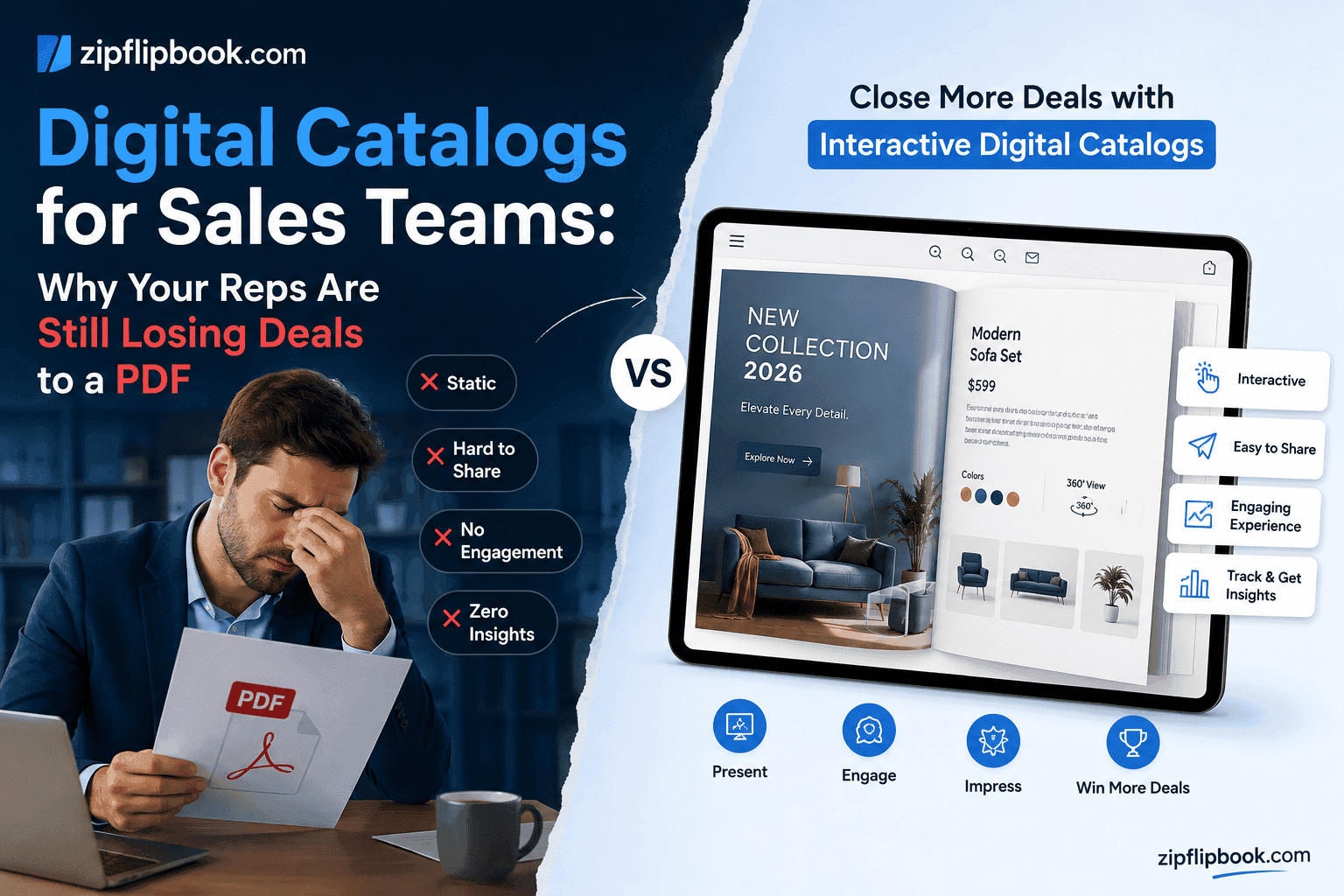
Nobody set out to design the PDF for sales teams. It was built to preserve document formatting across printers in the '90s. That's it. Somewhere along the way, sales and marketing teams inherited it as the default way to send a catalog, a proposal, a price list, a case study — and everyone just quietly accepted the limitations because nobody offered anything better.
Think about what actually happens after a rep hits send on a PDF attachment:
- It lands in an inbox, often flagged by spam filters if it's over a certain size
- The prospect opens it — maybe — on a device it wasn't optimized for
- There is zero visibility into whether they opened it, read past page two, or forwarded it to a colleague who actually makes the buying decision
- If they have a question, they have to reply to an email thread, dig up the file again, or just... don't bother
That fourth point is the killer. Sales is fundamentally about momentum. A prospect who's warm on Tuesday and has to go searching through their downloads folder on Thursday is a prospect who's gone cold. The format itself is working against your pipeline.
I've written before about how this plays out for smaller retail businesses building product catalogs, and the pattern is identical for B2B sales teams, just with higher stakes per deal. A retailer losing a browsing customer is bad. A sales rep losing a six-figure enterprise deal because the decision-maker never saw the pricing page is a different order of bad.
What a digital catalog actually changes
A digital catalog isn't a dressed-up PDF. It lives on the web, behaves like a real page-turning book, and — here's the kicker — tells you exactly what happens to it after you hit send.
Here's what that looks like in practice for a sales team specifically.
Your reps stop guessing whether a prospect is actually interested. When a catalog is hosted as a flipbook with tracking baked in, you can see when it was opened, how far someone scrolled, which product pages they lingered on, and whether they came back a second time. A rep who sees a prospect opened the catalog three times and spent four minutes on the pricing page knows exactly how to open the follow-up call. Compare that to guessing based on whether someone replied to an email.
The catalog works on whatever device the prospect happens to be holding. Buyers don't sit at desktops anymore, especially not the ones checking your pricing page from an airport gate between meetings. A catalog that's actually responsive — not a PDF that requires pinch-zooming on mobile — removes the single biggest reason prospects bail before they've even seen your product lineup.
Leads get captured at the point of interest, not after it. This is the one most sales teams miss entirely. If your catalog just sits as a static file, you've handed over your best-qualified content with no mechanism to capture who's reading it beyond the one person you originally emailed. A gated or lightly-gated flipbook can collect an email or a name at the point someone is engaged enough to want to see page four, which is a completely different quality of lead than someone who filled out a generic "contact us" form six weeks earlier with no context.
It stays current without a resend. Sales collateral goes stale constantly — pricing changes, a product gets discontinued, a case study becomes outdated. With a PDF, that means tracking down every version you've ever emailed and hoping nobody's working off last quarter's numbers. With a hosted catalog, you update the source once and the link every prospect has stays current. I've covered how outdated static documents quietly kill deals in more detail here.
Turn Your PDFs into Lead Generation Machines
Start getting highly-qualified leads from your PDFs and landing pages today. It takes exactly 2 minutes to set up.
No credit card required • Sign up in 10 seconds
Sales leaders don't realize how blind they actually are
Let's dig into tracking. Sales managers lean on their CRMs, but CRMs miss the part that actually matters here.
A CRM tells you a rep sent an email with an attachment. It does not tell you whether the prospect opened that attachment, whether they showed it to their procurement team, or whether their VP skimmed page one and closed the tab. That's a blind spot sitting right in the middle of your funnel, and it's exactly the stage where deals quietly die — after the pitch, before the next call, when the prospect is theoretically "considering it."
Sales teams that have solved this generally aren't doing anything exotic. They're just using tools that give them per-open, per-page analytics on the documents they're sending, which turns "considering it" from a black box into something you can act on. A prospect who hasn't opened the catalog after three days needs a different follow-up than one who's opened it four times and is clearly circulating it internally. I've broken down the mechanics of this kind of tracking here — it applies just as well to a full catalog as it does to a single document.
Embedding matters more than teams think
There's a second-order problem here too, which is where sales content actually lives. A lot of teams still treat their catalog as something that only exists as an email attachment, which means it's invisible everywhere else — not on the website, not linked from a proposal page, not embeddable in a follow-up landing page a rep spins up for a specific account.
A digital catalog that can be embedded anywhere changes the sales motion. A rep working a big account can drop the catalog directly into a custom one-pager for that prospect, alongside a case study relevant to their industry, without asking a designer to build anything. Marketing can put the same catalog on the homepage. It becomes an asset that compounds across every channel instead of a file that dies in one inbox.
Where this shows up differently across sales motions
Not every sales team sells the same way, and the catalog problem shows up a little differently depending on the motion.
If you run a transactional, high-volume sales floor — think distributors, wholesalers, anyone moving through a lot of small-to-mid deals a week — the catalog is doing most of the selling before a human ever gets on the phone. Reps don't have time to walk every prospect through every SKU individually, so the catalog has to carry that weight on its own. That means it needs to be skimmable, fast to load, and structured so someone can find their category in a few taps. A static PDF buries that structure behind a linear page order that doesn't match how anyone actually shops.
If you're in a longer-cycle B2B motion — enterprise software, capital equipment, anything with multiple stakeholders — the catalog's job changes. It's less about volume and more about surviving the internal forwarding chain. Your champion inside the account is going to send that document to a VP, a procurement lead, maybe a technical evaluator, and you will not be in the room for any of those conversations. A flipbook that tracks who's opening it and from where at least tells you the document is circulating, even if you can't see the internal Slack thread it's being discussed in. A PDF gives you nothing once it leaves the first inbox.
And if you're a smaller team without a dedicated marketing function — which describes a lot of the founders and sales-leads-doing-everything I talk to — the appeal is mostly about not needing a designer on standby every time the price list changes. You update a spreadsheet or a source document, regenerate the catalog, and the link every prospect has is instantly current. Nobody has to remember which version of the PDF is floating around out there.
The objection I hear most
Every time I bring this up with a sales leader who's still PDF-first, the first pushback is some version of "our prospects don't care about the format, they care about the product." Fair enough — nobody buys just because a catalog is pretty. But that misses the point entirely. The format is either helping your product get seen and acted on, or it's quietly getting in the way, and most teams have never measured which one is happening. They've just assumed the PDF is neutral. It isn't. Every extra second someone spends fighting with a zoomed-out mobile view, or every open you never find out happened, is a small tax on a deal that was otherwise going fine.
The second objection is usually about switching cost — "we've got years of PDFs, are we rebuilding all of them?" No. You don't need to touch the archive. Start with whatever's actively being sent this month: the current catalog, the current pricing sheet, the proposal template reps use most. Those get converted first because those are the ones actually sitting in live deals. Everything else can wait.
Turn Your PDFs into Lead Generation Machines
Start getting highly-qualified leads from your PDFs and landing pages today. It takes exactly 2 minutes to set up.
No credit card required • Sign up in 10 seconds
What actually happens when you switch
There's a catch, though. Someone has to actually build the flipbook version — you can't just export from InDesign and call it a day. That's real, if modest, upfront work.
But the ongoing cost goes down, not up. Once the catalog exists as a link, updating it is faster than resending a file to every rep's contact list. And the return shows up fast — reps get lead notifications instead of silence, follow-ups get sharper because they're based on actual behavior instead of a hopeful guess, and the catalog itself stops looking like every other static attachment landing in a buyer's inbox that week.
If you're running a sales team and your product catalog, pricing sheet, or proposal deck is still a flat PDF, that's probably the single easiest fix available to you this quarter. It's not a redesign. It's not a new CRM. It's swapping the format of the thing you're already sending, so that it starts working for you instead of just sitting there.
Upload your current PDF to ZipFlipbook. A few minutes later, you've got a trackable, mobile-friendly catalog that actually catches leads. Your reps keep doing what they're doing. The document just stops being the weak link.