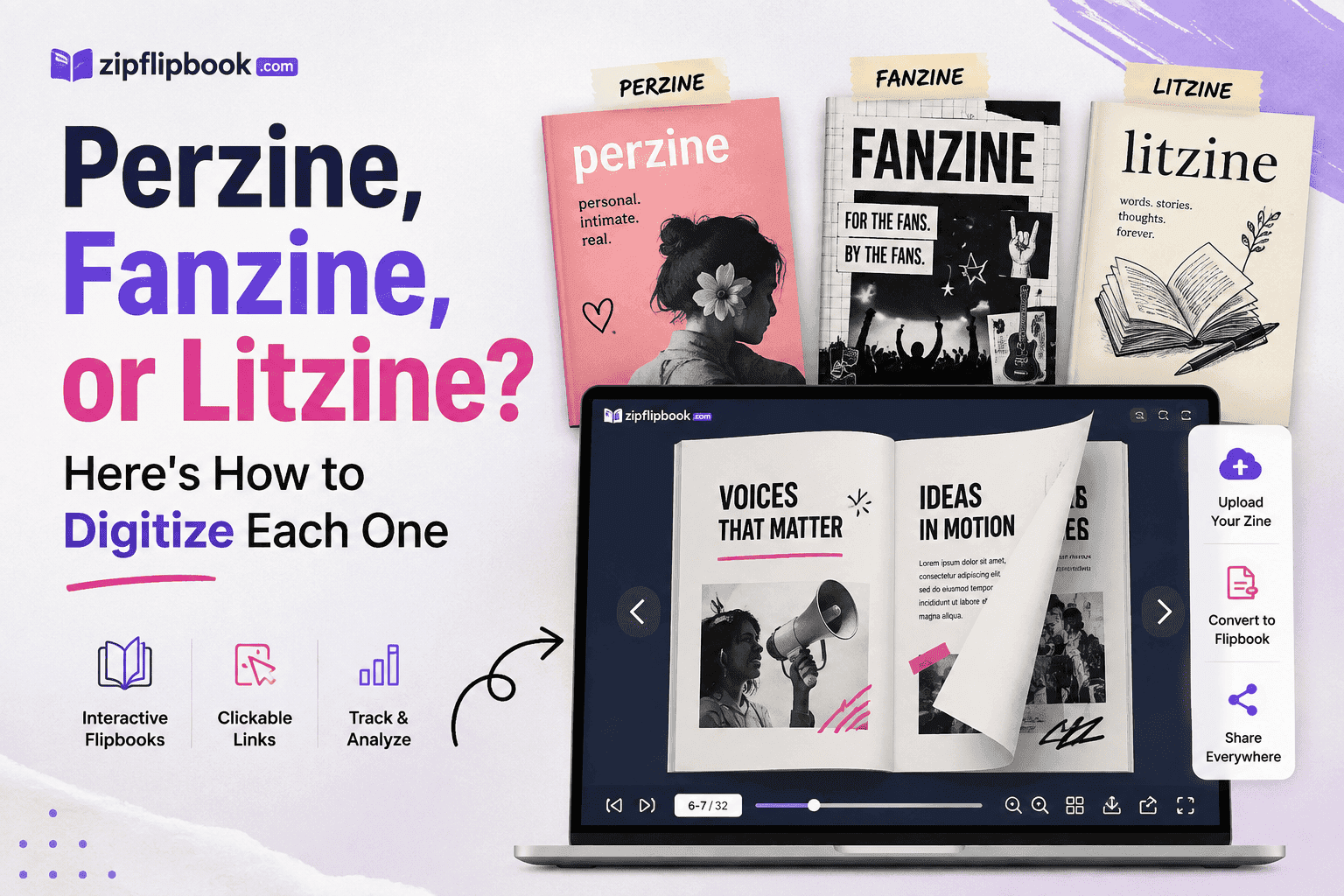
I got an email last month from someone who'd been making perzines since 2003 asking me, more or less, why her digital version "felt like nothing." She'd scanned the pages, uploaded them to a generic PDF viewer, and watched the whole thing flatten into something that could've been a insurance pamphlet. Same content, same layout, same words — but none of the feeling survived the trip from paper to screen.
That question stuck with me. Not because it was wrong — but because it was aimed in the wrong direction. She wasn't asking how to digitize a zine. She was asking how to digitize her zine, which happened to be a perzine — and perzines, fanzines, and litzines are not the same animal wearing different outfits. They have different jobs. A perzine's job is to feel like a letter from a specific person. A fanzine's job is to plug you into a scene, with links and references and community shorthand. A litzine's job is to make you sit with the words and not get distracted by anything else on the page.
If you digitize all three the same way, you'll flatten all three the same way. So let's not do that.
Perzines: The Whole Point Is That It Feels Like a Person Made It
Perzines are personal. Diary entries. Rants. Half-baked theories about your coworkers. Photos of your cat. Whatever. The entire value proposition is intimacy. You're reading this because you want to feel like you're getting a letter from someone, not a press release.
People wreck this constantly. They scan the pages at high resolution, dump them into a slick PDF viewer with a corporate-blue interface, and suddenly a zine that used to feel handmade now feels like a bank statement. The rawness — smudged ink, uneven margins, a coffee ring in the corner — gets sanitized into oblivion by whatever tool they used.
Don't clean it up more than you have to. Keep the scan imperfections. Keep the handwriting if there is any. If you're building the digital version in something like ZipFlipbook, resist the urge to use a sterile default theme — pick a background and page-turn style that doesn't scream "corporate PDF viewer." We built customization options specifically so a perzine doesn't end up looking like a terms-of-service document. Match the frame to the content, not the other way around.
The other thing perzine makers get wrong digitally is over-explaining. In print, a perzine just exists — you either get it or you don't, and that's part of the charm. Online, people feel pressure to add context, disclaimers, "about me" sections that didn't exist in the original. Resist that too. If your perzine didn't come with a table of contents in 2011, it doesn't need one now. Let the flipbook format do the work: readers flip through pages the way they'd flip through the physical thing, page by page, no algorithm deciding what they see first.
One feature that actually matters here: analytics. Not for the ego boost (although, sure, a little), but because perzine makers rarely know if anyone's actually reading past page three. With page-level analytics, you can see where people stop — and if everyone's bailing on page 4 every single time, that tells you something about the pacing, not just the platform.
Turn Your PDFs into Lead Generation Machines
Start getting highly-qualified leads from your PDFs and landing pages today. It takes exactly 2 minutes to set up.
No credit card required • Sign up in 10 seconds
Fanzines: Built for a Community That Wants to Click Through
Fanzines are a different beast entirely. They exist inside a scene — a band's fanbase, a TV show's fandom, a niche hobby community — and the whole point is connective tissue. A print fanzine references other zines, other artists, upcoming shows, merch drops, Bandcamp pages. In physical form, all those references are just text. You read "check out their Bandcamp" and then, later, separately, you go do that.
Do it badly and you keep that same disconnect — text references to things you have to go find yourself. Do it well and you close that gap entirely. This is where embedded media stops being a nice-to-have and becomes the actual reason to go digital in the first place.
If your fanzine mentions a song, embed the track. If it references a music video, embed the video, right there on the page, playable without leaving the flipbook. If there's a link to merch or a Patreon or another zine in the same scene, make it a real clickable link, not a URL someone has to retype into their phone. ZipFlipbook supports embedded media and live links inside the flipbook pages specifically because fanzines (and zines like them) lose most of their value if the references stay inert.
There's a compounding effect here too. A fanzine with embedded links to five other creators in the scene isn't just more useful to readers — it's also doing quiet SEO and community work for everyone involved, including you. When you cross-link into a scene, the scene tends to cross-link back. I've watched this happen with our own backlink outreach: relevant, contextual links inside real content outperform link-dump directories every time, because they're actually useful to the person clicking them.
Fanzines also tend to get made fast, close to an event — a show, a con, a release date. That means the digital version needs to go up fast too, and it needs to be shareable in one link, not a multi-step download-then-open process. This is the use case where a flipbook link genuinely beats a PDF attachment: you send one URL, it opens in-browser, no download friction, and the embedded media actually plays instead of sitting there as a dead thumbnail.
Litzines: Get Out of the Way of the Words
Litzines — literary zines, poetry zines, short fiction collections — have the opposite problem from fanzines. Where a fanzine wants maximum connective clutter, a litzine wants none. The reader's attention is the entire product. Every embedded video, every animated transition, every "fun" background texture is actively working against you.
I've talked to enough litzine editors now to notice a pattern: the ones who digitize badly usually over-design out of insecurity. They think a plain page looks unfinished, so they add borders, drop shadows, decorative fonts for the body text — and the poem underneath gets harder to read, not easier. "Boring on purpose" is the correct design decision here — the one category where that's true.
What actually matters for a litzine going digital is typography and pacing, full stop. Line breaks in poetry are not decorative — they're structural, sometimes the entire point of the piece. If your digitization process reflows text and breaks a poem's line structure to fit a generic PDF-viewer width, you've damaged the work, not just the presentation. This is one of the most common ways litzines get mangled online: someone converts from Word or InDesign, the export doesn't preserve exact line breaks, and a carefully broken line becomes an accidentally broken one.
When we talk to litzine makers about using ZipFlipbook, the pitch isn't the flashy stuff — it's that a page-faithful flipbook preserves exact layout, line breaks, and spacing exactly as designed, because it's rendering the actual PDF page rather than reflowing text into a template. That matters enormously more for a litzine than for almost any other format. Page-turns matter here too. They force a breath between poems — the way a physical book does, and a scroll never can.
Fonts matter more too. Litzine editors often spend real time choosing a typeface that matches the tone of the work — something literary, something that doesn't look like a corporate newsletter. Don't let the digitization step undo that choice by forcing your content into a viewer that overrides your fonts with its own defaults.
What to Actually Do, Step by Step
If you're staring at a stack of print-ready pages right now trying to figure out where to start, here's roughly how I'd sequence it depending on which category you're in.
For a perzine: scan it ugly. Keep the dust. Pick a theme that doesn't shine. Skip the "about this zine" page if the original didn't have one. Publish it, drop the link where your readers already hang out, and check the page-level analytics after a week — not to chase numbers, just to see if the pacing lands.
For a fanzine: before you upload anything, make a list of every reference in the zine that could be a live link — songs, videos, other creators, ticket pages, merch. Digitize the base pages first, then go back through and drop in embeds and links page by page. Don't rush this part; it's the actual value-add of going digital, and it's the part people skip when they're in a hurry to get something out before an event.
For a litzine: export directly from your layout software (InDesign, Affinity Publisher, even a carefully formatted Word doc) straight to PDF, and check every poem's line breaks against the original before you upload anything. Choose a plain flipbook theme with minimal chrome around the page. If a piece uses unusual spacing or indentation as part of its meaning, zoom in on that page specifically after uploading to confirm nothing shifted.
Turn Your PDFs into Lead Generation Machines
Start getting highly-qualified leads from your PDFs and landing pages today. It takes exactly 2 minutes to set up.
No credit card required • Sign up in 10 seconds
FAQ
Do I need a scanner to digitize a zine, or can I just use my phone? Phone works fine for most zines, honestly. Good lighting matters more than megapixels. For perzines especially, a slightly imperfect phone scan fits the format better than a pristine flatbed scan anyway. Litzines are the exception — if there's fine text or unusual spacing, a flatbed scan or a direct PDF export from your layout software will hold up better.
What file format should I upload — PDF, JPG, or something else? PDF, almost always. It keeps your pages, fonts, and layout exactly as designed instead of getting reflowed or recompressed. If you only have image files, most tools (ZipFlipbook included) will stitch JPGs or PNGs into a flipbook, but you'll get more control starting from a PDF.
Will digitizing my zine hurt print sales? Not really, based on what we've seen. A digital version tends to work like a preview — people find it online, get hooked, then buy the physical copy at a fest or through a distro. Zine culture cares about the object. A flipbook link doesn't replace that; it just gets more people to it.
Can I password-protect a zine or limit who can view it? Depends on the platform. Some flipbook tools support gated access or lead capture, where a reader has to enter an email before viewing — useful if you're building a mailing list around your zine. If privacy matters more than list-building, look for a tool with straightforward access controls rather than public-by-default sharing.
How long does it take to convert a zine into a flipbook? For a plain perzine or litzine with no embeds, minutes — upload the PDF, pick a theme, publish. A fanzine takes longer because you're manually adding links and embedded media page by page, which is worth the extra time but isn't instant. Budget an afternoon if you're doing it properly.
The Shared Mistake Across All Three
If there's one thing that trips up perzine, fanzine, and litzine makers alike, it's treating "digitize my zine" as a single generic task with one correct answer. It isn't. The tool you use should adapt to the format, not the other way around — which is exactly why we built ZipFlipbook to be customizable rather than template-locked: pick a plain, undecorated theme for a litzine, load up a fanzine with embedded video and links, keep a perzine's rough edges intact instead of polishing them away.
The other shared mistake is forgetting that "digital" doesn't have to mean "disposable" or "static." A physical zine gets photocopied, folded, stapled, and handed to maybe forty people if you're lucky. A digital flipbook version — with a shareable link, analytics showing what people are actually reading, and embedded media where it's useful — can reach forty people by lunchtime and keep reaching more without you reprinting anything. That's not a replacement for the physical object. Zine culture is never going to stop valuing the photocopier and the staple. But it is a legitimate second life for work that would otherwise stop existing the moment your print run sells out.
If you've got a zine sitting as a stack of unsold copies or a folder of print-ready PDFs you never did anything with, that's the easiest starting point. Upload it, pick the format that actually matches what kind of zine it is, and let the format tell you what features to lean on — rawness for a perzine, links for a fanzine, quiet typography for a litzine. Try it free at zipflipbook.com. No account. No commitment. Just upload and see if it reads like yours.