A client asked me last month why her brochure "wasn't working" on her WordPress site.
I opened it up. She'd used the default File block, which meant visitors got a plain grey link that said "Download: brochure-final-v3.pdf" — the exact filename, typo and all, sitting right there on a page she'd otherwise spent real money designing.
Click it, and depending on the visitor's browser, either a new tab opens with a bare PDF viewer, or the file just downloads straight to their phone with no context and no way back to the site.
Nobody wants that on a page they're trying to look professional on. It's the digital version of taping a photocopy to your shop window.
WordPress runs four in ten websites, yet somehow still can't show a PDF inline without a fight. Not blaming them. Keeping core lean is smart. But they punt rendering to your browser, which means almost everyone hits this same wall the first time they try to put a brochure, menu, or catalog on their site.
Most people either give up and use the ugly download link or install the first plugin they find.
That's usually the wrong move.
Why the default block fails you
The File block gives you an ugly grey download link. The Custom HTML block lets you drop an iframe, but browser-native iframes are sluggish on mobile and give you zero analytics.
Lose-lose.
If you're using Classic Editor instead, dropping a raw <a href> link does the same thing with extra steps. Either way, the visitor leaves your carefully designed page and lands somewhere you don't control. Literally in their browser's built-in PDF viewer, which looks different on Chrome, Safari, and Firefox, and looks broken on most phones.
Plugins? Mostly a trap.
Search "PDF embed" in the WordPress plugin directory and you'll get a dozen options: PDF Embedder, Embed PDF Viewer, PDF.js Viewer, and a handful of others with near-identical names and near-identical five-star reviews from accounts with one review total.
A few of these are fine for basic viewing.
Most come with the same limitations. The free tier caps file size or page count, watermarks the PDF, or renders it using the same clunky in-browser viewer you were trying to avoid in the first place, just wrapped in different CSS.
I installed three of the top-rated ones for a test page last year. Two of them added their own JavaScript library to every single page load on the site, whether or not that page actually had a PDF on it. One added almost 400KB of extra weight sitewide.
If you've spent any time getting your Core Web Vitals into the green, a plugin like that will undo it quietly. You probably won't notice until a client asks why the site "feels slower."
There's also the ongoing cost most people don't factor in. A lot of these plugins are free until you need anything past the basics. Remove the watermark, embed more than a couple of files, get any kind of analytics, and suddenly you're looking at $8 to $30 a month depending on the plugin.
Forever.
For a feature that's genuinely one of the simpler things a website should be able to do.
What actually works: skip the file, embed the flipbook
The cleanest fix skips WordPress plugins for this entirely.
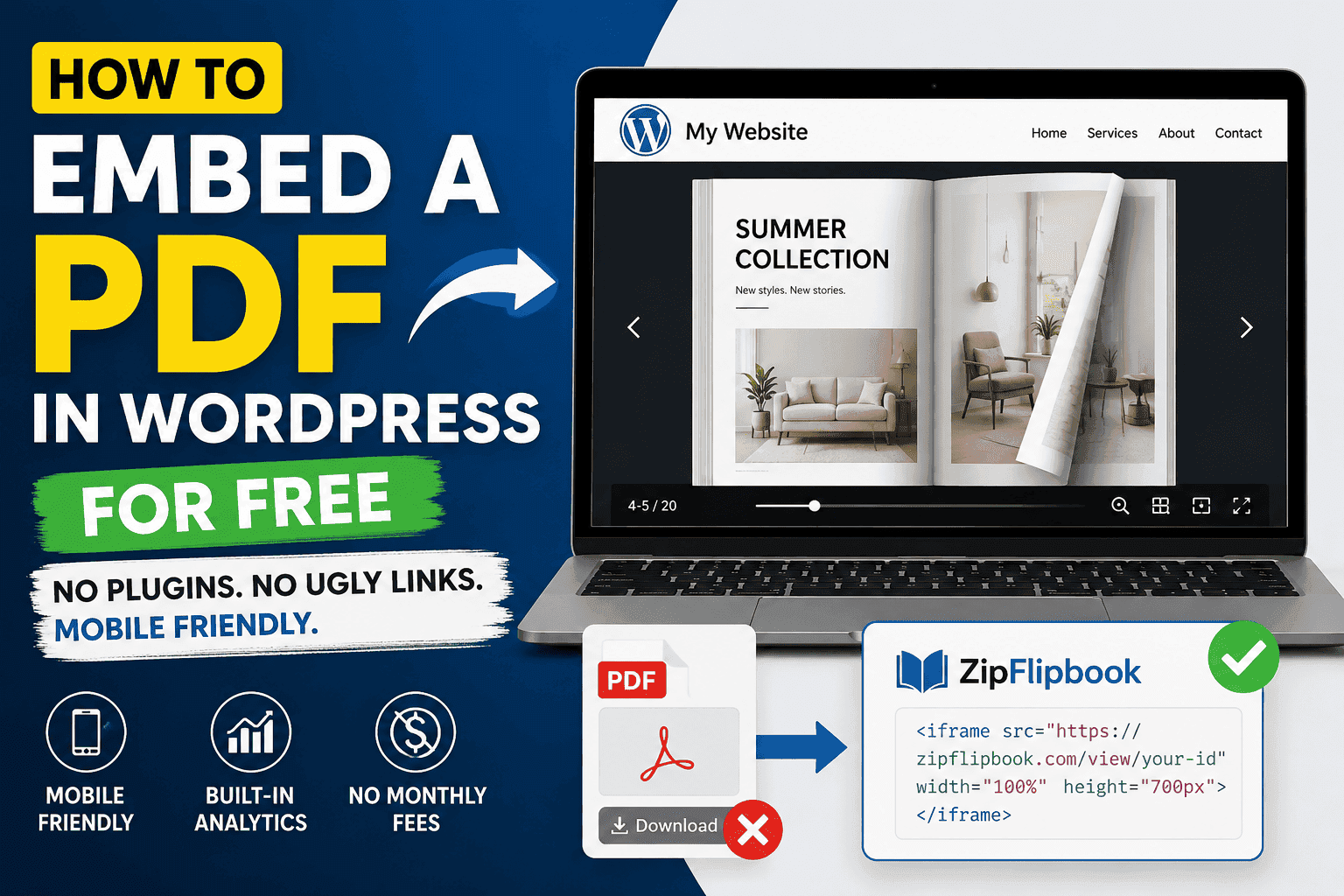
Upload your PDF to ZipFlipbook, which is free, and it converts the file into a proper page-turning flipbook with its own hosted URL. No download required, readable on any device without pinch-zooming, no watermark, no monthly fee waiting behind a paywall once you actually need it to look good.
You get a small iframe embed snippet, and that's the only thing that goes into WordPress.
I switched to doing it this way for every client site I touch because it solves the WordPress problem and the actual brochure problem at the same time. WordPress just needed something lighter than a raw PDF. The brochure needed to actually look good and function on a phone.
ZipFlipbook happens to fix both with one upload.
Here's the whole thing.
Upload your PDF to ZipFlipbook (free, no card). Grab the iframe code. Drop it into a WordPress Custom HTML block. Tweak the height if your theme adds weird padding, preview it on mobile, and hit publish.
That's fifteen minutes, tops.
If you're on Elementor or Divi instead of the block editor
Same principle, different widget.
Elementor has an HTML widget under the Basic section. Drag it onto the page, paste the same iframe code, done.
Divi's equivalent is the Code module.
Neither page builder needs a dedicated PDF plugin once you're pointing at an already-hosted flipbook instead of a raw file. You're just embedding a webpage inside a webpage, which is a much lighter, much more reliable job than rendering a PDF inline.
Turn Your PDFs into Lead Generation Machines
Start getting highly-qualified leads from your PDFs and landing pages today. It takes exactly 2 minutes to set up.
No credit card required • Sign up in 10 seconds
What this actually fixes
Speed is the obvious one. You're not loading a PDF rendering engine into every page, just a small iframe pointing at something already optimized to load fast on its own.
But the bigger fix is what happens on mobile specifically.
WordPress sites already skew toward mobile traffic for most small businesses, and a flipbook resizes properly to whatever screen it's on instead of forcing someone to pinch-zoom their way through a document sized for a desktop monitor.
You also get something no WordPress plugin gives you for free: actual analytics.
Real page-by-page tracking. Who opened it, how far they got, which page they lingered on before closing the tab.
That's the difference between guessing whether your brochure works and actually knowing.
If you're running a WooCommerce store and using this for a product catalog, that page-level data tells you which products people actually flip to versus which ones sit on page one and never get looked at again. Information a plain PDF has never once given anyone.
There's a lead capture option too, if you want it. ZipFlipbook can soft-gate a flipbook so the first page or two are visible for free, and the rest unlocks once someone drops an email address.
For a WordPress site running a services business, a quote, a proposal, a catalog someone's genuinely interested in, that turns a static brochure into something that actually grows your list instead of just sitting there as a PDF nobody's information gets captured from.
What this looked like for the client who started this whole thing
Back to the brochure with the grey download link.
We swapped it for a ZipFlipbook embed on a Tuesday afternoon. Maybe fifteen minutes of actual work once the PDF was ready. Nothing about her WordPress theme changed, nothing about her hosting changed, no developer involved.
The brochure that used to force a download now opens right there on the page, flips like an actual document, and works identically whether someone's on a laptop at their desk or standing in her shop scrolling on a phone with one bar of signal.
She checked the analytics dashboard about a week later, mostly out of curiosity, and found something she'd never had visibility into before: most visitors were dropping off around page four, right where the pricing sat.
That's not a WordPress problem.
That's a "the pricing page needs work" problem.
And she'd never have known it existed with a plain PDF link that told her nothing beyond a raw download count.
One thing to check before you publish
If your site's on a caching plugin like WP Rocket or W3 Total Cache, clear the cache after adding the embed.
Cached pages sometimes hold onto the old File block markup even after you've swapped it for the iframe, and you'll be staring at your new flipbook working perfectly in the editor while the live site still shows the old ugly download link.
Takes ten seconds to clear, and it's the single most common reason people email me confused that "nothing changed" after they followed every step correctly.
Turn Your PDFs into Lead Generation Machines
Start getting highly-qualified leads from your PDFs and landing pages today. It takes exactly 2 minutes to set up.
No credit card required • Sign up in 10 seconds
Why I keep recommending this over the alternatives
I'll be upfront: I build ZipFlipbook, so take the recommendation with whatever grain of salt that deserves.
But the reason I built it in the first place was this exact problem. Every plugin I tried either cost money for the basics, added weight to every page whether it needed a PDF viewer or not, or capped something I needed the moment a client's brochure hit ten pages.
A tool that just converts the file, hosts it properly, and hands you an embed code shouldn't be a $15-a-month decision.
For something this simple, it isn't one anymore.
That grey download link with the messy filename?
That's what's costing you readers.
Not your design. Not your copy.
Fix that one piece, and your design actually gets a chance to convert before someone hits the back button.