I run ZipFlipbook — full disclosure upfront. I'm not neutral here, and I'm not going to fake it. But I've also spent way too many nights clicking around Flipsnack's settings, intentionally hitting their upload caps, and reading their help docs out of sheer frustration. So this isn't me trashing them from the sidelines. It's what I actually found, plus my honest take on what it means for you.
Here's the scenario most people are dealing with when they first open either tool. You've got a PDF — menu, catalog, portfolio, wedding invite, whatever — and sharing a plain PDF link feels about as engaging as handing someone a phone book. You want something that flips, that actually feels interactive, and that you can embed on your site without visitors needing to download anything. Both Flipsnack and ZipFlipbook solve that core problem. Where they really part ways is everything that happens after the flip effect.
Flipsnack's Free Plan Is a Trial Wearing a Free Plan's Clothes
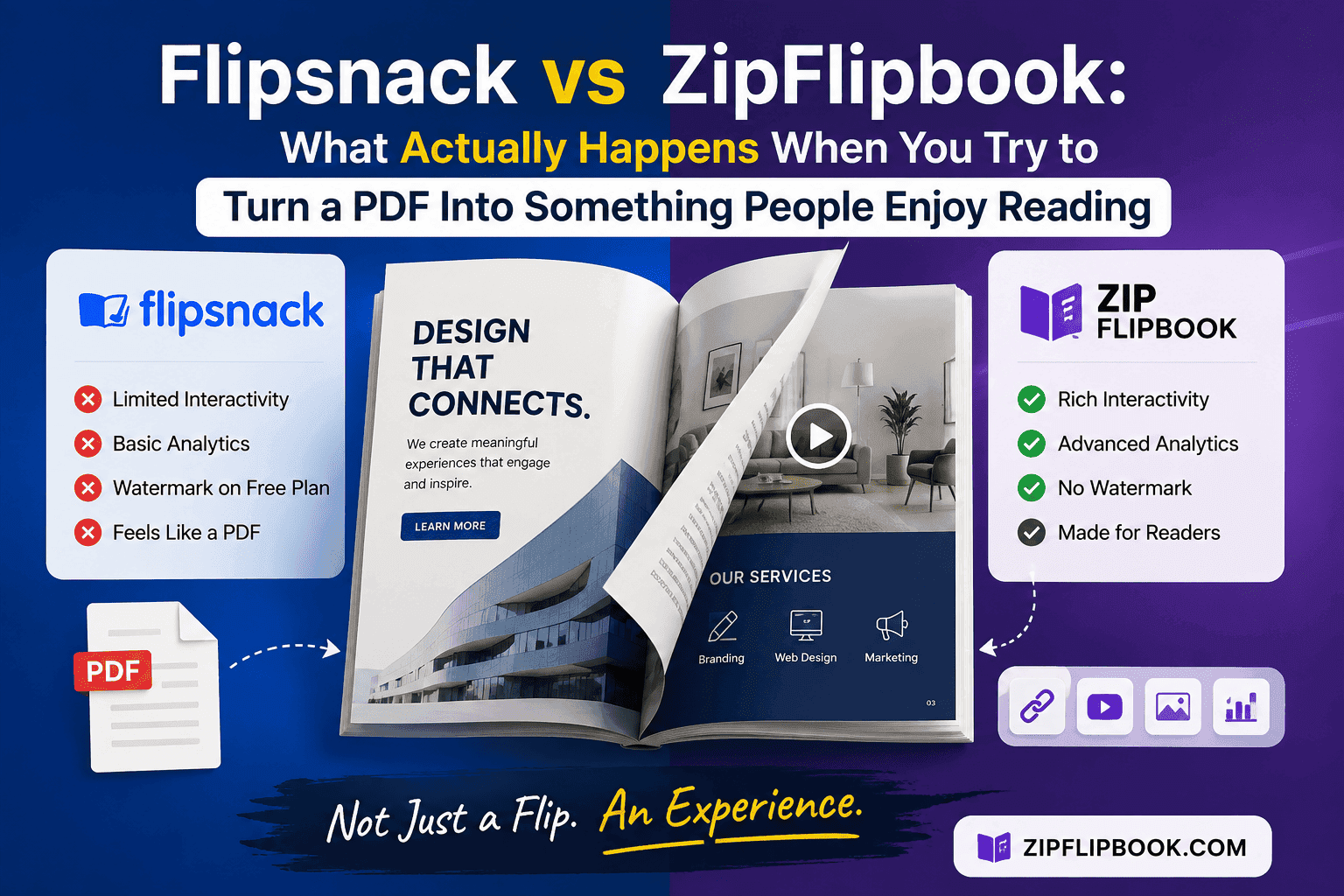
Flipsnack calls itself freemium, and technically, sure — but their free tier is designed to push you toward a paid plan, not to help you publish something for real. You get three flipbooks, max thirty pages each, and every single one has their watermark plastered on it — no opt-out. There's no analytics on the free tier, so you have no idea if anyone's even opening the thing. No custom domain. No lead capture, which matters a lot if the whole point of your flipbook was to collect emails from people flipping through your catalog. And here's one that trips people up constantly: on the free plan, you can't even export or download your own flipbook as a PDF or image. That's paywalled too.
I found real users complaining about this — people who'd invested time in a project only to realize they couldn't download their own file without subscribing. Flipsnack's team said they're working on better upfront communication — which tells you this is a known issue, not a one-off complaint.
None of this makes Flipsnack a bad product. Their drag-and-drop studio is actually solid if you're starting from scratch instead of converting an existing PDF. Think lightweight Canva, but purpose-built for page-flip content — not a file converter. If your team needs shared workspaces, role-based permissions, and you're designing catalogs from scratch weekly — that editor justifies its cost. Look, I'm not going to pretend Flipsnack serves no purpose.
But most people searching for a PDF-to-flipbook tool already have a finished file. They're not looking to rebuild it in someone else's editor. They want to upload, flip, and get back to work. For that use case, Flipsnack's free tier isn't really free — it's a 3-flipbook, 30-page, watermarked demo of what you'd get after handing over your credit card.
What Paying For Flipsnack Actually Costs
Once you outgrow the free tier — or slam into that download paywall — the Starter plan runs about $14/month billed annually, and prices climb quickly from there. Professional runs somewhere in the $50s per month, Business climbs toward $80-100+, and if you need a team of people working on flipbooks together, per-seat pricing stacks the cost higher still. Reviewers on GetApp and SoftwareAdvice keep pointing out the same issue: the entry price seems fair until you realize the features you actually signed up for are locked behind higher tiers — at which point you're paying hundreds a year just to lose the watermark and see basic stats.
If you're an agency cranking out catalogs for clients, those costs pencil out. But if you're a small business owner who just wants a clean flipbook for a spring menu or product lineup? Paying that much just to strip someone else's branding off your own content stings.
Where ZipFlipbook Fits Into This
So here's my bias, plain and simple: I built ZipFlipbook because I got tired of seeing small business owners get quoted monthly subscriptions for what should take five minutes. Upload a PDF, get a flipbook, embed it, done. That's the entire job. It shouldn't require a credit card.
ZipFlipbook runs entirely in your browser — no install, no trial that silently dies, no capped demo designed to push you toward checkout. You upload, it converts, you get a link to share or embed on your site — no countdown clock, no wondering when you'll have to bargain over watermarks.
The features small businesses actually need are included by default — lead capture to collect emails, analytics so you know if anyone's actually engaging, and embedded media support so your flipbook isn't just static pages pretending to be interactive. If you're a restaurant owner embedding a digital menu, or a real estate agent sending property brochures that actually track opens — that's the exact gap we built ZipFlipbook to fill. The tools you need, without a paywall.
I'm not claiming ZipFlipbook has Flipsnack's scratch-built design studio — we don't, and I'd rather be upfront about that than have you discover it after you've signed up. If your work involves designing a magazine layout from scratch every month with a team of five? Flipsnack's editor and collaboration features are the better choice. Full stop. But that's a much narrower use case than what most people searching "PDF to flipbook" are actually dealing with. Most folks already have a finished document. They just need it to look more engaging than a flat file — and they want that without locking into a monthly subscription for something they might use four times a year.
Turn Your PDFs into Lead Generation Machines
Start getting highly-qualified leads from your PDFs and landing pages today. It takes exactly 2 minutes to set up.
No credit card required • Sign up in 10 seconds
The Watermark Question Nobody Talks About Honestly
Let's talk about watermarks for a second, because I think this is where "free" gets most misleading in this space. A watermark on a free flipbook isn't just a logo in the corner — it's a permanent ad for the platform, plastered across every page of your marketing material. If you're a wedding photographer sending a portfolio to a potential client, or a supermarket sharing a weekly specials catalog, having a competitor's logo stamped across your content undercuts the exact professional image you're trying to project.
Flipsnack isn't unique here. FlipHTML5 does the same on its free tier, and so do most players in this space — watermark on the free plan, pay to delete it. I'm pointing this out because it's better to know upfront than to discover it after you've already sent the link to a client. ZipFlipbook's approach was to avoid that lever entirely. I don't think a small business owner trying digital catalogs for the first time should have to choose between paying monthly or branding their own materials with someone else's logo.
Analytics and Lead Capture Aren't Nice-to-Haves
I could've just compared pricing and watermarks and called it a day — but that undersells what actually makes a flipbook tool useful for your business versus just a gimmick. If you can't see whether anyone opened your catalog, you're just publishing into the void. And if you can't capture an email from someone who just spent three minutes flipping through your products, you've thrown away the engagement they gave you.
Flipsnack does offer both — eventually. Analytics kick in at the Professional tier, and lead capture starts in the mid-to-upper plans. They're not bad features once you're paying for them. The issue is the gate, not the feature. A small business testing whether digital catalogs are worth the effort shouldn't have to commit to an annual plan just to find out if the analytics are even useful. That's backward. You should be able to see the value before you pay for it, not after.
The Setup Experience Is Where a Lot of This Gets Decided
I think people underestimate how much the setup process itself matters — separate from pricing entirely. With Flipsnack, because the whole thing revolves around their design studio, the natural path is to build inside their editor — not just upload a finished file and walk away. Great if you wanted to build from scratch. Friction if you didn't. I've watched people spend twenty minutes trying to figure out why their perfectly finished PDF suddenly looked like it needed fixing — because the editor assumed they'd want to tweak layouts, fonts, and page structure before publishing.
ZipFlipbook skips that entirely, by design. Upload a PDF, conversion happens, and you're ready to share or embed. No software to install, no plugin to configure, no tier to figure out before you can see the output. For someone who just wants their existing catalog online today — that's the whole value. Not more features. Just fewer steps between "I have a PDF" and "customers can flip through it."
That said, fewer steps also means less to tweak — which is exactly why the design-from-scratch crowd is better off with Flipsnack. There's no one-size-fits-all answer — just the right fit for what you're actually trying to do this week.
Real Situations Where the Difference Actually Shows Up
Take a restaurant putting up a seasonal menu. They don't need multi-user collaboration or a page-layout tool — they need last week's PDF from the printer to look good on a phone, and to know if anyone's actually opening it before the next menu rolls around. A watermarked, capped free tier with no analytics is useless to them. And paying $50 a month for a menu that changes four times a year just doesn't add up.
Or a real estate agent sending property brochures to buyers. The whole point of that brochure is lead generation — someone views a few properties, and ideally you walk away with an email or a follow-up request. If the tool you're using doesn't offer lead capture on the tier you can actually afford, all that design work is just buying you a slightly prettier PDF viewer.
Wedding photographers sending portfolios to potential clients hit the watermark issue head-on. Nobody wants to pitch a $3,000 wedding package with a competitor's logo stamped across every sample photo. It kills the exact impression a portfolio is meant to make — and it's the kind of detail a client might not notice consciously but will definitely feel.
Supermarkets and retailers publishing weekly specials hit the volume wall fast — three flipbooks and thirty pages won't cover a rotating weekly catalog for long, and paying per extra publication gets expensive quickly for content that's outdated in seven days.
These aren't hypothetical scenarios. They're the exact use cases people have when they search "PDF to flipbook" on Google. And in every single one, the gap between a genuinely free tool and a capped trial disguised as free is the difference between actually using the platform and giving up after the third failed upload.
Turn Your PDFs into Lead Generation Machines
Start getting highly-qualified leads from your PDFs and landing pages today. It takes exactly 2 minutes to set up.
No credit card required • Sign up in 10 seconds
So Which One Should You Actually Use
If you're an agency or a bigger team building publications from scratch every week, need shared workspaces, and the monthly cost is pocket change against the value of the design tools — Flipsnack's paid plans are a legitimate option. I won't pretend otherwise.
If you're a small business owner, solo operator, photographer, restaurant owner — basically anyone with a finished PDF who just wants it to look good online without adding another monthly expense — that's the exact scenario ZipFlipbook was built for. Upload the file, get the flipbook, embed it, track who's opening it, grab a few leads along the way — and don't pay a cent.
I'd rather you try both and decide for yourself than just take my word — biased as I clearly am. But if you're staring at Flipsnack's free tier right now, wondering why you can't create a fourth flipbook or why the download button is grayed out — that's not a glitch. That's the system working exactly as intended. It's designed to get you to pay, not to get your catalog online.