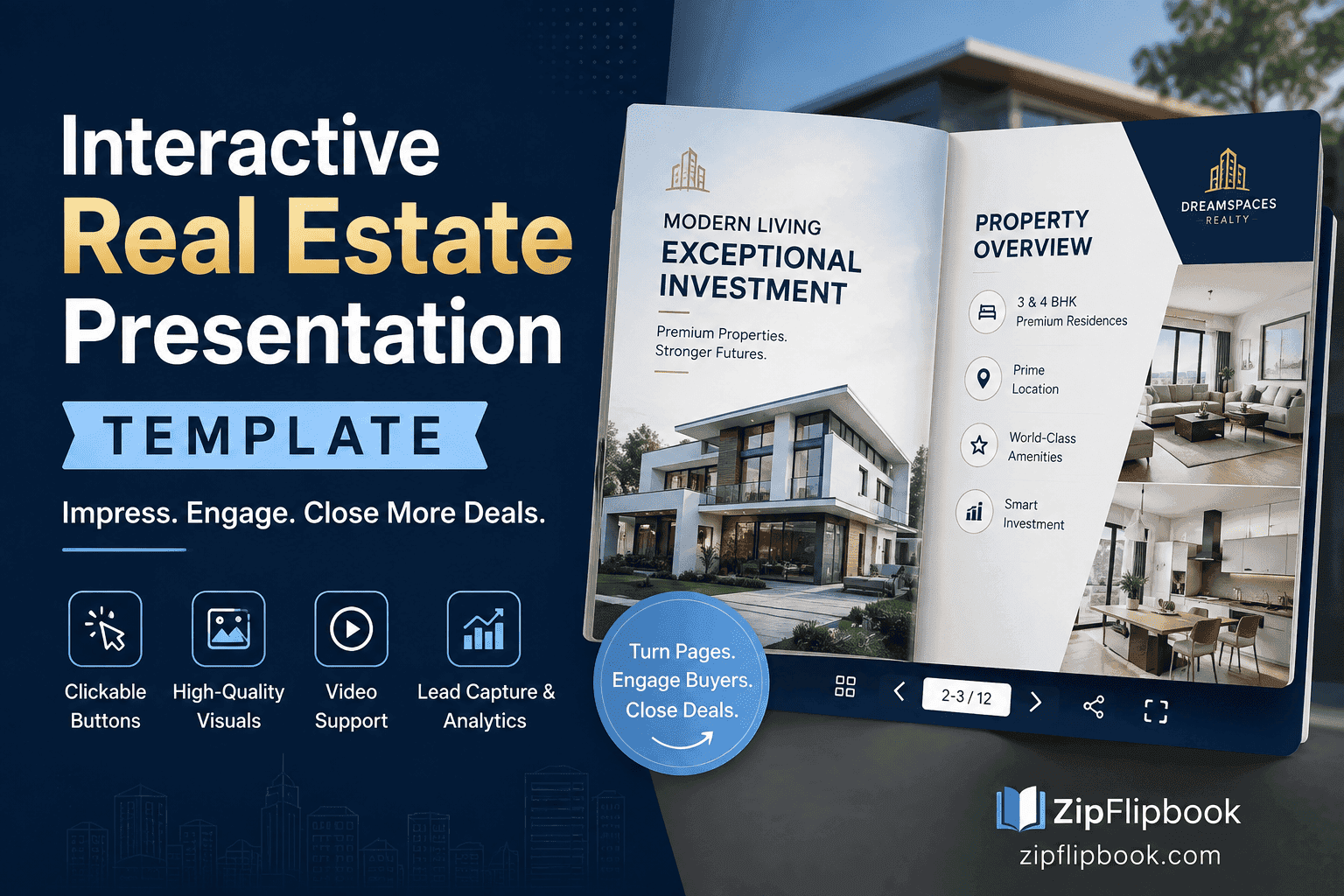
An agent messaged me a few weeks back asking if ZipFlipbook had a real estate template she could just drop her listings into. Fourteen pages, nice grid layout, the kind of thing you find if you search "interactive real estate presentation template" and click the first result. She'd already downloaded one from a template site, spent an evening swapping in her photos, and then asked me the question that actually mattered: "Why doesn't this feel like my listing?"
I've thought about that question more than I expected to.
Templates are seductive because they solve the blank-page problem. You open a design tool, you're staring at fourteen empty slots, and someone hands you a version that already has headers, photo placeholders, a spot for square footage, a spot for your logo. It looks finished before you've done anything. That's the whole pitch, and it's not a bad one — I'm not going to pretend templates are useless. But there's a gap between "looks finished" and "does its job," and for property listings specifically, that gap is bigger than people expect.
The problem with a template built for every property
A generic real estate template has to work for a downtown condo, a five-bedroom colonial, and a lakefront cabin, all with the same fourteen slots. So it compromises. The photo grid that looks great with six wide-angle interior shots looks cramped with three, and awkward with twelve. The section for "neighborhood highlights" assumes every buyer cares about school districts, which is true for the colonial and irrelevant for the downtown investor buying a rental. You end up editing around the template's assumptions instead of building something around the actual property.
I watched this happen with the agent I mentioned. Her listing was a converted mill loft — exposed brick, fourteen-foot ceilings, one enormous room instead of separate bedrooms. The template she'd picked had a floor-by-floor layout section that made no sense for a single-level loft, and a "family room" heading she had to delete and awkwardly relabel. None of this is a design failure on the template's part. It's just what happens when a static layout meets a property that doesn't fit the mold it was built for.
What actually changes buyer behavior
Here's what I've noticed matters more than the layout: whether someone can feel the space before they book a viewing. A page-turn effect is nice. It's satisfying, it photographs well for a screenshot, and it makes the whole thing feel less like a PDF and more like a magazine. But the flip animation isn't what gets someone to call. What gets someone to call is a video walkthrough embedded directly in the room it's showing, so they see the kitchen and then immediately watch thirty seconds of light pouring through it at 4pm. It's a floor plan they can actually zoom into instead of a thumbnail. It's a "request a showing" button sitting on the page at the exact moment someone's decided they want one, instead of buried in an email signature three scrolls up.
None of that requires starting from a template. It requires starting from the property.
Turn Your PDFs into Lead Generation Machines
Start getting highly-qualified leads from your PDFs and landing pages today. It takes exactly 2 minutes to set up.
No credit card required • Sign up in 10 seconds
The PDF you already have is a better starting point than a blank template
Most agents already have a listing PDF. The broker's system spits one out, or the photographer bundles one with the shoot, or you built one in Canva six listings ago and you've been recycling the layout. That PDF has the bones of a good presentation already — the photos are chosen, the copy is written, the specs are laid out in an order that makes sense for that specific property. The problem was never the content. It's that a PDF sits there as a flat, static file. Nobody swipes through a PDF the way they swipe through Instagram. Nobody expects a PDF to have a video in it.
This is the part where I'll admit ZipFlipbook exists because of exactly this problem, not the other way around. You upload the listing PDF you already have — the one built around your actual property, not a stranger's template — and it becomes a flip-through, interactive version of the same document. The layout you already made stays intact. What changes is that it becomes clickable, embeddable, shareable as a link instead of a 12MB email attachment that bounces, and trackable, so you can actually see whether the buyer who ghosted you after the open house opened the brochure you sent or ignored it entirely.
That last part matters more than agents give it credit for. I've had a few tell me the analytics changed how they follow up — not because the data is complicated, but because "did they even look at this" used to be a total guess, and now it isn't.
When a template genuinely is the right call
I don't want to overcorrect into "templates are always wrong," because that's not true either. If you're a new agent with zero listings yet, no PDF, no photographer relationship, nothing to build from — starting from a real estate presentation template gets you moving. It teaches you what sections matter, what order buyers expect information in, roughly how much copy versus how much photo a page should hold. Use it as training wheels. Build your first one or two listings from a template on purpose, pay attention to which sections you keep deleting or rewriting, and let that tell you what your actual template should look like — the one built around how you sell, not around a generic buyer persona a design team imagined.
The mistake is staying on training wheels for your fortieth listing. By then you know your properties, your buyers, and your voice well enough that a locked grid is holding you back more than it's helping.
Turn Your PDFs into Lead Generation Machines
Start getting highly-qualified leads from your PDFs and landing pages today. It takes exactly 2 minutes to set up.
No credit card required • Sign up in 10 seconds
What I'd actually tell that agent now
I told her to keep the bones of her original PDF — the ones she'd actually written and organized around her loft listing — and skip the template entirely. We turned that PDF into a flipbook, dropped in a ninety-second walkthrough video on the living room page, linked the floor plan as a full-page zoomable image instead of a thumbnail, and put a showing-request link on the last page instead of leaving buyers to hunt for her contact info. Same property, same photos, same copy. The only thing that changed was that it stopped being a file and started being something a buyer could actually move through.
She emailed me two weeks later to say a broker open house attendee had opened it four separate times before making an offer. I don't know if the flipbook caused the offer — that's not a claim I'd make. But I know a static PDF doesn't tell you someone opened it four times, and not knowing that is its own kind of expensive.
If you're staring at a template right now trying to make your listing fit its fourteen slots, it might be worth asking the question the other way around: what if the listing you already have is the template, and all it's missing is the ability to move?