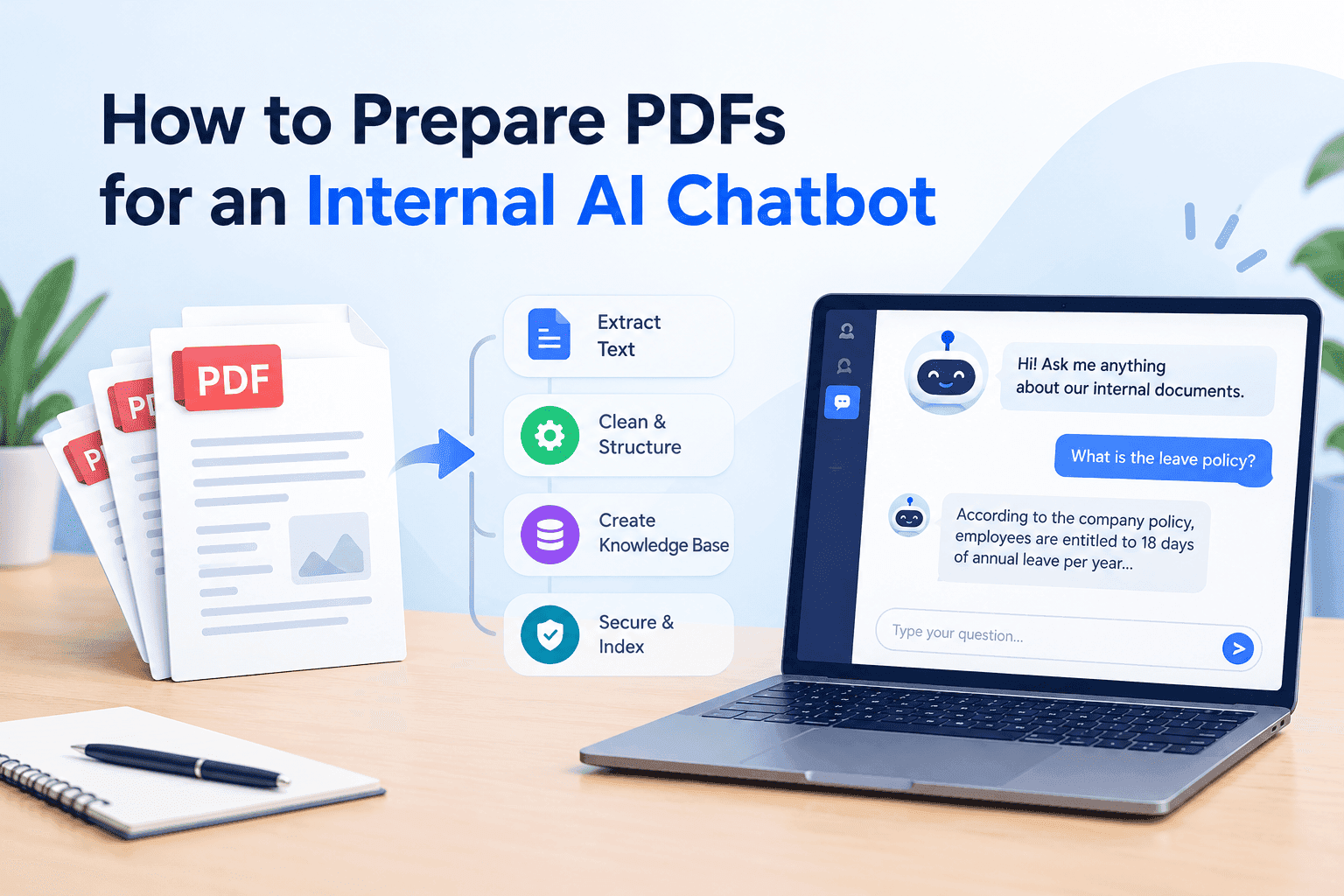
Most document chatbots go wrong before the model is involved. Someone drops 300 PDFs into a folder, points a retrieval pipeline at it, asks "what's our refund window for enterprise customers?" and gets back an answer quoting a table header and half a footer. The model did what models do with garbage input.
PDF was built so a page prints identically on every device. It stores where each glyph sits (x=312, y=540) and has no idea whether that glyph belongs to a heading, a table cell or a sidebar. Everything your chatbot needs to understand, you have to rebuild from that.
Find out which PDFs have text and which are pictures
Open the file and try to select a sentence with your cursor. If the highlight snaps to words, there's a text layer. If the whole page highlights as one block, or nothing highlights at all, you're looking at a photograph of a page. Scanned contracts, photographed whiteboards and anything that came off an office copier behave this way.
Doing that by hand for 300 files is silly. Run pdftotext on each one and count the characters it returns per page. Under 50 or so, treat the page as an image and move it to a separate folder. Those get a different treatment.
Mixed files are the annoying ones. A 40-page report with 38 clean text pages and two scanned signature pages passes a file-level check and still loses the two pages somebody will ask about. Check per page.
OCR is not a switch you flip
OCR turns the picture into text, and the result depends on the scan. 300 DPI is the usual floor. Below it, "rn" turns into "m", zeros turn into the letter O, and prices come out as nonsense that still looks plausible, which is worse than an obvious error.
OCRmyPDF is where most people start. It wraps Tesseract, adds an invisible text layer on top of the original file, and can deskew and rotate pages on the way through. For clean office scans that's usually enough. Skewed phone photos, handwriting and stamps over text will need hand correction or you accept gaps.
Spot check the output. Pick ten pages at random, read the extracted text beside the page image, and look at numbers first: dates, amounts, part numbers. If those are wrong the chatbot will state wrong figures with total confidence, and nobody finds out until someone acts on one.
Skip pages that already carry a text layer. Running OCR over a file that has one can leave you with doubled text in every chunk.
Two columns get read straight across
Datasheets, academic papers, magazine-style brochures. A basic extractor reads each line from the left edge of the page to the right edge, so the first line of column A runs into the first line of column B. The retrieval step then indexes paragraphs nobody wrote.
Test it on one page you know well. Extract the text and read the first 200 words aloud. If it sounds like two people talking over each other, the extractor is reading across. Layout-aware tools such as PyMuPDF with block sorting, Docling, Marker and unstructured detect columns and read them in order. pdftotext -layout keeps the visual position of text but leaves the reading order to you.
Sidebars and pull quotes cause the same damage on a smaller scale. A callout reading "Warranty void if opened" in the middle of a paragraph about installation gets indexed as part of that paragraph, and the chatbot will cheerfully tell an installer the warranty is void.
Tables turn into word soup
I'd spend the most time here. Extracted naively, a pricing table becomes a stream: "Plan Seats Price Starter 5 $19 Team 25 $79 Business 100 $249". A person can reconstruct that. An embedding model sees one blob, and a question about how many seats the Team plan includes may or may not land on the right chunk.
Pull tables out as their own objects with pdfplumber or Camelot, then rewrite each row so it carries its own headers: "Team plan: 25 seats, $79 per month." It's redundant and ugly and it retrieves far better than the raw grid. Keep the caption and the paragraph above the table in the same chunk, because that's where the units and conditions sit ("prices exclude VAT").
Tables that run across pages need stitching. If the header row appears only on page 4 and the data carries on through page 5, every row on page 5 is an orphan until you copy the header onto it.
Merged cells and nested headers are where the tools give up. For the five or ten tables everyone in your company keeps asking about, fix them by hand into CSV or markdown. It takes an afternoon and covers a large share of the questions people will put to the bot.
Strip the furniture
Running headers, footers, page numbers, confidentiality banners, a "Draft v3" watermark. Left in, they repeat on every page, land in thousands of chunks and clog search results. Ask about "Acme Confidential" and you get everything back.
Find lines that repeat on most pages and delete them before chunking. Keep the useful part as metadata: document title, version, date. When two versions of a policy exist, the chatbot needs some way to prefer the newer one, and a date you attached on purpose is the only dependable signal.
Chunk on headings, not character counts
Splitting every 1,000 characters cuts sentences in half and separates a rule from its exception. Split on headings where you can, aim for roughly 300 to 800 tokens a chunk, and put the document title and section heading at the top of each one so it makes sense on its own. A chunk reading "Employees must submit within 14 days" is useless unless it also says it came from the expenses policy.
Converting to markdown before chunking helps with all of this. Headings, lists and tables survive in a form the splitter can see.
Run it on your own hardware if the documents are sensitive
Contracts, HR files, client records and unreleased financials are the documents people most want a chatbot for, and the ones that shouldn't leave the building. Sending them to a hosted API means trusting someone else's retention terms, and in some industries that conversation ends in the legal department.
The other route is running OCR, embeddings and the language model on machines you control. For a mid-sized document set one GPU server is often enough, and nothing crosses your network boundary. If you'd rather not assemble that stack yourself, specialists in On-premise AI solutions can set it up and tune it to your document types. Clean the PDFs first either way. A local GPU does no better with a split table than a cloud model does.
Keep a flipbook next to the cleaned copy
The cleaned text is for the machine. People still need to read the original. When the chatbot cites section 4.2 of a supplier agreement, someone will want to open it, see it laid out as it was written, and check. A raw PDF download works, but it's clumsy on a phone and tells you nothing about whether anyone opened it.
I'd store the clean version (markdown or JSON, whatever your pipeline takes) and the original side by side, and publish the original as a flipbook with ZipFlipbook. The chatbot's answer links to the flipbook, so the reader gets a page-turning view instead of a download prompt, and the analytics show which handbooks and manuals get opened and which sit untouched. Keep the two copies under the same document ID so a change to one triggers a re-check of the other.
Test with questions you already know the answers to
Before loading thousands of files, write 20 questions with known answers (refund windows, notice periods, part tolerances) and run them against a pilot set of 30 documents. Read the retrieved chunks as well as the final answers. When an answer is wrong, the cause is nearly always visible in the chunk: a split table, a swapped column, a header from page 3. Fix the extraction, rerun, and scale up afterwards.
FAQ
Do I need OCR if my PDF was exported from Word? No. Exported PDFs already have a text layer. Run the text-selection test first.
Can an AI chatbot read tables in a PDF? Only after the table has been extracted as structured rows. Raw table text is behind most of the bad answers people complain about.
What's the best PDF parser for a RAG chatbot? I'd start with Docling for mixed documents and use pdftotext for plain single-column text, since it's faster and good enough there.
How big should chunks be? Between 300 and 800 tokens, split on headings.
Should I convert PDFs to markdown first? Yes, for anything with headings and tables. Structure survives in markdown and gets lost in plain text.