Most people share a PDF on social media the way you'd stick a flyer under a windscreen wiper. Someone taps the link, a file viewer opens, they pinch and zoom on a phone for a few seconds, and they leave. You get no email address, no idea which page lost them, and no idea whether the tap came from Pinterest or from your cousin's Facebook group.
A flipbook link sorts out the reading experience. Where you put that link is a separate problem, and Pinterest and Instagram treat links so differently that a setup that works on one will quietly fail on the other. This is how I'd set up both, in the order I'd do it.
Open the link on your phone before you design anything
Do this on mobile data, not your home wifi. Does the cover show up fast? Can you read page one without zooming? If the answer to either is no, sort that out before you make a single graphic, because almost everyone arriving from Pinterest or Instagram is on a phone, and a slow first screen wastes the tap you worked to get.
Oversized PDFs are the usual culprit. A brochure that weighs 40MB is nearly always carrying photos at a resolution no phone screen will ever show. Compress the images before you convert the file and the whole thing opens noticeably faster.
Pick the flipbook that suits a cold audience
Not every document deserves a push on social. A 60-page annual report won't hold someone who found you while scrolling past a recipe. Short and useful things travel better: a checklist, a price list, a menu, a lookbook, a mini guide under 20 pages.
The cover matters more than usual, because it doubles as your pin image and your Story visual. A logo on a white page tells a stranger nothing. People arriving from a pin haven't heard of you, so the cover has to say what the thing is and who it's for before they've read a word of the body.
Look at pages two and three as well. If page two is a table of contents and the useful part starts on page six, move it up. Someone who tapped a pin is deciding within a few seconds whether the tap was worth it, and a contents page rarely answers that question.
Pinterest is a search engine with a link field
People open Pinterest looking for something specific: a wedding timeline template, a weekly meal plan, a café menu layout. That makes it one of the few social platforms where a pin from three months ago can still send you traffic. A pin's destination can be any URL, and a flipbook link is a perfectly ordinary one.
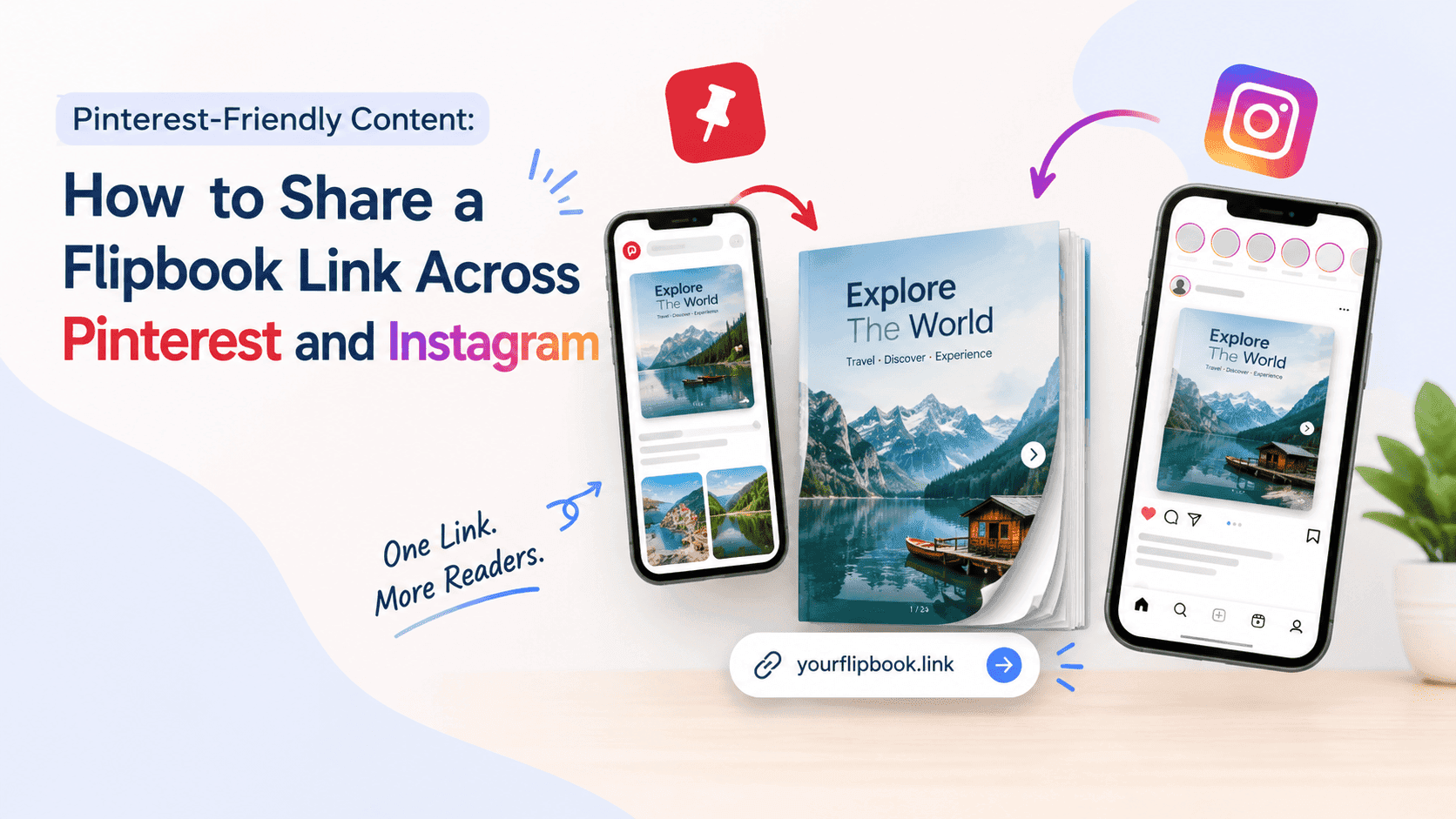
Build the pin image from your cover page. Export it at 1000 by 1500 pixels, the 2:3 shape Pinterest favours, and put a short line of text on it that says what the thing is. "2026 Wedding Planning Checklist" does that. "Download here" doesn't. Write the pin title and description the way someone would type into the search bar, with the specific phrase near the front and a plain sentence about what's inside, then file it on the board that matches.
Then make more than one pin for the same flipbook. Pinterest likes fresh images, so a second pin built from page three and a third with a different headline can all point at the same link, and each gets its own chance to turn up in a different search. Spread them over a few weeks rather than posting the lot in one afternoon.
Sometimes pinning the flipbook directly isn't the best move. If you have a blog or landing page, embed the flipbook there and pin that page instead. The visitor lands on something with your branding and maybe a signup box next to the flipbook, and the pin points to a page that looks like a website rather than a file. ZipFlipbook gives you an embed code as well as the share link, so either route works. Go direct when speed matters, and use the embedded page when you want people to stay on your site.
Boards, descriptions and the slow part of Pinterest
Board names count as search text too. A board called "Wedding Planning Checklists" tells Pinterest and the person browsing exactly what's on it. A board called "My Stuff" tells them nothing. Save the pin to the board that fits the topic first, and add it to others afterwards if they genuinely suit.
Keep the description to two or three plain sentences: what's inside, who it's for, and what they can do with it. Name the file type if it helps, for example a printable planner or a menu you can flip through on your phone.
Pinterest is slow, and it's easy to give up too early. A pin can sit quietly for weeks before it finds the people searching for it, so judge it after a month, not after a day. When you do check the pin stats, compare impressions with outbound clicks. Plenty of impressions and few clicks usually means the image or the headline isn't promising enough. Few impressions suggests the title and description don't match what people are typing, so rewrite those first and leave the image alone.
Instagram gives you one link, so spend it carefully
Links in Instagram captions and comments aren't clickable. That goes for posts, Reels and replies. What you have is the bio link, the link sticker in Stories, and links you send over DM. That's the full list.
The bio link has to carry the weight. If you're pushing one flipbook, paste its link straight into your bio and end your captions with "link in bio". If you have several, put them behind a link-in-bio page. Plenty of creators build theirs with Stan Store or Beacons, and The PinnerGrammer has a run of posts on Instagram, Pinterest and selling digital products if you want to see how others set those up. I make flipbooks for a living and I'm not an Instagram strategist, so I'd rather send you to someone who does it every day.
In Stories, the link sticker works for any account. Set it over the cover image of your flipbook instead of tucking it in a corner where nobody taps, and tell people what they get. "Tap to flip through the menu" says more than "link" does. For Reels, say out loud that the link is in your bio and put it in the on-screen text too, since nobody can tap the caption.
Carousels, Highlights and DMs do the quiet work
A carousel post is the closest Instagram gets to a flipbook. Take three or four pages from the document, export them as images, and post them as a swipeable carousel. The last slide tells people the full version is in your bio. Someone who swiped through four pages has already tasted what's inside, so the tap to the bio link comes from interest rather than curiosity.
Stories vanish after 24 hours, so save the good ones to a Highlight named after the flipbook, such as "Spring Menu" or "Planner". Newcomers to your profile look at Highlights before they scroll the grid. Check on your own account that the link sticker still works once it's inside the Highlight, because Instagram has changed how those behave before.
DMs are worth setting up as well. People often reply to a Story with a question, and answering with the flipbook link feels like a conversation, not an ad. If you use a tool that sends an automatic message when someone comments a keyword, the flipbook link goes in that message, and it gets around the no-links-in-comments rule entirely.
Tag your links so you know which platform worked
Add UTM parameters to the end of each link: utm_source=pinterest on the one you pin, utm_source=instagram on the one in your bio. Most links tolerate them without breaking, but open each one after you add them to check. Your own analytics then split the traffic by platform, and the flipbook's page views show how far people read once they arrive. Put the two together and you can see whether visitors from one platform read further than the other.
If you collect emails, set the lead capture form to appear after the first few pages, not on the cover. Someone who has read three pages of your checklist has a reason to hand over an address. Someone staring at a form before they've seen anything usually closes the tab.
What I'd do in the first month
Week one is setup. Test the flipbook on your phone, fix the cover, add the UTM tags, put the link in your bio, and publish one pin and one Story. Don't try to do more than that, because you need a baseline before you can tell what's working.
Week two, add a second pin built from a different page, and post the carousel on Instagram. Week three, a third pin with a new headline, plus a Story that answers a question someone actually asked you.
In week four, sit down with the numbers. Look at which pin earned clicks, which source sent visitors to the flipbook, and how far those visitors read. Keep whatever brought readers who stayed past the first few pages, and drop the rest. Then start again with the next document, because the second flipbook is quicker once the pin template and the bio link are already sorted.
Turn Your PDFs into Lead Generation Machines
Start getting highly-qualified leads from your PDFs and landing pages today. It takes exactly 2 minutes to set up.
No credit card required • Sign up in 10 seconds
FAQ
Can I put a flipbook link in an Instagram caption?
You can paste it, but it won't be clickable. Use your bio link or a link sticker in Stories.
Can I share a flipbook on Pinterest?
Yes. Create a pin, paste the flipbook URL as the destination link, and use an image of the cover as the pin graphic.
What size should a Pinterest pin be?
1000 by 1500 pixels, a 2:3 ratio.
Should I share the flipbook link or the PDF itself?
The link. On many phones a PDF opens as a plain download, and it tells you nothing about who read it or how far they got.
Do I need a website to share a flipbook on Pinterest?
No. The share link works as a pin destination on its own. A website only gives you more room for context and a signup form.