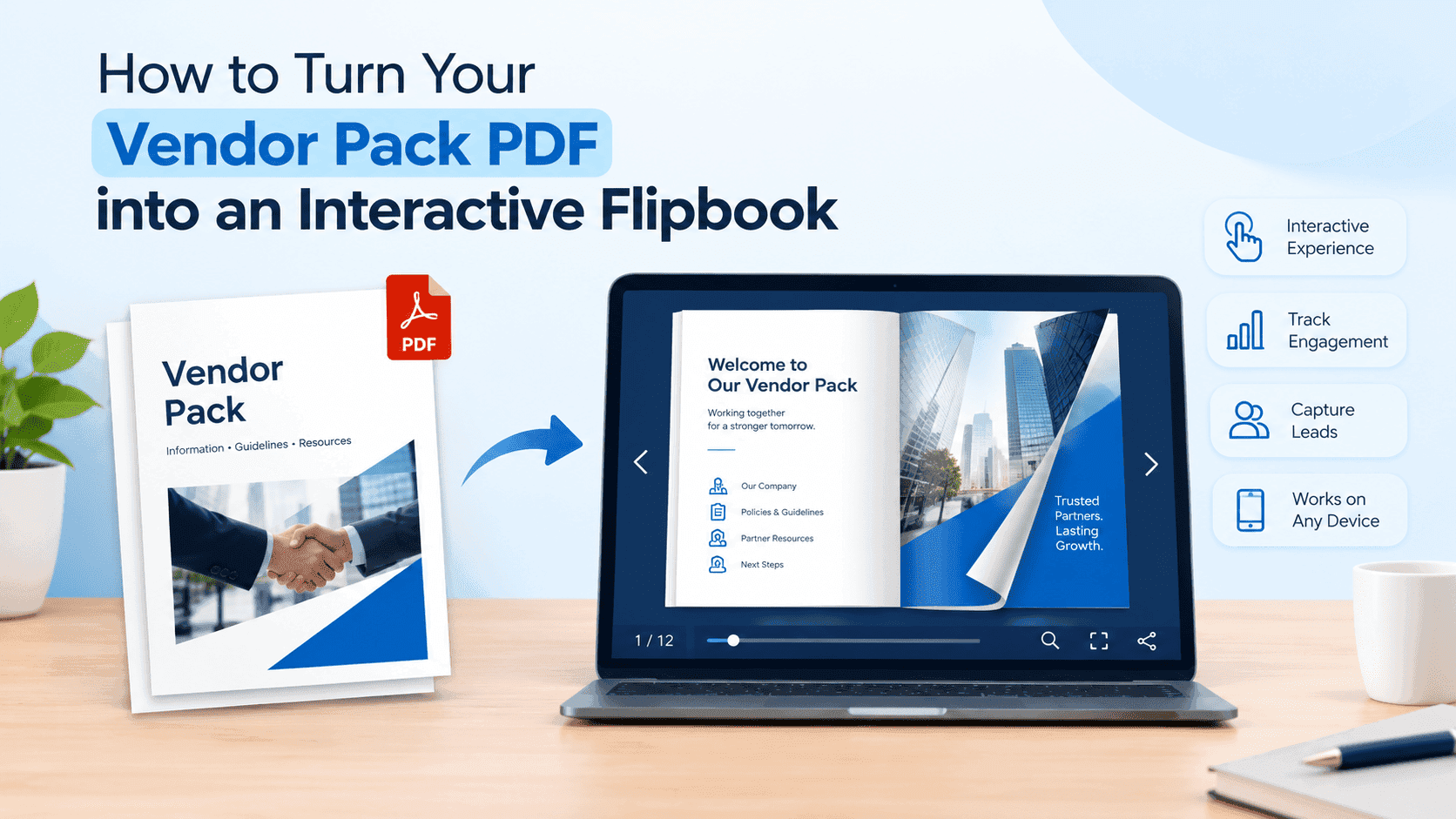
Most vendor packs die in an inbox. You spend a weekend pulling together stall fees, pitch rules, the site map and the insurance requirements, export the lot as a PDF, and email it to a hundred-odd traders. Add a site map and a few photos and the file lands somewhere around 30 to 40 MB. Gmail stops attachments at 25 MB, so half of them bounce. The rest get opened on a phone, pinch-zoomed for a few seconds and closed. You never find out who got past page one.
A flipbook fixes most of that. It's the same PDF, but it opens in a browser with page turns, loads quickly on mobile, can carry video, and shows you who looked at it. This post walks through turning a vendor pack into one with ZipFlipbook, which is free and runs in the browser, plus the prep that makes the result worth sending.
Why nobody reads a 14-page vendor PDF
Stallholders read your email on a phone, in a queue or in the cab of a van. A PDF opens in a viewer built for A4 on a desk. The text is tiny, the site map needs two fingers and some patience, and the application deadline sits on page nine. Most people give up before they find it.
Then there's the part you can't see. You send the pack to 120 people and get nothing back. You don't know who opened it, who stopped at the fee table, who never looked. You find out in the final week, when somebody asks what time setup starts. It says on page three.
Flipbooks don't make people more organised, but they do take the phone problem away and give you numbers to chase.
Sort the PDF out before you convert it
A flipbook shows your PDF exactly as it is, so a messy pack becomes a messy flipbook. Twenty minutes of tidying first saves a lot of embarrassment later.
Put the dates and the fee on page two. Vendors want to know when it is, what it costs and when applications close, and they shouldn't have to turn six pages to learn it. Keep every page the same size and orientation, because a flipbook with one landscape page in the middle of portrait ones looks like a mistake. Compress the photos before you export. Most of a vendor pack's weight is a single 8 MB stock image of a market, and you can lose it without anyone noticing. Under 20 MB is a sensible target.
If vendors have to apply, give the application its own page near the front instead of tucking it in the last appendix. If you haven't built a vendor application form yet, start from a template rather than a blank document, then drop in your own stall sizes, fees, insurance rules and deadline. Whatever you end up with, export it as a page of the pack so everything lives in one file.
Finally, read the thing on your phone as a PDF before converting. If you can't read the fee table with one thumb, a flipbook won't change that.
Converting it on ZipFlipbook
The conversion takes a few minutes, and most of that is waiting for the upload.
- Go to zipflipbook.com and upload your vendor pack PDF. There's no software to install and no charge.
- Open the flipbook once it's built and turn through every page. Check the fee table, the site map and any small print.
- Open the same flipbook on your phone. If something is too small there, go back to the source file, enlarge it and export again.
- Add anything the PDF couldn't carry, such as a video or extra links (more on that below).
- Switch on lead capture if you want names and emails before people read.
- Copy the share link, or the embed code if you'd rather put it on your event page.
If a page looks wrong, the fault is almost always in the source PDF, not the conversion. Fix it in Canva or Word, re-export and upload again.
Add what a PDF can't carry
This is the part that makes a flipbook better than a PDF with page-turn sound effects.
A 30-second video walk-through of the site does more than a paragraph about the loading bay. Film it on your phone: where vendors park, where the water tap is, how far the walk is from the car park to a pitch. Drop it onto the page about arrival and setup, and the questions that usually land in your inbox the night before the event start to disappear.
Lead capture is the other one. If you share the pack through a public link, for example on a Facebook group or your website, ask for a name and email before the flipbook opens. Every trader who reads it becomes a contact for next season's mailing list, without you building a separate sign-up page.
After converting, click through the links in your PDF to check they still work. Do it before you send, not after the first vendor tells you the contact email is dead.
Turn Your PDFs into Lead Generation Machines
Start getting highly-qualified leads from your PDFs and landing pages today. It takes exactly 2 minutes to set up.
No credit card required • Sign up in 10 seconds
Send it, then watch who opens it
Paste the link into your email, your WhatsApp group and your event page. One link, one version. When your fees change in January, you update the flipbook and nobody is left holding an old attachment.
The analytics are where it pays off. Say you sent the pack to 120 vendors and applications close in ten days. A few days before the deadline you check and find 70 people opened it, 45 of them got as far as the fee page, and 50 never opened it at all. Those 50 get a short nudge, and the 25 who opened it but stopped before the fee page get a different one. A PDF can't tell you any of that, so you'd be chasing everyone or chasing no one.
Once you've done it for one event, reuse the structure. Keep the source file, change the dates and fees, convert again.
Turn Your PDFs into Lead Generation Machines
Start getting highly-qualified leads from your PDFs and landing pages today. It takes exactly 2 minutes to set up.
No credit card required • Sign up in 10 seconds
FAQ
Can I turn a vendor pack PDF into a flipbook for free? Yes. ZipFlipbook is free and works in the browser. Upload the PDF at zipflipbook.com and share the link.
How big can my vendor pack PDF be? Keep it under 20 MB if you can. Compress the photos before exporting, and the flipbook will load faster for vendors on mobile data.
Will the flipbook work on a phone? It opens in the phone's browser, with nothing to download. Test it on your own handset before you send it anyway.
Can I see who opened my vendor pack? Yes. The analytics show how many people opened it and how far they got, and lead capture adds names and emails.
Should I still send the PDF? Send the flipbook link and keep the PDF for the few who want to print it.