Somebody on every group trip ends up building the itinerary. It takes an evening, sometimes two. Flights, the hotel in the old town, the dinner booking you made three weeks ago, the day trip nobody has confirmed yet. It all goes into a PDF, the PDF goes into the group chat, and within an hour three people have replied with a thumbs-up and two have asked where the hotel address is. It's on page four.
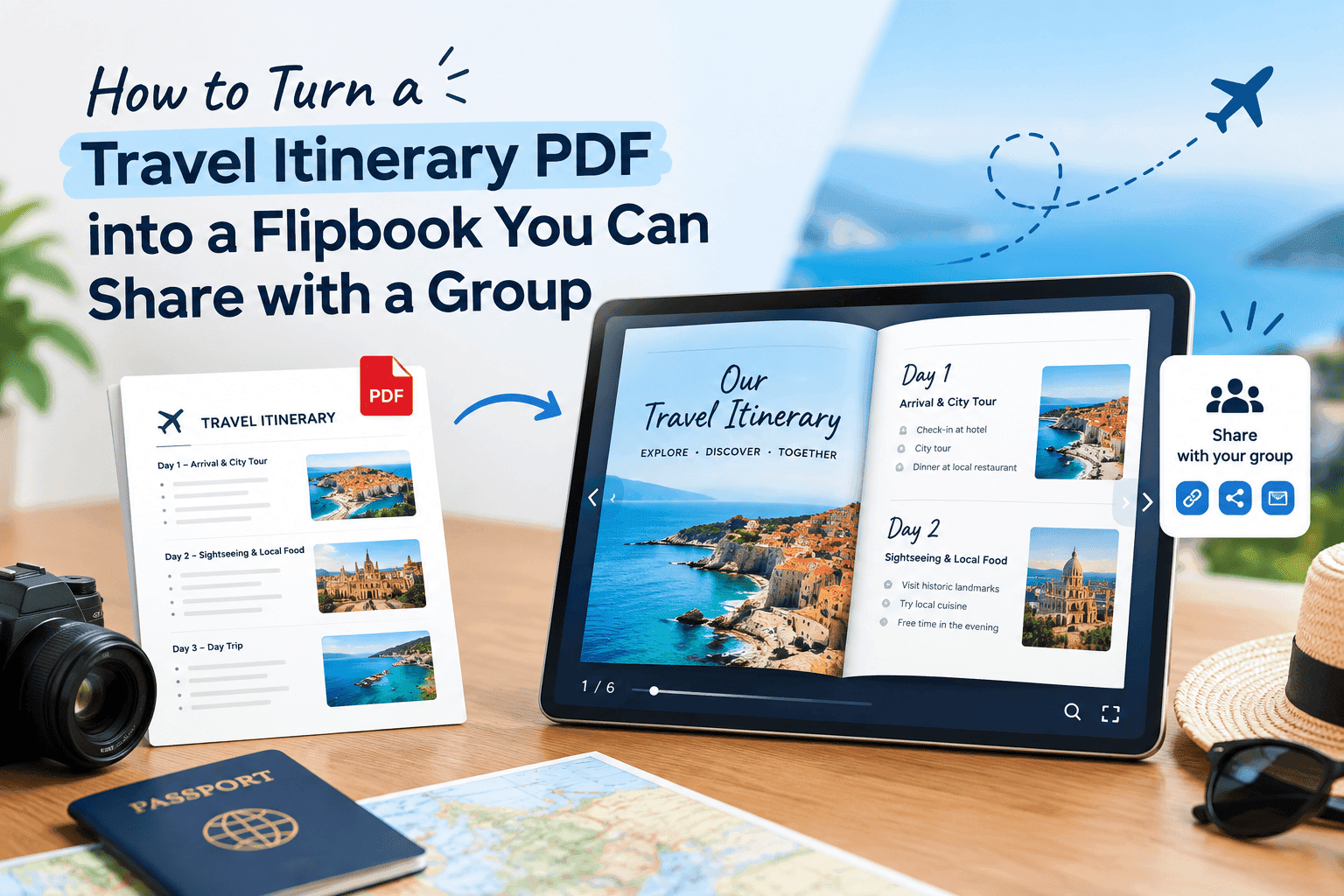
If you want to turn a travel itinerary PDF into a flipbook you can share with a group, the process takes about five minutes, and the result is a single link that opens in any browser. No download, no "which version is this", no scrolling back through a chat for the file you sent last Tuesday. This guide covers how to prepare the PDF, how to convert it, how to share it so people use it, and what to do about the bits a flipbook can't fix on its own.
Why a PDF itinerary falls apart in a group chat
A PDF is a perfectly good document. It's a bad way to hand information to eight people on eight different phones.
The file size is the first problem. Itineraries get heavy fast, because people paste in screenshots of booking confirmations, boarding passes, map crops and hotel photos. A 40-page itinerary built that way can easily pass 30 MB, and Gmail stops accepting attachments at 25 MB. Messaging apps will take the file, but then half the group is downloading it over airport wifi or roaming data on the day they need it most.
The second problem is that nobody opens it the same way. One person reads it on a laptop, one on a phone with the text shrunk to the size of an ant, and one never opens it at all and asks the same question in the chat every morning. You can't tell which is which. A PDF dropped into a chat gives you no feedback whatsoever.
The third problem does the real damage on a trip. Plans change, you send "itinerary v2 FINAL", and a week later someone is standing outside the wrong restaurant using v1. Two copies of the same document in circulation will always end with somebody working from the older one.
A flipbook doesn't solve all of that, but it solves enough. It's one link, it renders the same way on every device, and you can see whether people have looked at it.
Turn Your PDFs into Lead Generation Machines
Start getting highly-qualified leads from your PDFs and landing pages today. It takes exactly 2 minutes to set up.
No credit card required • Sign up in 10 seconds
Get the PDF ready before you convert it
Spend ten minutes on the source file first. The conversion only reproduces what's in the PDF, and a messy itinerary makes a messy flipbook.
Put the practical stuff up front. A cover page with the dates, the destination, the name of whoever is organising and a version date is enough. The version date matters more than it sounds: when you re-share after a change, people can see at a glance that they're looking at the new one.
Keep one day per page where you can. Group members flip to "Thursday" far more often than they read the document start to finish, and a page per day makes that quick. Put the address, the check-in time and the booking reference for each stop on that day's page, as text people can copy, not buried inside a screenshot. A screenshot of a confirmation email is fine as a backup, but nobody can paste an address out of an image into a taxi app.
Include the addresses in the local script as well as in English. A driver can read them, and your phone's translation can't always be relied on at midnight when you're lost.
Add the dull logistics people ask about anyway: the meeting point, who has the keys, the check-out time, where the group splits up if it does. If half the group lands at 9am and the other half at 6pm, give each arrival its own short section so nobody has to work out which instructions are theirs.
Then compress the images. Booking screenshots at full phone resolution are the usual cause of an oversized file, and if yours is already unwieldy, shrinking a heavy PDF before you upload it will save your group a lot of loading time on slow connections.
Turn the itinerary PDF into a flipbook
The steps are short.
- Export or save your itinerary as a PDF from Word, Google Docs, Canva or wherever you built it.
- Go to zipflipbook.com and upload the PDF. It's free and runs in the browser, so there's nothing to install.
- Wait a few seconds while it turns your pages into a flipbook you can page through.
- Add anything extra you want, such as a short video of the walk from the station to the apartment, or a link to the booking page.
- Copy the share link, or the embed code if you'd rather drop the itinerary into a trip page on your own site.
That's the whole job. The first time through you'll spend most of those five minutes checking that the pages look right. After that it's closer to two.
What to embed to make it more useful than a PDF
The reason to bother with a flipbook over a plain PDF is that it can carry things a PDF can't carry well.
A short video is the best example. Thirty seconds filmed on your phone of the route from the arrival gate to the shuttle, or the entrance to the apartment block with the door code panel in shot, saves a dozen messages. People forget instructions but they remember what a place looked like.
Links are the other one. Put the booking page for the day trip on that day's page, the restaurant's menu, the ticket QR codes if they're not sensitive, the transport timetable. Everything sits where people are already looking, and nobody has to search the chat for it.
Keep it to what people will use. A flipbook stuffed with embedded media loads slower, and a slow flipbook on a weak connection is worse than the PDF you replaced.
Share the flipbook with the group
Post the link in the group chat, then pin it. Pinning is the step people skip, and it's the one that stops the "can someone resend the itinerary" messages. On WhatsApp and Telegram a pinned message stays at the top of the chat for everyone.
Don't also send the PDF. People will open whichever one is easiest, and you'll be back to two versions in circulation. One link, one source of truth.
If you've turned on analytics, you can check who has opened it. This is useful in a very specific way: about a week before departure, you can see who hasn't looked at it yet and nudge them before they land somewhere with no idea where they're going. It's also quietly satisfying to learn that the one person who swore they'd read it has not.
If you run trips for clients, not just friends
Organisers who do this for a living, such as small tour operators, wedding planners arranging guest travel, and school trip leads, get more out of it than a group of friends will. The same link can go out to forty people at once, and the analytics show you how many have opened it before the pre-departure briefing, which is a better indicator of who's prepared than asking in a meeting.
The lead capture option lets you ask for an email address before someone opens the itinerary. For a stag weekend it's overkill, so leave it off. For a paid trip, it gives you a clean list of everyone who has engaged, and for past clients, a list you can write to when you announce next year's departure.
Sort out mobile data before anyone lands
A flipbook link needs an internet connection to open, which sounds obvious until half your group arrives at an airport in another country with roaming switched off and a phone that won't load anything. Tell people to open the itinerary once before they fly, and raise the data question in the same message.
Most people in a group don't want to pay their home carrier's roaming rates, and a travel eSIM is the usual way round it: you install a plan for the country before you leave and switch it on when you land. If you're hunting for the cheapest eSIMs on the market, a comparison site like mesim lets you check plans by destination, data allowance and validity, so each person can pick what fits their phone and their trip length. Check that your handset is unlocked and eSIM-compatible before you buy, because some older phones aren't.
Do this a few days before departure, not at the gate. Installing an eSIM takes a couple of minutes on good wifi and is miserable on a bad connection.
Keep a backup for when the signal drops
Even with data sorted, there will be a tunnel, a basement restaurant or a mountain road where nothing loads. A flipbook is an online thing, and it's worth being honest about that.
The simple fix is to ask everyone to screenshot the two or three pages they'd be stuck without. The flight details, the first night's accommodation address and the organiser's phone number cover most emergencies. Those screenshots live in the camera roll and open without a signal. Treat the flipbook as the main itinerary and the screenshots as the safety net.
If you're organising, keep the original PDF saved on your own phone too. You're the person everyone will ask when something breaks.
Keep it current when plans change
Plans will change. A restaurant will cancel, a train will be rescheduled, someone will decide they want a free afternoon and skip the museum.
Update the original document, export a fresh PDF, upload it, and send the new link with a short note on what changed. Change the version date on the cover so there's no argument about which one is current. Then tell the group that the old link is dead and unpin the old message. It's a boring routine, and it's the difference between a group that arrives in the right place and one that doesn't.
The note on what changed matters as much as the new link. "Thursday dinner moved to 8pm, new address on page 6" takes ten seconds to write and means nobody has to hunt for the difference.
Turn Your PDFs into Lead Generation Machines
Start getting highly-qualified leads from your PDFs and landing pages today. It takes exactly 2 minutes to set up.
No credit card required • Sign up in 10 seconds
Frequently asked questions
Can I share a travel itinerary flipbook on WhatsApp? Yes, and it works better than sending the PDF. You paste the link, it shows a preview, and everyone opens the same thing in their browser. Pin the message so it doesn't sink under the memes.
Is it better to send a PDF or a flipbook for a group trip? A flipbook, once you're past three or four people. A PDF is fine for a couple travelling together. For a bigger group, the single link, the consistent layout and the ability to see who has opened it make the flipbook the better choice.
Do the people I share it with need an account? No. They open the link in a browser and flip through the pages.
Will the flipbook work without internet abroad? No, it needs a connection. Ask everyone to open it once at home, sort out mobile data before departure, and screenshot the pages they can't do without.
How big can the itinerary PDF be? Smaller loads faster, which matters on a phone over a weak signal. If your file has grown because of screenshots, compress the images before you upload.
Can I update the itinerary after I've shared it? Yes. Upload the revised PDF, share the new link and put a version date on the cover page so nobody works from the old one.
Should I put passport numbers or booking codes in the itinerary? Leave passport numbers out entirely. Booking references are usually fine for a private group, but anyone with the link can open the flipbook, so keep it inside the chat and don't post it publicly.
What's the best way to organise a flipbook itinerary for a long trip? One page per day, a cover with the version date, and a short "before you go" page at the front. On anything longer than a week, add a one-page overview of the whole route so people can see where they are in the trip.
A good group itinerary is a dull document that nobody has to ask questions about. Build the PDF once, turn it into a flipbook, pin the link, and spend your energy on the trip instead of answering the same question six times.