joiner I know finished an eight-page brochure last month. Decent photos of kitchens he'd fitted, prices for the common jobs, a phone number big enough to read from across the room. He exported the PDF, went looking for somewhere to publish it, and landed on Yumpu because the free plan looked like exactly what he needed.
He uploaded it. It looked like a real magazine, and the pages turned. He sent the link to a customer who was after a new kitchen.
The customer opened it and found a third-party advert sitting next to his work. Maybe it was for a mattress company, maybe something worse. Either way, it wasn't his.
I've watched some version of this happen more than once, and it's the reason I built ZipFlipbook. Yumpu isn't all bad, though. If you publish a magazine, it's built for you.
What Yumpu does well
Yumpu takes a PDF and turns it into a page-turning online publication, and it's been doing that for a long time. The free plan is real, which is more than you can say for plenty of competitors whose "free" tier is a trial with a nicer name. You can publish, share a link, and get on with your day.
It also has a kiosk and newsstand side, aimed at magazine publishers who want their titles discoverable alongside other titles. If you're a regional magazine or a publisher with a back catalogue, that's a proper use case and Yumpu is built for it.
The trouble is that most small businesses aren't magazine publishers. Nobody is browsing a newsstand hoping to stumble on a plumber's price list. The document is meant to go from you to a specific person, or onto your own website, and stay clean while it does.
Turn Your PDFs into Lead Generation Machines
Start getting highly-qualified leads from your PDFs and landing pages today. It takes exactly 2 minutes to set up.
No credit card required • Sign up in 10 seconds
Why the ads matter
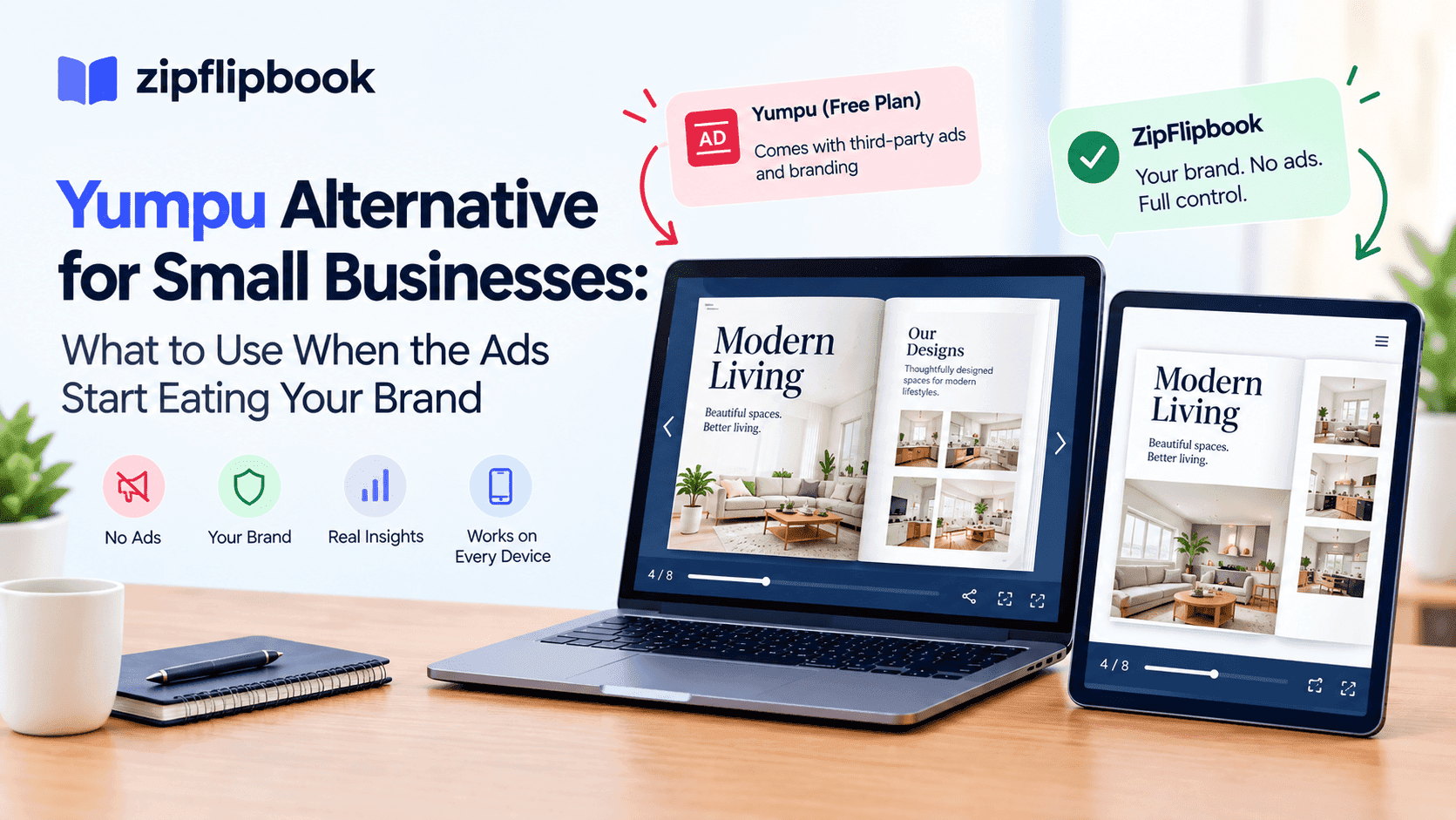
On the free plan, your publication carries Yumpu's ads and Yumpu's branding. That's the deal: free tool for you, ads for your reader.
For a hobby zine, fine. For a small business, it's a strange bargain, because your brochure is a sales document. Every element on the page should be nudging the reader toward calling you. An advert for somebody else's product, chosen by an algorithm you don't control, works against you. It could be a competitor's ad and you'd never know.
Paid plans remove the ads, and that's the usual upsell: pay a monthly fee to get rid of the thing you didn't ask for. Pricing gets murky depending on where you look. Review sites quote different numbers for the same entry tier, and some of that is euros versus dollars and annual versus monthly billing, so I won't put a figure on it here. Check their current pricing page. Free comes with ads, ad-free comes with a subscription, and the features a business tends to care about most, like analytics and control over how the thing looks, sit on the paid side of the line.
If you're a one-person outfit or a small team watching every monthly outgoing, adding another subscription to display a PDF is a hard sell.
What small businesses need from a flipbook tool
The checklist is shorter than the feature pages of these platforms suggest. Over the years I've spoken with a lot of small business owners about how they share documents, and it almost always comes down to a handful of things.
They want a clean link that looks like their brand and not somebody else's. They want it to work on a phone, because that's where most people will open it. They want to embed it on their own website without it looking bolted on. And ideally they want to know whether anyone actually read the thing, because a brochure sent into the void is a guess.
And then there's the moment a reader is actually interested. A brochure that ends with a page of text and no way to capture that interest wastes its best moment.
None of this needs a newsstand or a publisher-grade kiosk. It needs a tidy viewer, a sensible embed, and a bit of insight into readership.
Where ZipFlipbook fits
Full disclosure: I built ZipFlipbook, so weigh what I say accordingly. I'll keep it to what the tool does.
You go to zipflipbook.com, drop in your PDF, and get an interactive flipbook. There's no account to create first and no design work to do. If you want the step-by-step version, I wrote up how to turn any PDF into an interactive digital brochure in under 60 seconds, and it really is about that long.
It's free, and it isn't free in the way that means your customers see somebody else's adverts. That was the whole point. I got tired of small businesses being handed a tool that quietly turned their marketing material into ad inventory for a third party.
The flipbook is browser-based, so nobody downloads anything, and it's built to behave on a phone screen, which matters more than people admit. A brochure that needs pinching and zooming on mobile gets closed within seconds.
Once it's live you can share the link by email, drop it into a WhatsApp message, or embed it. You can also add media to pages, so a video of a finished job can sit right next to the photos of it, and you get analytics showing how people move through the document.
Turn Your PDFs into Lead Generation Machines
Start getting highly-qualified leads from your PDFs and landing pages today. It takes exactly 2 minutes to set up.
No credit card required • Sign up in 10 seconds
Embedding without wrecking your website
A lot of small business owners run their sites on Squarespace, Wix, WordPress and similar builders, and a common frustration is that a PDF on a website is a dead end. Either it opens in a clunky browser viewer or it forces a download, and half of visitors won't bother.
Embedding a flipbook keeps the reader on your page, looking at your design, with your other content around it. If you're on Squarespace, I put together a walkthrough on embedding a PDF in Squarespace for free that covers the iframe approach. The same principle applies on other builders, since most of them accept an embed block.
A flipbook with third-party ads on your own site is an odd sight. You've spent money and effort on a clean website, and then a chunk of it is carrying someone else's marketing.
The lead capture question
You can also ask readers for their email before they continue. Gates annoy people, and a hard wall in front of a brochure is the worst version of it. I prefer a gentler approach, where the reader gets a proper taste of the content and only then is asked for their details. I covered the reasoning in how to gate content without losing leads, which is worth a read if the idea makes you nervous.
For a small business, the maths is straightforward. If ten people read your price guide and three leave their email, you've got three warm contacts you didn't have yesterday. If ten people read it as a plain PDF, you've got nothing but a vague hope that the phone rings. Lead capture on Yumpu tends to sit further up the paid tiers, if it exists for your plan at all, so check what your tier actually includes before you commit.
Who should still use Yumpu
Yumpu still makes sense for some people. If you publish a magazine and want it listed in a newsstand where strangers might discover it, its ecosystem has value that a simple flipbook tool doesn't try to replicate. If you're happy paying for a plan and you like their kiosk and app-style products, that's a legitimate choice.
If you're an individual putting up a personal project and don't mind ads sitting beside it, the free plan does the job.
But if you're a tradesperson, a café, a small agency, an estate agent, a photographer, or anyone who uses a PDF to win work, the questions are different. Will my customers see my brand or someone else's? Can I embed this cleanly? Will I know whether anyone read it? And do I have to pay monthly just to stop the tool cluttering my own document?
How to test this without committing to anything
The easiest way to decide is to run the same PDF through both. Take one real document, your current brochure or price list, and publish it on each platform. Open both links on your phone. Then open them on a laptop, send each one to a friend, and ask which looks more professional.
The differences tend to be obvious inside two minutes. You'll see the ads, the branding, how the thing behaves on a small screen, and how much fiddling it took to get there.
Then think about what you'd want to know a week later. That's the analytics question. Can you learn anything from it after you send it?
Turn Your PDFs into Lead Generation Machines
Start getting highly-qualified leads from your PDFs and landing pages today. It takes exactly 2 minutes to set up.
No credit card required • Sign up in 10 seconds
Bottom line
Yumpu is a decent platform built mainly for publishers, and its free plan is honestly free, with the ads that come with it. For a small business, those ads are the catch. Removing them means a subscription, and a subscription for something you use to display a PDF is a fair thing to question.
If you want a clean, mobile-friendly, embeddable flipbook with lead capture and readership analytics, and you don't want to pay to hide someone else's advertising, try ZipFlipbook at zipflipbook.com. Upload one PDF and see what it looks like. It takes about as long as making a cup of tea, and if it isn't for you, you've lost nothing.