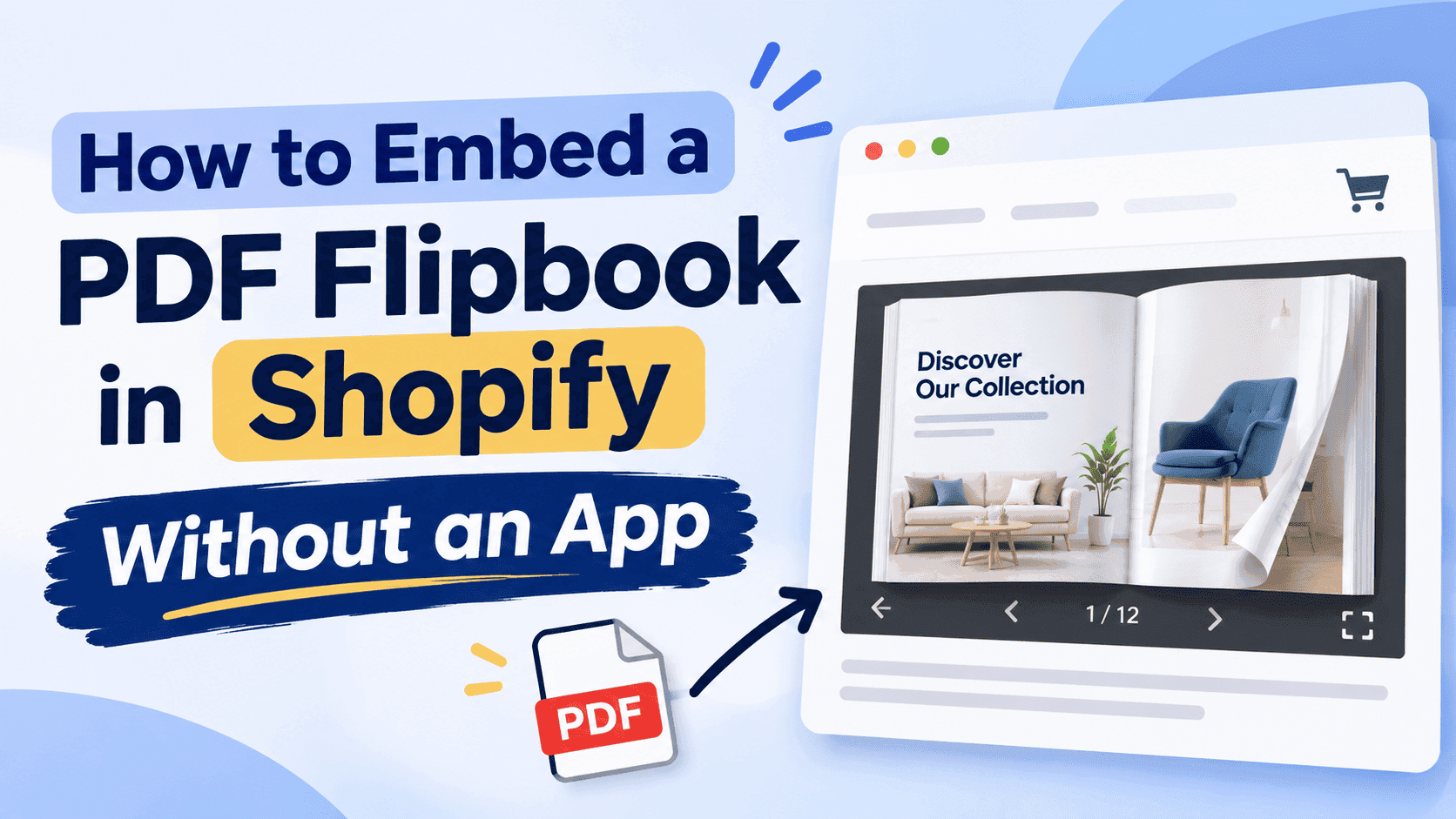
Open the Shopify app store, search "flipbook", and you get a long list of apps that all do roughly the same thing: take a PDF, show it as a page-turning book, and charge you somewhere between $10 and $30 a month for the privilege. Embedding it is one HTML tag. You do not need an app for that, and in most cases you are better off without one.
I build ZipFlipbook, so I have a stake in this, but the method below works with any flipbook tool that gives you an embed link. I'll use ZipFlipbook in the examples because that's what I know best and because the free plan covers everything here.
Why skip the app
An app installs a script on your storefront. Sometimes several. Every visitor downloads them, whether they ever look at your catalogue or not. Shopify owners already lose sleep over page speed, and adding a third-party script to every page just so one catalogue can load on one page is a bad trade.
Then there's the billing. Most flipbook apps price by number of publications or by page views, and the cheap tier fills up quicker than you expect. A store with a spring catalogue, an autumn catalogue, a wholesale price list and a care guide is already at four publications.
Last, there's the mess left behind. Uninstall a Shopify app and it frequently leaves snippets in your theme code. I have seen themes with leftover app blocks pointing at scripts that no longer exist, throwing console errors on every page load. An iframe you pasted yourself is one you can find and delete.
The trade-off is that you place it yourself. That takes about ten minutes the first time and two minutes after that.
What you need before you start
Two things: a flipbook, and the link or embed code for it.
If your PDF is still sitting on your desktop, upload it to ZipFlipbook first and let it convert. Before you do, check the file size. A 60-page lookbook exported straight from InDesign or Canva with print settings often lands around 40MB, and that will make the flipbook slow to open on a phone with weak signal. Compressing it first is worth the five minutes, and I wrote up how to do that in how to optimize large PDFs for lightning-fast online flipbooks.
Once the flipbook is published, copy its share link or embed code. Everything below uses an iframe, which is a small window onto another web page. Your flipbook lives on ZipFlipbook's servers and Shopify just displays it, so your store isn't hosting a 40MB document.
One thing people try and then regret: uploading the PDF itself to Shopify under Settings, then Files, and pasting that link into a page. Shopify's file uploader caps non-video files at 20MB, and what you get at the other end is a plain PDF opening in a browser tab or downloading. No page turning, no analytics, no lead capture. It's fine for a care instruction sheet. It's not a flipbook.
Turn Your PDFs into Lead Generation Machines
Start getting highly-qualified leads from your PDFs and landing pages today. It takes exactly 2 minutes to set up.
No credit card required • Sign up in 10 seconds
Method 1: Custom Liquid section (my default)
If your theme is an Online Store 2.0 theme, which includes Dawn and nearly everything released in the last few years, this is the cleanest route. It puts the flipbook in a section you can move around with drag and drop.
Go to Online Store, then Themes, then Customize. Use the page selector at the top to choose the page where the flipbook should appear. If you don't have a page for it yet, make one first under Online Store, then Pages, and give it a title like "Catalogue" or "Lookbook". Back in the customizer, switch to that page, click Add section, and pick Custom Liquid. Some themes put it under a "Custom content" heading, but the name usually contains Liquid.
Paste this into the box:
html
<div style="position:relative;width:100%;padding-top:70%;"> <iframe src="YOUR-FLIPBOOK-LINK" title="Spring 2027 catalogue" style="position:absolute;top:0;left:0;width:100%;height:100%;border:0;" allowfullscreen loading="lazy"> </iframe> </div>
Swap YOUR-FLIPBOOK-LINK for the link you copied from ZipFlipbook, change the title to something that describes the book, and hit Save.
A bare iframe has a fixed width and height, and fixed sizes look fine on your laptop and terrible on a phone. The padding-top trick tells the browser to keep the box at 70% of its own width, so the flipbook scales with the screen. If your pages are landscape, 70% is about right. For portrait documents such as a A4 brochure, try 130% instead, which makes the box taller than it is wide.
The title attribute isn't decoration. Screen readers announce it, and an iframe with no title is one of the more common accessibility failures on Shopify stores. Spend ten seconds on it.
Method 2: Page or product description, using Show HTML
Not everyone wants to touch the theme customizer, and sometimes you only need the flipbook inside a product description, say a size guide or an assembly manual on a single product.
Open the page, product or blog post in your Shopify admin. In the rich text editor, find the button that looks like angle brackets, <>. That's Show HTML. Click it and the editor switches from the formatted view to raw code. Paste the same wrapper and iframe from above wherever you want the flipbook to appear, then click the button again to switch back. You'll typically see a blank box or a placeholder where the iframe sits. That's normal. Save and preview the live page to see it working.
A few things go wrong here. If you paste the code while still in the formatted view, Shopify treats it as text and shows you the raw tags on the live page. If you toggle back and forth many times, some themes strip the style attribute from the div, which collapses the responsive sizing. If that happens, paste it once more in HTML view and save without toggling.
Product descriptions are the one place I'd go easy. A product page already carries photos, reviews, variants and probably a pile of app scripts. Adding a 30-page flipbook into the description makes the page heavier, and the person who came to buy a mug probably doesn't want to read your trade catalogue. Put a flipbook on a product page only when the document is that product's manual or spec sheet. Otherwise it goes on its own page.
Method 3: A button that opens the flipbook full screen
On small phones, an embedded flipbook is cramped. The pages are readable but you're turning them inside a box that's maybe 350 pixels wide, with the Shopify header and footer squeezing in from either side. A lot of people prefer to tap a button and get the whole screen.
The simplest version needs no code at all. Add a button to your page, a "View our catalogue" call to action, and link it directly to your ZipFlipbook URL with the link set to open in a new tab. The flipbook is already built to fill whatever screen it's on, so you get a good mobile reading experience for free.
My preference is a mix. Embed the flipbook for desktop visitors, and put a button right under it reading "Open full screen" for anyone on a phone. Shopify lets you show or hide sections per device in some themes, though if yours doesn't, leaving both visible costs you nothing. Mobile visitors get used to scrolling past the box and tapping the button.
Where the flipbook should go
This part decides whether anyone sees it at all, and I see the same mistake repeatedly: stores build a beautiful catalogue and hide it in the footer.
A dedicated page is the base case. Give it a plain name people would search for, like "Catalogue" or "Wholesale price list", and link to it from the main navigation. If you sell to trade customers, put it near the top of your menu, because those buyers will look for the price list before anything else.
A lookbook works better as an editorial page with a short intro above the flipbook and a few links to featured products below. If that's what you're building, how to embed a digital lookbook on Shopify or WooCommerce goes through the layout in more detail, including how to link from lookbook pages to individual product pages.
Collection pages can carry a flipbook in the description area too. Say you sell kitchen worktops and one collection is "Quartz". A flipbook of colour swatches and thickness specs at the top of that collection answers questions before they turn into support emails.
Order confirmation emails and post-purchase pages are a good fit for manuals and care guides. A link in the confirmation email that opens a flipbook of setup instructions does more than a 12MB PDF attachment that half of recipients never open.
Keep the page fast
Shopify store owners get twitchy about speed, and they're right to. An iframe loads a whole separate web page inside yours, so if you drop one at the top of a page it competes with your hero image for the visitor's bandwidth.
The loading="lazy" attribute in the snippet above is the main defence. It tells the browser not to fetch the flipbook until the visitor scrolls close to it. For a flipbook placed below the fold, which is most of them, that means the page loads as fast as it did before you added it.
If the flipbook is the whole point of the page and sits right at the top, remove loading="lazy" for that one so it starts loading immediately. Otherwise leave it on.
I covered the rest of this topic, such as preloading, thumbnail covers and trimming page counts, in how to embed a flipbook on your website without slowing it down. Most of it applies to Shopify as much as any other platform.
For Shopify specifically, run the page through PageSpeed Insights before and after you add the flipbook. If your mobile score drops by more than a few points, look at the PDF size first, then at whether other scripts on the same page are the real problem.
Turn Your PDFs into Lead Generation Machines
Start getting highly-qualified leads from your PDFs and landing pages today. It takes exactly 2 minutes to set up.
No credit card required • Sign up in 10 seconds
What you get that a plain PDF link doesn't
Once the embed is live, a flipbook gives you things a PDF link can't. Visitors turn pages instead of scrolling a 60-page document top to bottom. Video and links inside the pages work. You can add a lead capture form that asks for an email address before someone reads past page three, which matters for wholesale price lists or gated guides.
The analytics tell you how many people opened the book, how far they got, and which pages they stopped on. If 80% of visitors drop out at page 6, you know what to rework. A PDF in a browser tab tells you nothing. Shopify's own analytics will count a visit to the page, but it can't see inside the iframe.
ZipFlipbook's free plan includes all of this, with a watermark and ads on the flipbook. The Pro plan at $19 a month removes the ads and gives you unlimited flipbooks. The Business plan at $49 adds a custom domain and white-label branding. For a lot of small stores the free plan is enough to find out whether anyone actually reads the catalogue.
When the embed doesn't show up
A blank space where the flipbook should be is nearly always one of four things.
The first is a typo in the link. Open the link by itself in a new browser tab. If it doesn't load there, it won't load in Shopify either.
The second is code pasted into the formatted view instead of HTML view. Check whether you can see angle brackets on the live page. If you can, go back and paste it again in Show HTML mode.
The third is a password-protected store. If your store is in development with the storefront password on, the iframe may still load for you but behave oddly during previews. Test it with the password page off, or in an incognito window after entering the password.
The fourth is a theme that blocks iframes in certain content areas. It's rare, but a few older themes strip them from blog post bodies. Use the Custom Liquid section in the customizer instead, which gets around that restriction.
If you see the flipbook but it's cut off at the bottom, the percentage in padding-top is too small for your page shape. Raise it in steps of 10 until the whole page fits.
FAQ
Can I embed a PDF flipbook in Shopify for free? Yes. ZipFlipbook's free plan gives you an embed link, and pasting it into a Custom Liquid section or a page's HTML costs nothing. The free version shows a watermark and ads.
Does Shopify allow iframes? That works in Custom Liquid sections and in the HTML view of pages, products and blog posts. A few older themes strip them from some content areas, and the fix is to use a Custom Liquid section on a custom page template.
Why not just upload the PDF to Shopify Files? Shopify caps file uploads at 20MB, and you only get a plain PDF link with no page turning or tracking. If your document is a brochure or catalogue, a flipbook reads better and tells you who opened it.
Will a flipbook slow my Shopify store down? Not if you keep loading="lazy" on the iframe and compress the PDF before converting it. The flipbook loads from ZipFlipbook's servers, not Shopify's.
Does the embedded flipbook work on mobile? The padding-top wrapper keeps it responsive, and the book supports swipe and pinch to zoom. For small phones, add an "Open full screen" button that links to the flipbook URL.
Can I capture emails from a Shopify flipbook? Turn on lead capture in ZipFlipbook and the form appears inside the embedded book. Responses show in your ZipFlipbook dashboard, and you can send them on to your email tool.
Can I put the flipbook on a product page? Through Show HTML in the product description or a Custom Liquid block in the product template. It suits manuals and spec sheets better than a general catalogue.
Turn Your PDFs into Lead Generation Machines
Start getting highly-qualified leads from your PDFs and landing pages today. It takes exactly 2 minutes to set up.
No credit card required • Sign up in 10 seconds
Over to your store
Pick the one document your customers ask about most often. For most shops it's the price list or the catalogue. Compress the PDF, upload it to ZipFlipbook, copy the link, and paste the snippet into a Custom Liquid section on a new page. Link that page from your main menu and check it on your own phone before you tell anyone it exists.
You can turn your PDF into a flipbook on ZipFlipbook for free and have the embed link in a couple of minutes.