There isn't one FlipHTML5 free limit. There are a few small restrictions that each look harmless on the pricing page, and you tend to find them as you go, usually the evening before something needs to go out. I'll take them one at a time, say who can live with each, and tell you where I'd quit the free plan.
One note first. FlipHTML5 changes its plans now and then, and the free plan details I'm quoting come from its pricing page and third-party listings. Check the live page before you commit to anything.
The FlipHTML5 free limit in plain numbers
You can sign up without a card and have a working flipbook in minutes. That's why the free plan gets so many sign-ups. This is what you get, compared with the entry paid plan.
The free plan covers what people need at the start: sharing, embedding, a mobile-friendly reader and a product catalog generator. It's a real product, not a crippled demo.
Five uploads a day looks tight, but it's the loosest limit here. Unless you're batch-converting a back catalogue, you won't touch it. The ones that bite are less obvious.
The watermark and the ads
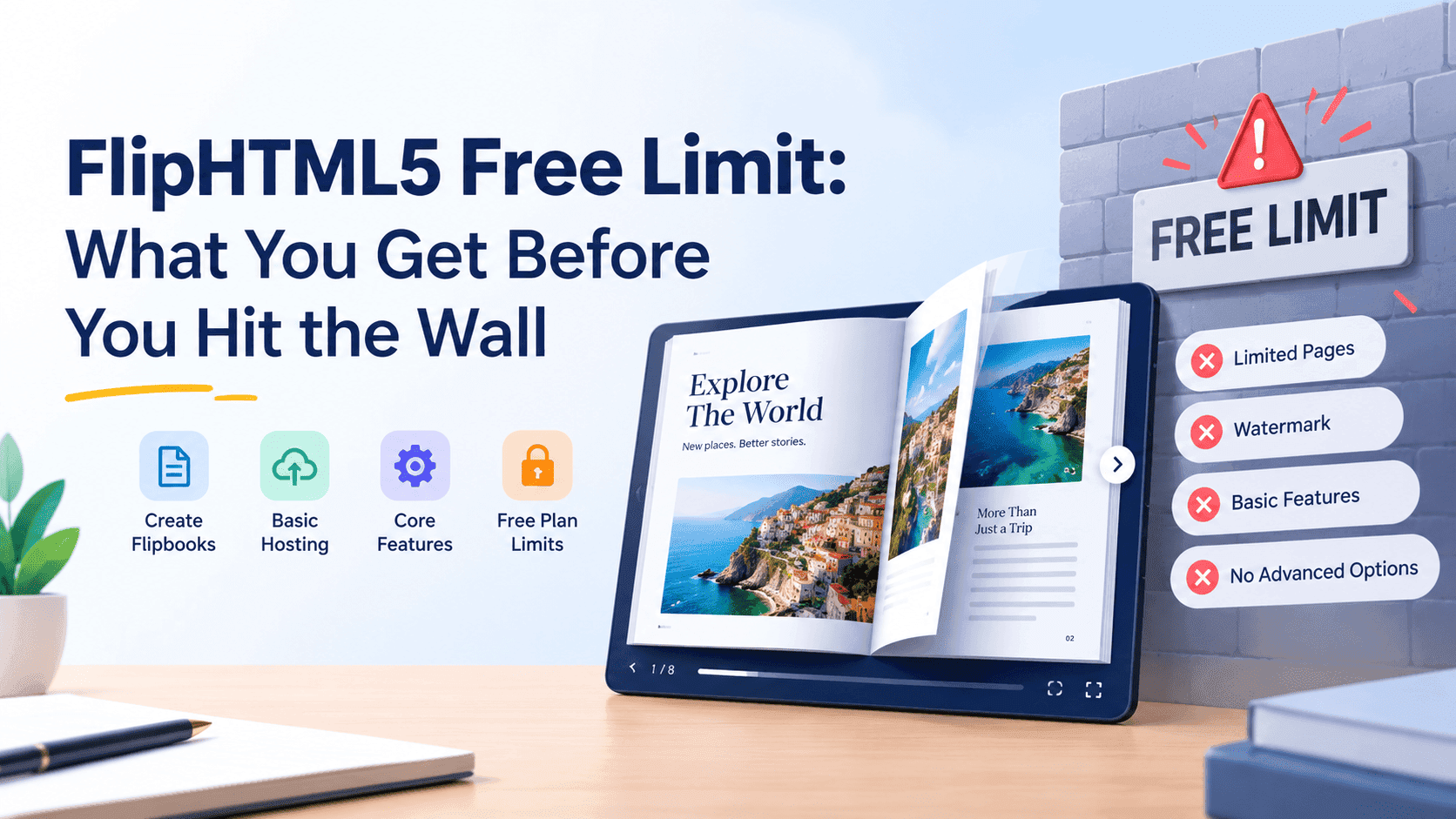
Every flipbook you publish on the free plan carries a FlipHTML5 watermark. Depending on how it's shared, readers can also see ads. Nobody notices this while they're testing, because the only person looking is you.
It stings when the flipbook is a customer-facing thing: a quote for a client, a menu, a lookbook for a stockist, a brochure you're linking from a proposal. A stranger opens it and the first branding they see belongs to a different company. If you've spent an hour getting your cover and colours right, a third party's logo on the page undercuts that.
For a school newsletter or a family photo book, nobody cares. For anything with your business name on it, a lot of people do. This is the limit that pushes most people to Pro, and removing it is the main thing the $15 buys you.
One bookcase is fewer than you think
A bookcase is FlipHTML5's name for the shelf page that groups your flipbooks together. The free plan gives you one.
If you publish a single catalogue, one is plenty. If you run two brands, or you want a public shelf for customers and a separate private one for a client, you're out of room fast. Say you have a spring brochure, a trade price list and a staff handbook. They all end up on the same shelf unless you pay, and you can't hand someone the link to the shelf without them seeing everything on it.
It's an easy limit to forget about when you sign up, and an annoying one to discover six documents in.
Seven days of stats
Free accounts get basic stats for the last 7 days. Pro gets 3 months.
That matters more for some uses than others. If you're sharing a PDF and want to know whether anyone opened it this week, seven days answers the question. Try comparing autumn catalogue opens with summer: you can't, because the earlier data has already rolled off. Spotting a slow decline or showing a client a trend is out too. If you send flipbooks to a sales list, weigh this before you pick a plan.
Stats also leave something out. Basic open counts tell you a document was viewed. They don't tell you who viewed it. If the point of your flipbook is to find out who's interested, so you can follow up, then counting opens stops being enough. I wrote about that gap in how to track PDF opens for free, and it applies to any flipbook tool, not only FlipHTML5.
Password protection and PDF link detection
Two Pro features are easy to skip in the plan comparison and then miss later.
Password protection is one. If you share anything semi-private, like a price list for trade customers, a draft for a client or an internal handbook, a plain link on the free plan is open to anyone who has it. Links get forwarded. A password isn't strong security, but it stops casual passing-around, and the free plan has no option for it.
The other is link detection from PDF. If your PDF already has clickable links, say to a product page or a booking form, Pro can pick them up and carry them into the flipbook. Without it, you may end up recreating links by hand in the editor. On a 4-page flyer that costs you ten minutes. On a 60-page catalogue with a link per product, it costs you an afternoon, and you'll do it again after every edit.
When the free plan is enough
This isn't meant as a hit piece. Plenty of people should stay on the free plan and never think about it again.
If you're a student turning coursework into something readable, a teacher sharing a class resource, a club secretary posting a newsletter, or someone building a one-off photo book for a family event, the limits above don't touch you. You'll upload a handful of files, share a link, and that's the whole relationship. The watermark doesn't matter, one bookcase is fine, and a week of stats is more than you'll look at.
It also works for a quick test. If you're deciding between flipbook tools, spend an evening on the free plan and see if the reader feels right and the PDF converts cleanly. That's what it's for.
When you should stop putting up with it
The free plan starts to hurt when the flipbook is doing a job for your business. Watch for these:
You're embedding it on a site that gets real traffic and the watermark is sitting on your page. You're sending it to customers and want it to look like yours. You need to know who opened it, not just that someone did. You want to compare this month with last month. Or you're maintaining more than one or two publications and the single bookcase is getting in the way.
By then you're paying either way: in money or in workarounds. Workarounds cost more than $15.
What Pro costs and what it leaves alone
Pro is $15 a month, or $149 if you pay for the year. That's reasonable for what it removes: the ads, the watermark, the upload cap, the short stats window.
It still doesn't change what the stats measure. You get open counts rather than a list of people, and capturing a reader's name and email before they get into the flipbook is a separate thing from removing a watermark. If lead capture is the real reason you're making flipbooks, check which plan includes it before you pay for the wrong one. Do that check on the pricing page itself, since plans move around and a feature that sits in a higher tier this year may sit somewhere else next year.
Getting past the FlipHTML5 free limit without paying
If the free plan feels cramped and you don't want a subscription, you've got two sensible routes.
One is to try a different tool that gives you more at no cost. That's what ZipFlipbook is for. It's a free, browser-based tool that turns a PDF into an interactive flipbook, with lead capture, analytics, embedded media and embeddable links included. I built it because I kept running into exactly the walls described above. If you want a side-by-side on the two, I wrote FlipHTML5 alternatives for small businesses, which covers where each one fits and who should stay put.
The other is to widen the search. FlipHTML5 isn't the only tool with a free tier, and the free tiers differ a lot in what they put behind a paywall: some watermark, some cap the page count, some cap the number of publications. I put together a comparison of free flipbook makers with no watermark for anyone who wants to see what's out there before they pick.
Whoever you go with, test with your own PDF. Marketing pages show you the best-case file. Upload the 80 MB catalogue with the odd fonts and the full-bleed photos and see what comes out.
FlipHTML5 free limit: frequently asked questions
What is the FlipHTML5 free limit on uploads? The current free plan allows 5 uploads per day. Pro removes the cap. For most people the daily upload cap is the one limit they never reach.
Does the FlipHTML5 free limit include a watermark? Free flipbooks carry a FlipHTML5 watermark, and Pro is where you get ad-free flipbooks and a custom logo. If your flipbook is going in front of customers, that's the limit I'd weigh first.
How long do stats last under the FlipHTML5 free limit? Seven days on the free plan, against three months on Pro. If you only want to know whether a file got opened this week, that's enough. If you want to compare campaigns, it isn't.
Can I use FlipHTML5 free for business? Plenty of people use it for business. I wouldn't for anything customer-facing, because of the watermark and the lack of password protection. For internal documents or a quick test, it's fine.
Does the FlipHTML5 free limit stop me embedding a flipbook on my website? Sharing and embedding are included on the free plan. The cost is that the watermark comes with it, so the flipbook sits on your page carrying someone else's branding.
What happens if I stop paying for Pro? You drop back to the free plan and its limits apply again. It's worth checking how your existing flipbooks look afterwards before you cancel, because the watermark and the stats window are the first things you'll see change.
Is there a free alternative with fewer limits? The options vary a fair bit. ZipFlipbook is free and includes lead capture and analytics. My FlipHTML5 alternatives breakdown covers the others.
The FlipHTML5 free limit: bottom line
The FlipHTML5 free limit is mild if you're sharing a few files for personal use and awkward if the flipbook has a business purpose. The 5 uploads a day won't bother you. The watermark, the single bookcase and the 7-day stats window probably will, and they tend to show up in that order. Pro at $15 a month fixes the first and the last, but it doesn't turn open counts into a list of people you can follow up with.
Know what the flipbook is for before you pick a plan. If it's just a convenience, stay free. If it's meant to bring in customers, look at what each tool gives you for capturing who's reading it, and test with your biggest, ugliest PDF before you pay anyone.