Last quarter, a letting agent client forwarded me their "new digital brochure." It was a PDF. Emailed as an attachment. You had to download it, open it in Adobe, and scroll through the exact same layout they'd been printing for three years. No links. No video. Nothing you could click. They called it interactive because it lived on a laptop instead of a shelf.
That's not what an interactive brochure is. It's just what most people picture when they hear the phrase, because "digital" and "interactive" got mashed together somewhere along the way and nobody bothered to separate them again.
So let's separate them properly.
The short answer
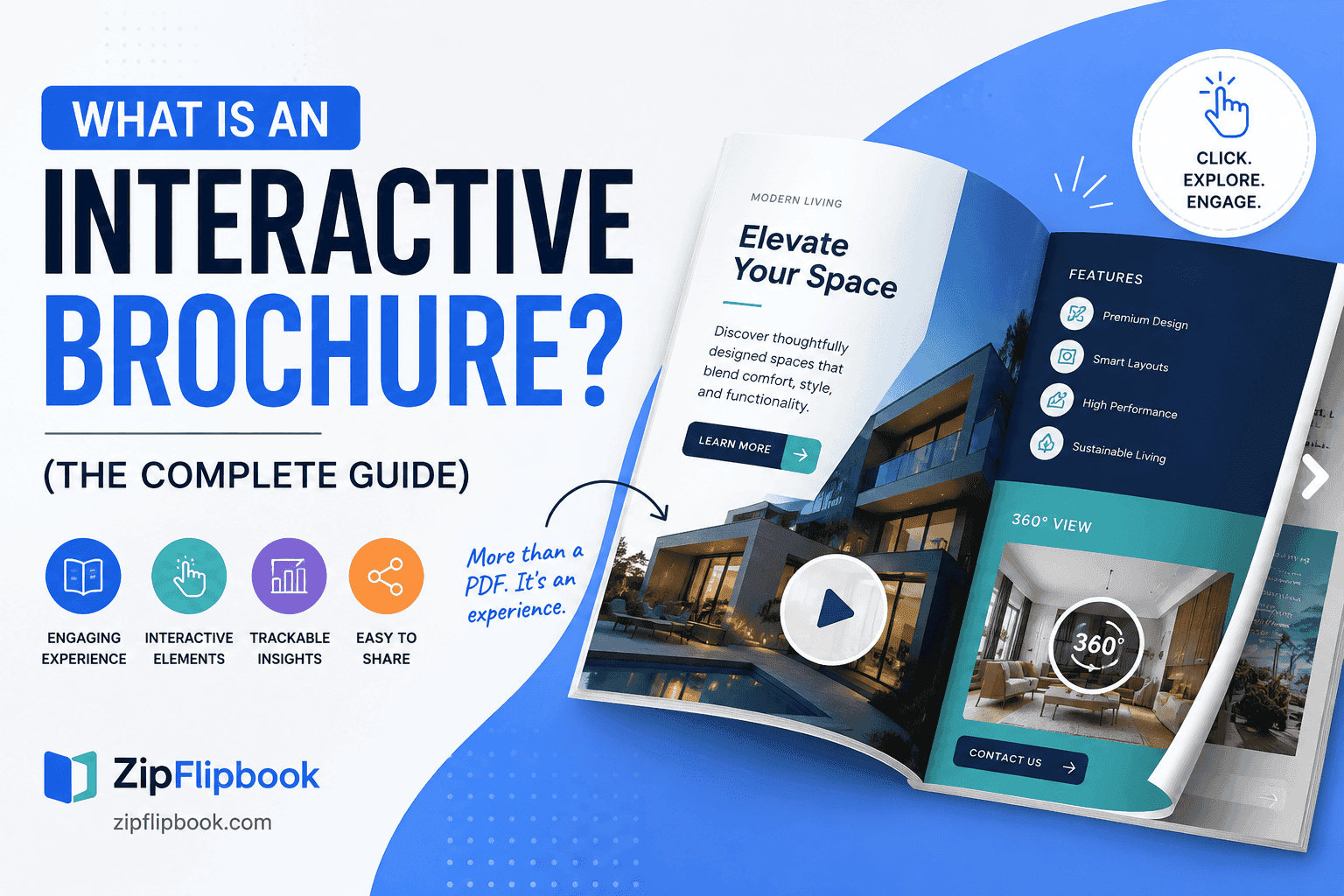
An interactive brochure is a document that responds. Tap a product and pricing appears. Watch a video play inline without leaving the page. Jump straight to a section instead of flipping past twelve pages to find it. Hover over a photo and see three more angles of the same product. It opens in a browser, works on a phone without a plugin, and it tracks what people actually looked at. It's a PDF that finally got a backbone.
The word doing the heavy lifting here is "interactive," not "digital." A PDF you email around is digital. It is not interactive unless something inside it responds to the reader.
What actually makes something interactive (and what doesn't)
Here's the test I actually use. If a reader can tap your table of contents and land exactly where they want instead of scrolling past everything in between, that's interactive. If they can watch a video play right there on the page instead of reading a caption that tells them a video exists somewhere on your YouTube channel, that's interactive. If they can request a quote or drop an email address into a form without leaving the document, that's interactive. If the page-flip feels like an actual document instead of a slideshow of static images stacked on top of each other, that's interactive. And if you, afterward, can see which pages got read, how long someone lingered on your pricing page, and whether they bailed after page two — that's interactive.
If none of that describes what you're handing people, it's a PDF with a nicer name. That's fine, plenty of businesses genuinely don't need more than a PDF. But don't confuse the two when you're deciding what to build.
Why this actually matters for a brochure specifically
Brochures have always had one job: get someone from mildly interested to actually doing something, whether that's booking a viewing, requesting a quote, or picking up the phone. A print brochure does that job passively. You hand it over, hope it doesn't end up in a bag, and wait.
An interactive one can push back a little. It can put the "get a quote" button on every page instead of just the last one. It can show a floor plan and let someone tap between three room layouts instead of printing all three and hoping they compare. And it tells you, afterward, whether any of it worked — who opened it, which page they lingered on, whether they even got past the cover.
We've written before about the gap between a flat static file and one that actually behaves like a living, breathing tool — worth a read if you want the fuller comparison of what an interactive brochure gains over a plain PDF sitting in someone's downloads folder. How to Turn Any PDF Into an Interactive Digital Brochure
How it's different from a website, a print brochure, and a plain PDF
People tend to lump these four together and then get confused about which one they actually need. They're not the same thing, and the differences matter for what you're trying to do.
A website is built to be found. It needs an address, it needs someone to remember it or search for it, and it lives forever whether you update it or not. An interactive brochure is built to be sent. You attach it to an email, drop it in a text, embed it on a landing page, or hand someone a QR code at a trade show, and it does its job in the five minutes someone spends looking at it before they move on to something else. Nobody googles your brochure. You put it in front of them.
A print brochure is tactile and it's genuinely still useful for some situations — a leave-behind at a viewing, something to hand across a table. But it's frozen the moment it comes off the press. If your prices change, your entire print run is wrong. If you want to know whether anyone actually read past page two, you can't. An interactive brochure updates the moment you re-upload it, and it tells you exactly where people stopped reading.
A plain PDF sits in the middle and confuses everyone, which is really the whole reason this article exists. It's digital, so it feels modern. But it behaves exactly like the print version once it's open — no clicks, no tracking, no video, just pages you scroll through and then forget. It got smaller in file size, not smarter in behavior.
So the honest way to think about it: a website is your home base, a print brochure is for the room you're standing in, and an interactive brochure is what you send when someone's not in the room and you want to know what happened after they opened it.
Who's actually using these
Estate agents, mostly, in my experience, because a property brochure benefits more than almost anything else from clickable floor plans and embedded walk-through video. We've covered that specific case in more depth: Guide to Digital Property Brochures for Real Estate Agents
But it's not just estate agents. Retailers use interactive catalogs so a product photo links straight to the buy page instead of forcing someone to screenshot it and go hunting on the site separately. Restaurants build menus you can tap through on a phone at the table, with photos of the actual dish instead of a laminated card and a description. Agencies pitch clients with a brochure that has their case study videos playing inline instead of "see attached link," which matters more than it sounds like it should during a first pitch. Recruiters send interactive job packs so a candidate can watch a two-minute culture video without leaving the document. Event organizers build sponsorship decks where a logo click drops straight to the sponsor's site. SaaS companies turn a sales one-pager into something a prospect can forward internally and still have the demo video embedded when it lands in someone else's inbox.
What ties all of these together isn't the industry, it's the moment. Any time a business hands someone a document and then has absolutely no idea what happened next — did they read it, skip it, forward it, delete it — that's the gap an interactive brochure closes. The format shows up wherever someone got tired of PDFs going nowhere and wanted actual visibility into whether their sales material was working or just sitting in a downloads folder.
The trade-offs nobody mentions
Here's the friction point most articles on this topic skip, usually because they're trying to sell you something: interactive brochures aren't free of downsides. They take longer to build than a flat PDF, because now you're deciding what's clickable and what isn't rather than just laying out pages. They require an internet connection to view, which is a real problem if your audience is standing somewhere with patchy signal at a trade show. And if you clutter yours with five videos, ten pop-ups, and a form on every single page, it stops feeling like a brochure and starts feeling like a website wearing a brochure costume. We wrote a fuller rundown of where interactive brochures win and where they genuinely don't, and it's worth reading before you commit a design budget to one: Advantages and Disadvantages of Interactive Brochures
Turn Your PDFs into Lead Generation Machines
Start getting highly-qualified leads from your PDFs and landing pages today. It takes exactly 2 minutes to set up.
No credit card required • Sign up in 10 seconds
What to actually look for if you're picking a tool
Once you've decided you want one, the next problem is that half the tools claiming to make "interactive flipbooks" just add a page-curl animation to your PDF and call it a day. That's a cosmetic effect, not interactivity. A few things worth checking before you commit to any platform:
Whether it actually supports clickable hotspots and embedded video, not just a nicer page-turn animation. Ask yourself if you could add a "book now" button to page 4 without redoing the whole document.
Whether it gives you analytics you can actually use — page-level view time, not just a total open count that tells you nothing about whether anyone read past the cover.
Whether it works without forcing your reader to download an app or create an account first. The whole point is removing friction, and a login wall in front of your brochure defeats that.
Whether you can embed it on your own site or share it as a standalone link, because you'll want both depending on whether it's going in an email or living on a landing page.
And honestly, whether it's free to try before you're asked for a card number. A brochure tool that makes you commit to a subscription before you've seen your own document rendered is asking for a lot of trust up front.
How to actually make one
You used to have two real options: a static PDF, or a custom microsite built by a developer that cost real money and took weeks to ship for something that was, in the end, still just a brochure. Today the middle option is the only one that makes sense for most businesses: take the PDF you already have — the one built in InDesign, Canva, or Word — and run it through a tool that adds the page-flip, the clickable links, the embedded video, and the lead-capture form on top of it. No code. No waiting a month for an agency to deliver.
That's the whole reason ZipFlipbook exists. Upload your PDF, it comes out the other side as a flipbook you can embed on your site or send as a link, with analytics running underneath so you can see who's actually reading it. It's free to start, no credit card, and you can have your existing brochure turned into an interactive one in less time than it took to read this article.
A few questions people actually ask
Is an interactive brochure the same as a flipbook? In practice, yes. "Flipbook" describes the page-turning visual style. "Interactive brochure" describes what it does once it's open. You want both at once — the look and the function together, not one without the other.
Do I need design skills to make one? No, if you're starting from an existing PDF. The layout work is already done in whatever program you built the brochure in — InDesign, Canva, Word, PowerPoint. The tool's job is to take that finished PDF and add the behavior on top: navigation, embeds, forms, tracking. You're not redesigning anything.
Will it work on someone's phone? It should, without an app and without a plugin. That's actually one of the clearest tests of whether a tool is any good — open the result on a phone with mobile data instead of wifi and see if it loads in a couple of seconds and reads cleanly on a small screen. A lot of tools look fine on a laptop demo and fall apart the moment it's a 6-inch screen in someone's hand at a bus stop.
Does it replace my website? No, and it isn't trying to. Your website is where people find you. Your brochure is what you hand them once they have. Different jobs.
Also read: how to make PDF to digital brochure
The bottom line
An interactive brochure isn't a PDF with a fancier name. It's a document that does something when someone touches it — plays a video, jumps to a section, captures an email, tells you what got read. If your sales material is effectively a paperweight that happens to be a digital file, you're leaving money on the table every time you send it out. Fixing that takes about twenty minutes.
If you want to see the difference for yourself, upload a PDF to ZipFlipbook and watch it turn into one.