Picture a customer on a train, on mobile data, tapping the "Download our brochure" button on your site. The file is 38 MB. The bar creeps along for a while, then the PDF opens in a viewer that shows an A4 page shrunk onto a six-inch screen. They pinch, they lose their place, they pinch again. Somewhere around page three they close the tab, and you never find out they were there.
That's the digital brochure experience for a lot of businesses in 2026, and it's a strange thing to put up with when the brochure is often the first proper look someone gets at what you sell.
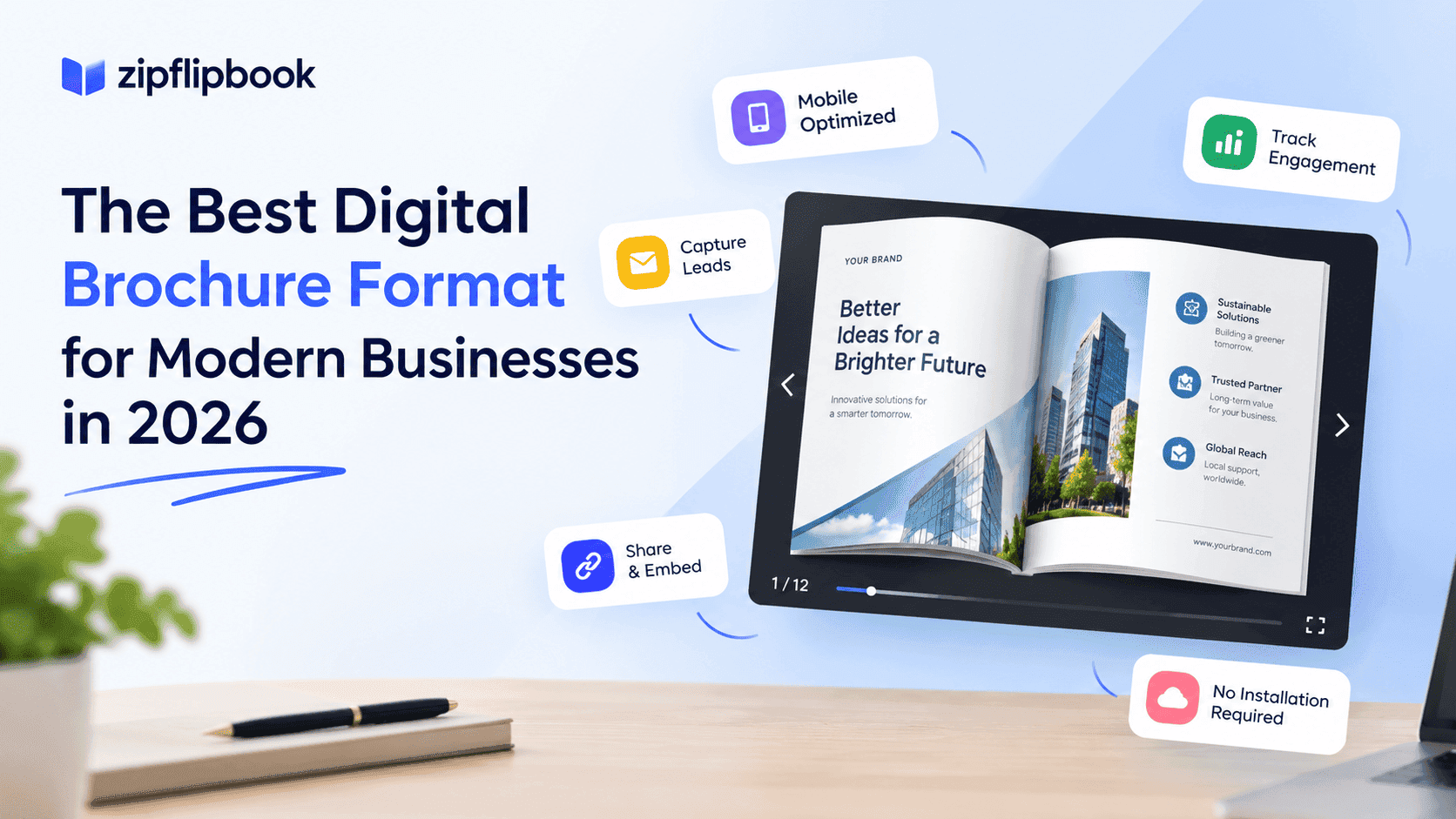
The best digital brochure format for most businesses is an interactive flipbook-style brochure with its own link, backed by a PDF download for anyone who wants one. But the reasoning matters more than the answer. In a few cases, I'd skip the flipbook.
What "digital brochure format" actually covers
The phrase gets used for a few different things, so here's the split.
A PDF is the default. You design in Canva, InDesign or Word, export, upload, link. It takes ten minutes, and that's why everyone does it.
A flipbook takes that same PDF and turns it into a page-turning web experience that opens in the browser. Nothing to download, no separate viewer.
An HTML landing page rebuilds the brochure content as a normal web page. It's the best option for search, and the most work to build and keep in sync with print.
A design-tool share link (Canva, Adobe Express and similar) gives you a hosted view of the design. It's quick, but you're borrowing someone else's branding, layout and limits.
Each format wins in a different situation. Pick the one that fits what the brochure needs to do.
Turn Your PDFs into Lead Generation Machines
Start getting highly-qualified leads from your PDFs and landing pages today. It takes exactly 2 minutes to set up.
No credit card required • Sign up in 10 seconds
Where PDF brochures fall down
PDFs work fine as files, but they're print documents that got pushed onto the web, and it shows.
Mobile is the obvious failure. A PDF is a fixed page size, so on a phone you're either reading tiny text or panning around a page that was never meant to be panned. Most of your visitors are probably on phones. If you've never opened your own brochure on one, do it now, on mobile data, and time it.
File size is the second problem. Brochures full of photography export to enormous files, and 20 to 50 MB is normal for a product catalog. You can compress them, but that's where the blurry images come from.
The third is the one that costs you money: you learn nothing. Someone downloads the file and it's gone. You can't tell whether they read one page or all forty, which product they lingered on, or whether it was a customer or a competitor. If your brochure gives you zero data, you're paying to send people away. There's a free way to start measuring this in how to track PDF opens for free.
What a flipbook changes
A flipbook fixes the three problems above without making you redesign anything.
It opens inside the page or on its own link, so there's no download and no viewer to fight with. The pages are sized for the screen, so a phone user taps or swipes instead of pinching. And because it's hosted, you can see how it's being used.
Presentation matters, but don't expect it to rescue a weak brochure. Page-turning feels closer to a magazine or catalog than a scrolling document does, and that suits businesses where the brochure is part of the product: restaurants and hotels sending menus and guides, estate agents with property brochures, schools with prospectuses, and retailers with seasonal catalogs. A good brochure just looks better in a flipbook than it does in a grey PDF viewer.
This is the problem I built ZipFlipbook to solve. You upload the PDF you already have and get a flipbook back, without rebuilding anything in a design tool or paying a developer.
Turn Your PDFs into Lead Generation Machines
Start getting highly-qualified leads from your PDFs and landing pages today. It takes exactly 2 minutes to set up.
No credit card required • Sign up in 10 seconds
Lead capture and analytics
Lead capture and analytics are where the format choice really pays off, even though they get less attention than the visuals.
If your brochure sits behind a form, a flipbook lets you put that form inside the experience. Someone can read the first few pages, and the brochure can ask for an email address at the point where they're already interested, rather than blocking the door before they've seen anything. I go deeper on the gating side in how to gate content without losing leads. Compare that with the standard PDF gate: a form, a "thanks, check your inbox" message, an email that lands in spam, and a download link that half the people never click.
Analytics work the same way. Seeing which pages get read and where people drop off tells you something concrete. If everyone abandons at page 6, page 6 has a problem. If the pricing page gets three times the attention of anything else, that's worth knowing before you redesign the cover.
A sales team can use this too. A rep who sends a brochure link and can see it was opened, and how far the reader got, knows whether to follow up that afternoon or leave it a week.
What flipbooks do (and don't do) for SEO
Most flipbook vendors oversell SEO. Here's the honest version.
Google can index PDFs, but a PDF sitting behind a download link rarely ranks well and gives your main site very little. A flipbook doesn't automatically fix that. Search engines rank pages, and a flipbook is only as visible as the page it lives on.
The practical approach is to embed or link the flipbook from a proper page: a real title, a clear heading, a paragraph or two describing what's inside, and internal links from related pages. The flipbook gives visitors a nicer way to read it, and the surrounding page gives Google something to understand and rank. Keep a plain PDF download on that page as well, since some people will want to print it or save it offline.
Write the page title the way a customer would search for it. "Spring 2026 Product Catalog" gives Google something to work with, and "Brochure_final_v3" gives it nothing. Add a few sentences on who the brochure is for and what's inside, and link to the page from your product or service pages so it isn't an orphan. Rename the PDF download properly too, since the filename ends up in the customer's downloads folder and sometimes in search results.
Speed is another factor. A heavy PDF embedded straight into a page can drag down load time and Core Web Vitals, particularly on JavaScript-heavy sites built with React or Next.js. A lighter embedded viewer that loads pages as needed is friendlier to your performance scores. That won't rank you by itself, but it helps, and it's why many developers prefer flipbooks to raw PDF embeds. The longer version is in how to embed a flipbook on your website without slowing it down.
When a plain PDF is still the right answer
Not every brochure needs to be a flipbook.
If it's a one-page flyer, a price list, or a spec sheet, and people will mostly print it or forward it, a PDF is fine. Two pages of text don't need a page-turn animation. The same goes for anything that has to be archived or signed, such as contracts, terms or formal reports.
Email is another case. Interactive embeds generally don't render inside an inbox, so in a newsletter you'd link to the flipbook rather than trying to embed it. I wrote up how that works for HubSpot in How to Embed a Flipbook in a HubSpot Page or Email. The general version for any email tool is in embedding a flipbook in an email campaign.
Flipbooks make the most sense for longer visual pieces (catalogs, lookbooks, prospectuses, portfolios, menus) where people browse instead of scanning for one fact. They matter even more when you need to know what happens after someone opens them.
Turn Your PDFs into Lead Generation Machines
Start getting highly-qualified leads from your PDFs and landing pages today. It takes exactly 2 minutes to set up.
No credit card required • Sign up in 10 seconds
How to choose
Start with what the brochure is for. If it exists to inform and people will print it, keep the PDF. If it exists to sell, capture leads or get browsed on a phone, put it in a flipbook and give it its own page. If search traffic is the main goal, build the content as a proper landing page first and add the flipbook on top.
Whatever you choose, open it on your phone using mobile data before you publish. That 30-second test will tell you more than this article can.
If you want to see what your existing brochure looks like as a flipbook, ZipFlipbook is free and the PDF you already have is all you need. Upload it and have a look.
FAQ
What is the best digital brochure format? For most businesses, a flipbook on its own link with a PDF download alongside it. It works on phones, nobody has to download anything, and you get lead capture and analytics. Short printable documents can stay as plain PDFs.
Do flipbooks help with SEO? Only through the page around them. Give the flipbook a proper page with a heading and a description of what's inside, and Google has something to rank. A lighter viewer can also help your load times compared with a big embedded PDF.
Can I put a flipbook in an email? Most email clients won't render an embed, so link to it instead.
Can I capture leads from a digital brochure? Yes. A hosted flipbook can ask for an email address partway through reading, which tends to work better than putting a form in front of a PDF download.