A retailer emailed me three weeks ago — a small womenswear label out of Leeds, twelve SKUs in her autumn drop — asking if ZipFlipbook could turn her seasonal PDF lookbook into something people could buy from without leaving the page. Not "click through to the website" buy from. Tap the jacket, see the price, add it to cart, done. That's half the reason I built this thing. But it got me thinking about how many brands are still emailing lookbooks around like it's 2014, hoping customers will squint at a product, remember the SKU, and go type it into a search bar later.
They won't. Nobody does that. I don't do that, and I run a company that lives inside PDFs all day.
Here's what a shoppable lookbook needs to do, and where most tools fail at it, plus how to build one that doesn't make your customers work for the privilege of giving you money.
What Counts as Shoppable
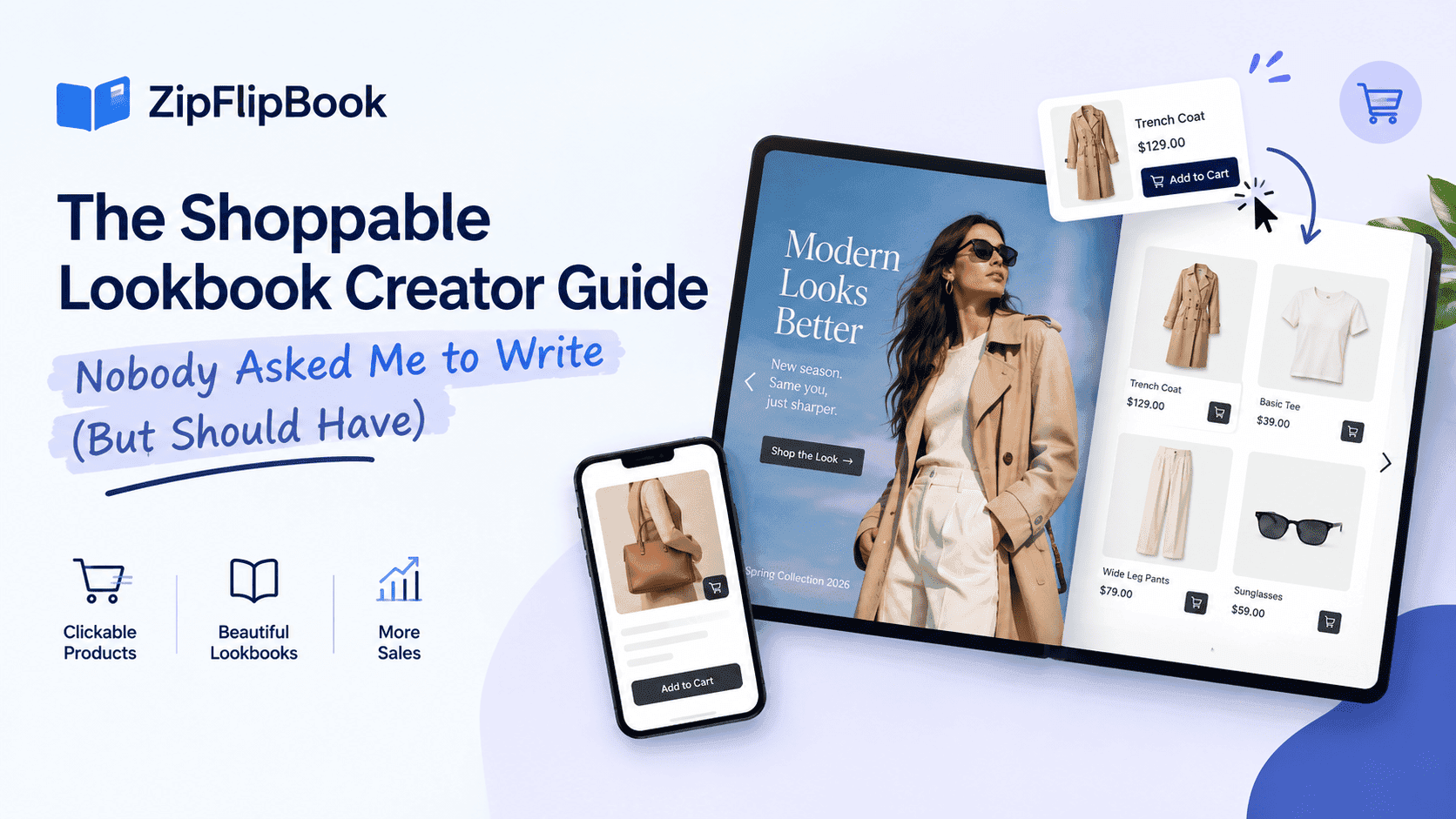
Most tools that claim to be shoppable aren't. A shoppable lookbook is not a PDF with a "Shop Now" button at the bottom that dumps everyone onto your homepage. That's a PDF with a hyperlink, and you could have done that in Word.
A shoppable lookbook lets a customer land on a page, spot a look they like, click the specific item in that specific image, and go straight to that product: price, size options, add to cart. No detour through your nav menu. Each image should lead to a product. Each page should make buying easier.
For the mechanics, see how to make a shoppable digital catalog. Most of what applies to catalogs applies here too — the difference is tone. A catalog is inventory. A lookbook is a story about how the inventory looks on a person, in a room, at golden hour, styled by someone with better taste than a spreadsheet.
Why Fashion Brands Reach for Lookbooks Specifically
Catalogs sell products. Lookbooks sell a version of your customer's life that happens to include your products. Apparel and lifestyle brands have always worked this way: nobody buys a linen shirt because of the fabric weight, they buy it because the model wearing it looks like she's about to have a better September than they are.
More on that in digital lookbooks for fashion and apparel brands. The short version: fashion converts on feeling first, spec sheet second. A shoppable lookbook sells the feeling and the specs on one page.
Print lookbooks had great photography but no path to purchase and a six-week lead time before anyone saw it. Digital fixes the lead time. Shoppable fixes the missing path to purchase. You need both, or you're just making a nicer-looking version of the same dead end.
The Difference Between a Lookbook and a Catalog (Since People Keep Asking)
The difference is simple, and I've written the full comparison in digital lookbook vs digital catalog. A catalog is organized by SKU and category, built for someone who already knows roughly what they want and is comparing options. A lookbook is organized by outfit, scene, or collection, built for someone who doesn't know what they want yet and needs to be shown.
This matters for how you build the shoppable layer. On a catalog, one hotspot per product is fine because each image usually shows one thing. On a lookbook, a single photo might have four shoppable items in it — the jacket, the boots, the bag, maybe the sunglasses if you're feeling ambitious — and your tool needs to handle multiple hotspots on one image without turning the photo into a spreadsheet covered in blue dots.
The failure mode I see most often is brands trying to force a catalog template onto a lookbook, then wondering why nothing converts. A grid of thumbnails under a hero shot works for a product range. It kills the mood on an editorial spread. Customers scrolling a lookbook want to stay inside the photo, not get dumped into a list the second they show interest.
What I Look For in a Lookbook Tool (Besides My Own)
I tested a few competitor tools before writing this, partly out of curiosity and partly to check which claims I could actually stand behind. Fuller rundown in best digital lookbook makers 2026, but here's the shortlist of things that separate a usable shoppable lookbook builder from a glorified PDF viewer with a paint job:
Hotspot precision is the main thing. If your hotspot tool only lets you draw a rectangle over roughly where the shoe is, you end up with clickable zones that overlap the model's leg, the background, and half of a completely different product. I built ZipFlipbook's hotspot placement to let you draw tight, custom-shaped zones so the boots are clickable and only the boots are clickable.
Mobile load speed decides whether anyone sees page two. Most lookbook traffic comes from an Instagram story link or an email opened on someone's phone, standing in a queue, half-paying-attention. A slow flipbook loses mobile readers before they see a product. For the technical side, see how to optimize large PDFs for lightning-fast online flipbooks.
Analytics should show which looks get clicks, not just page views. Page views don't tell a fashion brand much. Clicks do — if everyone's tapping the cropped blazer and nobody's touching the wide-leg trousers, that's merchandising intelligence you'd otherwise pay a consultant for.
Embedding that doesn't fight your ecommerce platform. If you're on Shopify or WooCommerce, the lookbook needs to sit inside your existing storefront, not link out to some awkward third-party domain that breaks your branding. The setup is quick once you have the embed code — I walked through it in how to embed a digital lookbook on Shopify or WooCommerce.
Turn Your PDFs into Lead Generation Machines
Start getting highly-qualified leads from your PDFs and landing pages today. It takes exactly 2 minutes to set up.
No credit card required • Sign up in 10 seconds
Building One Without a Design Team
ZipFlipbook's lookbook maker exists because I got tired of watching small apparel brands either pay an agency four figures for a shoppable lookbook or skip the idea entirely and email a PDF around. Neither works if you're a two-person label trying to launch a capsule collection before the season ends.
The workflow is simple: upload your lookbook as a PDF, or design it straight in the tool if you're starting from scratch. Place hotspots over the products in each shot, link each one to the product page or a specific SKU, then publish it as a link you can drop into an email, an Instagram bio, or embed on your own site. You don't need code or a developer. You can test it free before committing budget, which matters if you're not yet sure shoppable will convert better for your specific audience.
If you're coming from a print background and this is your first digital lookbook, start with the broader product page to see what the platform handles beyond lookbooks. Most fashion brands end up needing a shoppable catalog for their core range alongside seasonal lookbooks for new drops, and both live in the same tool.
Mistakes I See Constantly
The biggest one is treating the lookbook like a static asset you publish once and forget. Seasons change, stock runs out, and nothing kills trust faster than a customer tapping a hotspot on a sold-out item with no update in sight. That Leeds retailer had this happen in her first week — a hotspot on a wrap dress kept sending traffic to a product page that had already sold through two sizes, and she didn't notice until a customer complained on Instagram. Build the habit of swapping hotspot links the moment something sells through, or better yet, link to a product page that reflects live stock rather than a fixed price and quantity baked into the lookbook itself.
The second mistake is over-hotspotting. I've seen lookbooks where every single element in a photo is clickable — the plant in the background, the chair, the model's earrings that aren't even for sale. It trains customers to stop trusting the hotspots because half of what they click goes nowhere useful. Be selective. Three or four shoppable items per spread beats twelve halfhearted ones.
The third is ignoring analytics. If you can't say which look drove the most clicks last month, you're flying blind on next season's merchandising, and that's an expensive way to guess.
Where This Fits Into a Bigger Content Strategy
If you're a retailer rather than a pure apparel brand, you're probably also weighing whether a lookbook or a more traditional shoppable catalog makes sense for your product range — I'd point you back to digital retail catalog software: a small business buyer's guide for that broader decision. And if you're still working out how to get this content to show up when people search for it, get your digital catalog seen, not just made covers the distribution side, which matters as much as the build.
If nobody finds it, it's just an expensive PDF sitting in a folder. Build it well, link it properly, and send people to it. That last part trips up more brands than the tooling ever does.
If you want to try building one yourself, the lookbook maker is free to start, and you'll have a shoppable version of your next collection live in an afternoon, not a production cycle.
Turn Your PDFs into Lead Generation Machines
Start getting highly-qualified leads from your PDFs and landing pages today. It takes exactly 2 minutes to set up.
No credit card required • Sign up in 10 seconds
One Last Thing on Timing
The common question is when to switch from a static lookbook to a shoppable one. There's no threshold. You don't need a certain revenue number or follower count to justify it: the tooling costs nothing to try, and testing it on one seasonal drop carries almost no downside. The real cost is a lookbook that underperforms for years because nobody checked whether click-through friction was the actual problem.
A rough shoppable lookbook beats a polished static one that converts nothing. Photography gets people to stop scrolling. Shoppability gets them to buy before they scroll away again, and that second part is where most fashion brands are still leaving money on the table.
Tell the story, but give every page a next step. The Leeds retailer's autumn drop hit its highest single-day sales the week she switched from static to shoppable — no ad spend, no new traffic source, just the same photos with somewhere to go.